

Blue Protocol Star Resonance Auto Combat & Battle Guide
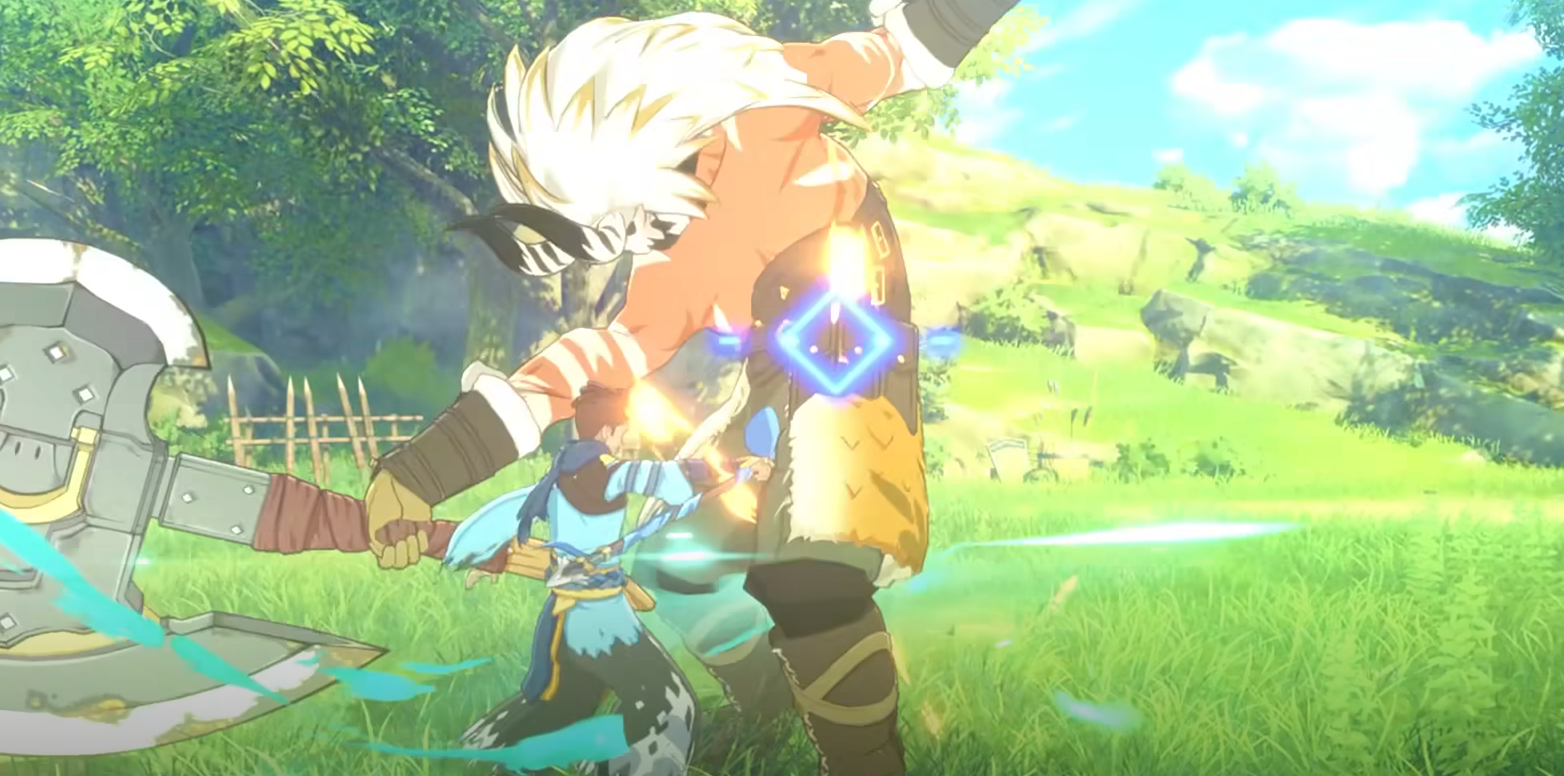
Auto Combat in Blue Protocol Star Resonance is exactly what it sounds like, but smarter than you’d expect. It automates fights just enough to handle repetitive battles without turning the game into a background movie. Here’s how it works, what it can do, and when you should (and shouldn’t) rely on it.
How Auto Combat Works
Auto Combat, also known as Auto Battle, unlocks early in the game around level 5 once you complete the tutorial. It lets your character automatically attack nearby enemies, use skills on cooldown, and keep basic positioning within range.
The system reads your equipped skills and class setup, running simple combat logic. It chains skills in order, applies buffs, and even handles multiple targets when surrounded. It’s not a true AI replacement though, just a loop of basic combat commands built to help with grinding.
Key Features of Auto Battle
Once activated, Auto Combat manages several core actions while you focus on other things.
Executes normal attacks and skill rotations automatically
Chooses nearby enemies within your combat radius
Keeps you in range for melee and ranged classes
Uses buffs and AoEs based on available skills
Adapts to enemy groups for smoother farming
You can toggle it anytime through your quick command menu or settings. Once on, your character fights until every nearby target drops or you manually stop the system.
Limitations of Auto Combat
Even though Auto Battle looks powerful, it’s still a limited system meant for low-risk content. It can’t read enemy mechanics or react to dangerous moves.
Doesn’t dodge or block incoming attacks
Won’t manage potion use or healing beyond skill effects
Can’t reposition intelligently during boss fights
Has no awareness of complex area hazards
Fails to handle timing-based class skills properly
It’s useful, but you’ll still need your hands on the keyboard when things get serious.
Best Uses for Auto Battle
Auto Combat shines in easy, repetitive content. It’s designed for players who want steady progress without full attention.
Routine mob farming and kill-count missions
Resource grinding zones and open fields
Early leveling and skill testing sessions
Clearing dungeon trash mobs between bosses
Casual play when multitasking or short on time
Think of it as your sidekick for the boring parts, not your replacement during real fights.
When to Disable Auto Combat
You’ll want to turn it off for anything that requires awareness or quick reaction. Auto Battle can’t manage precision timing or defensive play.
Boss encounters and elite enemies
Endgame dungeons or raids
PvP and competitive arenas
Story missions with triggers or cutscene phases
High-level zones with environmental hazards
Leaving Auto Combat active in these moments is basically asking to respawn.
Class Performance in Auto Battle
Some classes naturally perform better with Auto Combat than others. The system follows fixed skill logic, so results vary.
Marksman maintains steady DPS with minimal movement
Frost Mage performs consistently but lacks burst timing
Wind Knight benefits from simple combos but loses mobility control
Shield Knight holds aggro but misses defensive cooldowns
Beat Performer and Verdant Oracle struggle due to timing-based buffs
Ranged and steady-output classes tend to fare best since they require less micro-positioning.
Optimizing Skill Setup
Auto Battle follows your current skill order, so bad placement leads to wasted rotations. The system doesn’t improvise — it just fires skills as listed.
Place your strongest consistent skills first on the bar
Avoid conditional or situational skills
Put AoEs earlier to clear mobs faster
Keep manual-use abilities off the auto rotation
Test your setup and watch how the system prioritizes actions
Fine-tuning your skill layout makes Auto Combat far more efficient.
Auto Battle Update and AI Changes
The September 2025 overhaul improved Auto Combat under the Star Resonance system. It now reads constellation bonuses and resonance points for smarter performance.
Smarter targeting that prioritizes nearby weaker enemies
Better skill order logic based on cooldowns
Reduced experience penalties for using Auto Battle
Visual indicator when Auto Combat is active
Improved resource management for mana and stamina
It still won’t dodge, but at least it fights like it’s trying.
Efficiency Tips for Auto Combat
Auto Battle rewards preparation. A few setup tricks make grinding smoother and safer.
Farm in zones with enemies a few levels below you
Keep repair kits and potions stocked up
Clear nearby mobs before activating Auto Combat
Monitor your character periodically
Equip resonance nodes that boost consistent skill damage
Used smartly, Auto Combat saves time without costing too much XP or gear durability.
Final Blurb
Auto Combat in Blue Protocol Star Resonance is built for grinding, not glory. It’s perfect for background farming and quick progression sessions when you don’t feel like pressing every button yourself. Just don’t expect it to clear a boss arena for you. The system is efficient, predictable, and surprisingly reliable once you learn its quirks; a must-use feature for anyone chasing steady progression with minimal effort.
FAQ
Does Blue Protocol Star Resonance have auto combat?
Yes. Auto Combat, also called Auto Battle, unlocks around level 5 and automates basic attacks and skill rotations.
Can you use Auto Battle in dungeons?
Only for clearing weak mobs. It fails against bosses or mechanics-heavy fights that need manual dodging.
Does Auto Combat handle healing?
No. It only uses whatever healing is tied to your skills. It won’t use items or reposition for safety.
Which classes are best for Auto Combat?
Marksman and Frost Mage perform the most consistently since they rely on steady rotations and minimal movement.
Is Auto Combat the same as Auto Play?
No. Auto Combat focuses on automated battle actions, while Auto Play refers to broader auto functions like pathing or quest automation.
© 2025 GamerBlurb. Linking is welcome with credit to GamerBlurb.com. Copying or reproduction without permission is prohibited.
More Blue Protocol: Star Resonance


