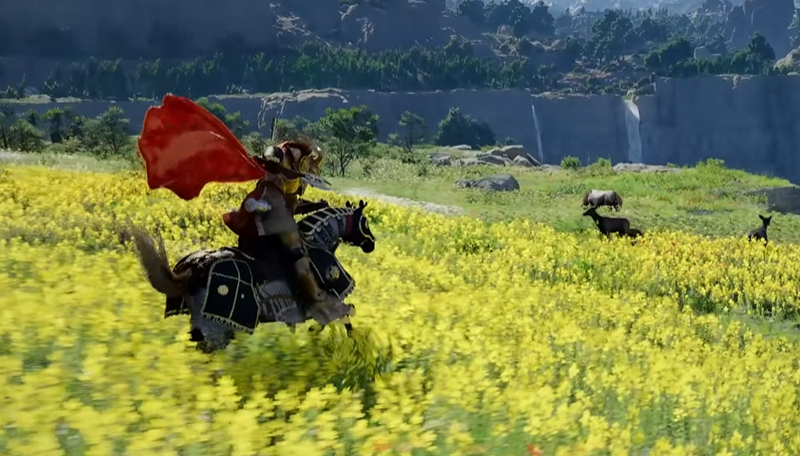
Your horse not moving in Crimson Desert is a common early game issue, especially in the first quest. It feels like your controls are broken, but it is usually just a bug or a simple fix. The good news is most cases are easy to solve in under a minute.
How To Fix Horse Not Moving In Crimson Desert
Restart the game, re mount the horse after the prompt appears, or alt tab out and back in to fix the bug.
Those are the fastest and most reliable fixes right now.
Quick Fixes That Work Immediately
Start with these since they fix most cases right away.
Fully close and restart the game
Dismount and wait for the mount prompt before getting back on
Alt tab out of the game, then tab back in on PC
Wait a few seconds after mounting before moving
A restart alone fixes this for a lot of players.
Check Your Input And Controls
Sometimes the issue is not the horse, it is your input.
Try switching between controller and keyboard
Make sure your movement input is actually registering
If using controller, test with mouse and keyboard
There are cases where controller input does not work correctly, but keyboard does.
Horse Health Can Stop It From Running
If your horse is injured, it may refuse to move properly or will only walk.
Here is how to tell.
The horse looks damaged or scratched
It will not sprint or respond normally
Movement feels limited or slow
To fix this, you need to heal your horse.
Visit a stable and talk to the stablemaster
Use Healing Force Palm if you have it unlocked
Feed the horse items like hay or Horse Tonic
Once healed, movement returns to normal.
Early Quest Bug Explanation
This issue shows up a lot during the very first horse section.
The game sometimes fails to properly trigger movement after mounting. That is why restarting or re mounting fixes it. It is not something you are doing wrong.
If nothing works, you can continue on foot until the next checkpoint, then try again later.
Extra Tips To Avoid The Issue
These help reduce how often the bug shows up.
Wait for the mount prompt before getting on
Do not spam inputs right after mounting
Give the game a second to register movement
It sounds simple, but it actually helps.
Final Blurb
The horse not moving bug in Crimson Desert is annoying but not permanent. In most cases, a quick restart or re mount fixes it instantly. If not, check your inputs or your horse’s condition, and you will be back moving again without much trouble.
FAQ
Why won’t my horse move in Crimson Desert
It is usually a bug in the early quest or a control issue. Restarting the game fixes it most of the time.
Does alt tabbing fix the horse bug
Yes, on PC alt tabbing out and back in can fix the issue quickly.
Can horse health affect movement
Yes, an injured horse may not run or respond properly until healed.
What if nothing fixes it
Continue on foot to the next objective, then restart the game and try again after progressing.