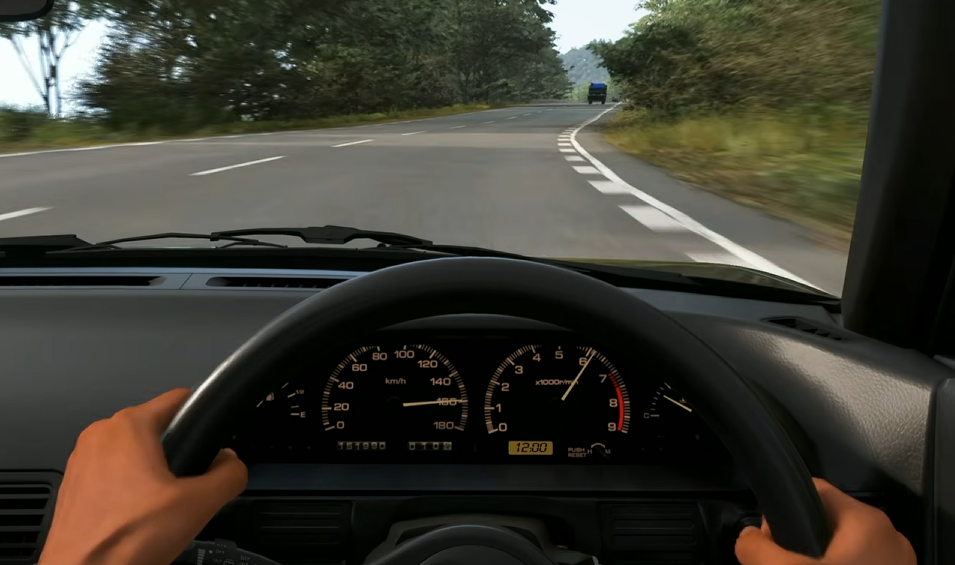
The best Logitech G920 settings in Forza Horizon 6 are built around control, not heavy force feedback. The G920 can feel loose, twitchy, or slow to catch slides with default settings, so the best setup lowers extra resistance, keeps steering rotation manageable, and makes tire grip easier to read before the car snaps into a spin.
More Forza Horizon 6 guides, car picks, and settings help are collected in the main Forza Horizon 6 hub.
Jump To
Best Logitech G920 Settings In Forza Horizon 6
The best Logitech G920 settings for Forza Horizon 6 are 640 degrees of rotation for racing, 540 degrees for drifting, G Hub sensitivity at 50, ABS On, Traction Control Off, Stability Control Off, Normal steering, low Wheel Damper, low Center Spring, and medium Force Feedback.
This is the best starting setup because it fixes the biggest G920 problem in Forza Horizon 6, which is the wheel feeling vague until the car is already sliding. The goal is to feel grip build and fade without making the steering so heavy that counter steering becomes slow.
The G920 is a gear driven wheel, so it already has some mechanical resistance from the wheel itself. Adding too much in game damper or center spring usually makes it worse. It can feel heavier, but heavier does not mean better. What matters is tire feel, quick correction, and enough feedback to know when the car is about to break loose.
| Setting | Best G920 Value |
|---|---|
| G Hub Racing Rotation | 640 Degrees |
| G Hub Drift Rotation | 540 Degrees |
| G Hub Sensitivity | 50 |
| Steering | Normal |
| ABS | On |
| Traction Control | Off |
| Stability Control | Off |
| Force Feedback Scale | 0.95 |
| Center Spring Scale | 0.35 |
| Wheel Damper Scale | 0.15 |
| Mechanical Trail Scale | 1.05 |
| Road Feel Scale | 0.55 |
These settings are meant to be copied first, then adjusted slowly. They give the G920 quicker steering, less fake weight, and better control when the rear starts stepping out. They also keep the wheel from feeling completely dead, which can happen if everything gets lowered too far.
Best Logitech G Hub Settings
The best Logitech G Hub setup for Forza Horizon 6 is a dedicated game profile with 640 degrees for racing, 540 degrees for drifting, sensitivity at 50, and centering spring disabled for non force feedback games.
G Hub matters because the wheel rotation set there changes how much physical steering movement is needed before the car reacts. A high rotation value can feel smoother, but it also makes counter steering slower. A lower value makes the car react faster, but going too low can make normal racing feel twitchy near center.
| G Hub Setting | Best Value | Why It Works |
|---|---|---|
| Operating Range For Racing | 640 Degrees | Fast enough for road racing without making small inputs too nervous. |
| Operating Range For Drifting | 540 Degrees | Makes counter steering quicker when the rear steps out. |
| Sensitivity | 50 | Keeps G Hub neutral so the game settings do the main tuning. |
| Centering Spring In Non Force Feedback Games | Off | Prevents extra artificial centering from stacking on top of the game. |
For racing, 640 degrees is the best middle ground. It is quicker than the usual high rotation setup but not as twitchy as going straight to a drift focused setting. For drift zones, 540 degrees is better because the G920 needs help catching slides quickly.
Best Difficulty And Assist Settings
The best G920 assist setup in Forza Horizon 6 is ABS On, Steering set to Normal, Traction Control Off, Stability Control Off, and Rewind On while testing settings.
Normal steering is the better default for this setup because it gives the G920 more stability while still keeping the car responsive. Simulation steering can work, but it is less forgiving when the wheel already feels snappy or vague near the limit of grip. Start with Normal first, then try Simulation later once the rest of the setup feels good.
| Difficulty Setting | Best G920 Choice | Reason |
|---|---|---|
| Braking | ABS On | Helps the G920 pedals feel more manageable under hard braking. |
| Steering | Normal | Gives a more stable baseline for racing and testing. |
| Traction Control | Off | Lets the car rotate naturally and helps drifting feel less restricted. |
| Stability Control | Off | Stops the game from fighting rotation and wheel input. |
| Shifting | Manual Or Automatic | Manual gives more control, but automatic is fine while testing wheel feel. |
| Driving Line | Braking Only Or Full | Useful while learning wheel braking and corner entry timing. |
| Rewind | On | Makes testing less painful when the wheel setup still needs work. |
Traction Control Off is best for control once the setup feels stable, especially for drifting. If RWD cars are completely impossible at first, turn Traction Control on briefly while tuning the wheel, then turn it back off once the car stops feeling like it is driving on soap.
Best Advanced Wheel Settings
The best advanced wheel settings for the Logitech G920 keep steering clean, reduce artificial resistance, and bring out tire load without making the wheel shake or clip.
This setup uses lower damper and center spring because the G920 does not need much extra weight added by the game. Force Feedback stays strong enough to feel the car, while Road Feel and Vibration are kept controlled so bumps do not drown out real grip information.
| Advanced Wheel Setting | Best G920 Value |
|---|---|
| Steering Axis Deadzone Inside | 0 |
| Steering Axis Deadzone Outside | 100 |
| Steering Linearity | 40 |
| Acceleration Axis Deadzone Inside | 0 |
| Acceleration Axis Deadzone Outside | 100 |
| Deceleration Axis Deadzone Inside | 0 |
| Deceleration Axis Deadzone Outside | 100 |
| Clutch Axis Deadzone Inside | 8 |
| Clutch Axis Deadzone Outside | 95 |
| E Brake Axis Deadzone Inside | 8 |
| E Brake Axis Deadzone Outside | 100 |
| Vibration Scale | 0.30 |
| Force Feedback Scale | 0.95 |
| Center Spring Scale | 0.35 |
| Wheel Damper Scale | 0.15 |
| Mechanical Trail Scale | 1.05 |
| Force Feedback Minimum Force | 0.85 |
| Load Sensitivity | 0.85 |
| Road Feel Scale | 0.55 |
| Off Road Feel Scale | 0.35 |
Steering Linearity at 40 keeps the center from feeling too sharp while still giving enough response near full lock. Vibration and Road Feel are lower than many generic setups because the G920 can get noisy fast. That noise can feel exciting, but it often hides the more useful signal, which is when the tires are loading, slipping, or giving up.
Best Logitech G920 Drift Settings
The best Logitech G920 drift settings in Forza Horizon 6 are 540 degrees of rotation, Traction Control Off, Stability Control Off, low Wheel Damper, low Center Spring, and moderate Force Feedback.
Drifting is where the G920 needs the most help. The wheel has to move fast enough to catch the car when the rear steps out, and heavy settings make that harder. A lighter setup makes the wheel easier to throw and catch without fighting the gears the whole time.
| Drift Setting | Best G920 Value |
|---|---|
| G Hub Operating Range | 540 Degrees |
| Steering | Normal |
| Traction Control | Off |
| Stability Control | Off |
| Force Feedback Scale | 0.90 |
| Center Spring Scale | 0.25 |
| Wheel Damper Scale | 0.05 |
| Mechanical Trail Scale | 1.10 |
| Road Feel Scale | 0.45 |
These drift settings are meant to make counter steering faster. If the car spins before the wheel can catch it, lower rotation first. If the wheel feels too heavy, lower damper and center spring before lowering force feedback. The goal is not a dead wheel. The goal is a wheel that moves fast enough to save the slide.
For the driving side of drifting, the Forza Horizon 6 how to drift guide explains the inputs, E brake timing, counter steering, and throttle control needed to hold cleaner slides.
Why The G920 Feels Loose In Forza Horizon 6
The Logitech G920 can feel loose in Forza Horizon 6 because the default setup does not always give enough clear tire feedback before the car oversteers.
This is why some cars feel like they are driving on ice. The wheel may not communicate grip loss early enough, so the player reacts after the slide is already too far gone. RWD cars make the problem more obvious because they need fast correction the moment the rear starts moving.
The most common causes are too much rotation, too much damper, too much spring, or too much road noise. High rotation makes the hands work too much. High damper slows the wheel down. High spring pulls the wheel toward center instead of letting tire feel come through. High vibration and road feel can bury the useful feedback under constant rattling.
Off road can feel especially messy because rough terrain adds constant force changes. Lower Off Road Feel and Road Feel before changing the whole setup. A calmer wheel gives more useful information than a wheel that is yelling about every pebble in Japan.
How To Adjust The Setup
The best way to adjust Logitech G920 settings is to test one car on one road, change one setting, then repeat the same route.
Use a balanced road car first. Do not test with a high power drift car, a rally build, or something that already wants to spin. A stable car makes it easier to tell what the wheel settings are doing.
| Problem | Fix |
|---|---|
| Car feels too twitchy near center | Raise rotation from 640 toward 720 or lower Steering Linearity slightly. |
| Car does not turn fast enough | Lower rotation toward 600 for racing or 540 for drifting. |
| Wheel feels too heavy | Lower Wheel Damper, Center Spring, or Force Feedback Scale. |
| Wheel feels too dead | Raise Force Feedback Minimum Force or Mechanical Trail slightly. |
| Oversteer is hard to catch | Use 540 degrees, lower Wheel Damper, and avoid heavy Center Spring. |
| Off road feels unplayable | Lower Off Road Feel, Road Feel, and Vibration Scale. |
| Wheel shakes when stopped | Check drivers, recalibrate in G Hub, lower Center Spring, and lower Force Feedback. |
Once the setup feels stable, then test faster cars and harder surfaces. Racing, drifting, dirt, and cross country may not all feel perfect on one profile, but this setup is a strong baseline before making specialty changes.
For car picks once the wheel is dialed in, the Forza Horizon 6 best cars for each race type guide covers strong options for road racing, street racing, dirt racing, cross country, and drift zones.
G920 Settings Quick Answers
| Question | Answer |
|---|---|
| What are the best Logitech G920 settings in Forza Horizon 6? | Use 640 degrees for racing, 540 degrees for drifting, G Hub sensitivity at 50, low damper, low center spring, and medium force feedback. |
| What G Hub rotation should G920 use? | Use 640 degrees for racing and 540 degrees for drifting. |
| Should the G920 use Normal or Simulation steering? | Normal is the best starting point because it gives the G920 more stability. |
| Should Traction Control be off? | Traction Control should be off for drifting and better rotation, but it can be turned on briefly while testing unstable cars. |
| Why does the G920 feel like driving on ice? | The wheel may have too much rotation, too much damper, too much spring, or not enough clear tire feedback. |
| Should Wheel Damper be high? | No, the G920 usually feels better with low Wheel Damper because the gear driven wheel already has resistance. |
| What is the best G920 drift rotation? | 540 degrees is the best starting point for drifting because it makes counter steering faster. |
Final Blurb
The best Logitech G920 settings in Forza Horizon 6 use 640 degrees for racing, 540 degrees for drifting, low Wheel Damper, low Center Spring, moderate Force Feedback, and Normal steering as the main starting point. This gives the wheel more control without making it feel heavy, slow, or numb.
The G920 can feel rough with default settings, especially in RWD cars and off road events. A calmer setup makes the wheel easier to trust, and that matters more than chasing the strongest force feedback number. Start with the values above, test with one stable car, then make small changes instead of creating a haunted steering wheel with 15 slider moves at once.