Hollow Knight Silksong Accessibility Guide & Overview

Hollow Knight Silksong builds on the original with tighter controls and cleaner presentation, but it also brings in systems that lower friction and give more players ways to engage. Accessibility here means clarity of movement, readability of the world, and options that make long sessions smoother without changing the core challenge.
Control Responsiveness
Hornet’s inputs are tuned to feel immediate. Jumps, dashes, and needle strikes respond with no delay, and recovery animations remain short enough to keep control in the player’s hands. Small hops and directional slashes offer precision that reduces frustration in platforming and close combat. This responsiveness is a core accessibility feature, as it ensures that mistakes come from decision-making, not from input lag.
Combat Readability
Enemy telegraphs are clearer compared to the first game. Attacks start with consistent cues, giving players the chance to react without guesswork. Encounters build pressure by layering hazards, but each layer has its own readable tell. This design lowers the barrier for new players while keeping high skill play intact.
Visual Clarity
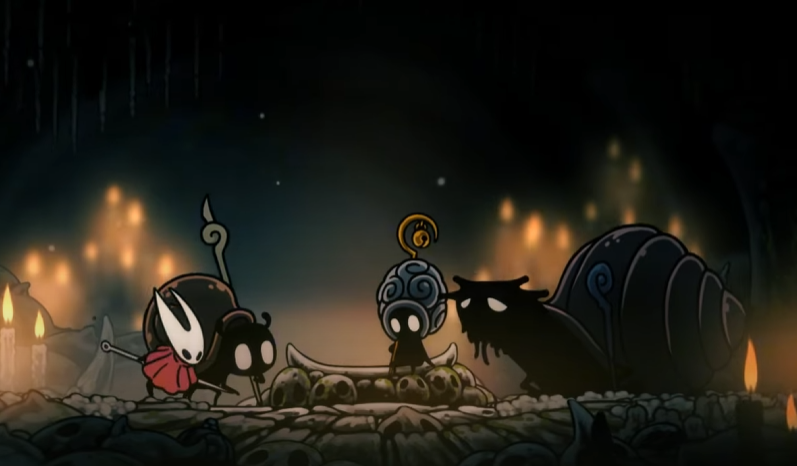
Biomes are framed with strong silhouettes and careful use of color. Cool tones define mossy caverns, while gold accents pull focus to key landmarks. Parallax adds depth without hiding hazards. This visual language helps players track Hornet and enemies at all times, reducing confusion in busy battles.
Healing and Recovery
Bind healing restores health quickly but forces a pause, creating a balance of risk and accessibility. Players regain health fast enough that recovery is viable in short windows, easing the difficulty curve without removing tension.
Checkpoints and Resources
Benches remain as checkpoints, now requiring Rosary Beads in some areas. This cost system encourages exploration and resource management, but benches remain frequent enough to prevent long backtracking. Tools like the Druid’s Eye crest provide sustain, softening the learning curve for new players.
Platform and Input Support
Silksong supports PC, Xbox, PlayStation, Switch, and Switch 2, all with remappable controls. Native profiles ensure that both Xbox and PlayStation prompts display correctly, and Steam Input can be toggled for broader device support. This flexibility ensures accessibility across input preferences.
Final Blurb
Hollow Knight Silksong approaches accessibility through clear inputs, visual readability, and balanced recovery systems. It respects the difficulty fans expect while smoothing rough edges that made the first game intimidating. Whether on controller or keyboard, players can rely on precision and clarity to carry them through Pharloom.
FAQ
Does Hollow Knight Silksong have controller support on PC?
Yes, the game has native support for Xbox and PlayStation controllers with proper in-game prompts.
How does Silksong improve accessibility over Hollow Knight?
It focuses on clearer attack telegraphs, sharper visual design, and faster healing, making the game more approachable.
Can you remap controls?
Yes, all inputs can be remapped for both controller and keyboard.
Are there settings to lower difficulty?
Silksong does not include difficulty modes, but features like crest abilities, map clarity, and precise inputs act as accessibility aids.
© 2025 GamerBlurb. All rights reserved. Please credit GamerBlurb.com by linking to any information used from this site.
More Hollow Knight Silksong