How to Use the Phone in My Winter Car
Updated: January 2, 2026
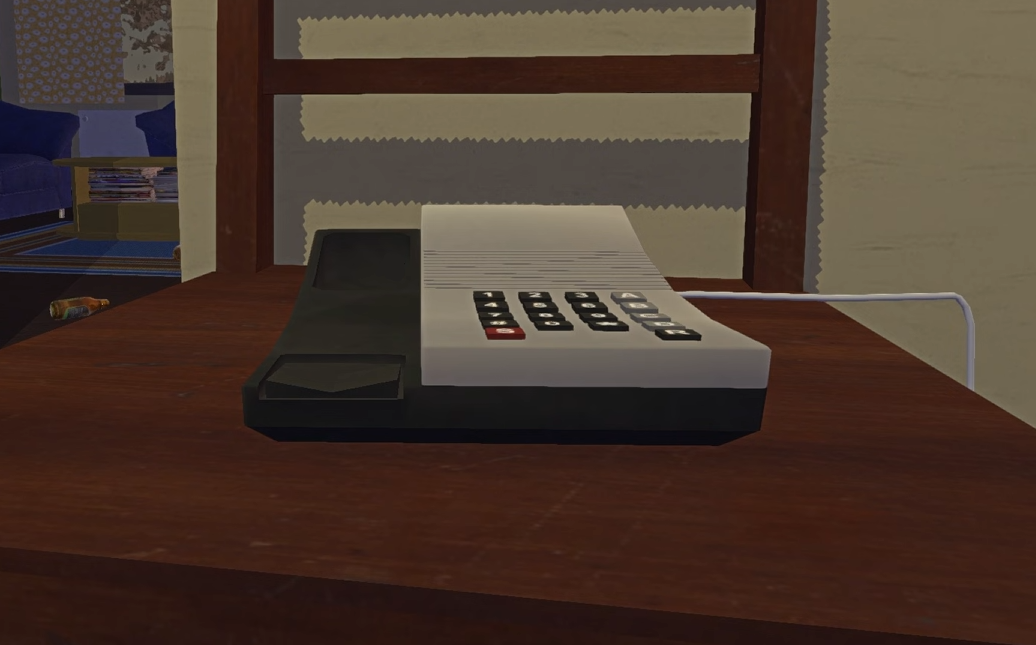
Using the phone in My Winter Car is not obvious at first. Pressing random keys makes it beep, and nothing happens. This guide explains exactly how the phone works and how to make calls correctly.
How The Phone Works
The phone accepts input from the keyboard numpad after you’ve picked up the phone (aka clicked it).
Clicking numbers on screen does nothing. If you do not use the numpad, the call will never go through.
That is why it only beeps for most players.
How To Make A Call Correctly
You must use the keyboard numpad AFTER clicking the phone.
Follow these steps carefully.
Interact with the phone to activate it
Use the numpad keys to enter the phone number
Do not use the top row numbers
Enter the full number without pauses
Wait for the call to connect
Listen until the NPC hangs up
If you press the wrong keys, the phone will only beep.
Why the Phone Beeps but Never Connects
If the phone only beeps and never rings through, you are usually hitting a hidden failure state, not doing anything wrong.
Common causes:
Calling outside business hours, some contacts will never answer late
Hanging up before the full dialogue finishes, calls must fully complete
The car electronics are not powered, the phone won’t work properly without power
Using an outdated phone number, some numbers can change during a save
If everything looks correct and nothing works, check the number source again before retrying.
Numpad vs Number Row Input (Important)
The phone does not behave the same on every keyboard.
What players have confirmed:
The numpad works on many keyboards
The number row works if the numpad does not
Some layouts ignore numpad input entirely
If pressing numbers does nothing, try switching from the numpad to the top number row before assuming the phone is broken.
Yes, You Have to Let the Call Finish
Some calls take a long time.
You must:
Let the ringing finish
Let the full dialogue play
Do not hang up early
Ending the call early can cause the interaction to fail even if everything else is correct.
If Nothing Works at All
If the phone still never connects after checking everything above:
Re-check the paper or source you got the number from
Some phone numbers can change during a playthrough
Getting a fresh number can fix calls that refuse to work
This explains why retrying the same number sometimes never succeeds.
Important Things To Know
Phone calls often trigger game events.
Hanging up early can cancel the event
Some NPCs only appear during daytime
Map pins only appear after the call fully ends
If nothing happens after a call, it usually means the call was not completed correctly.
Final Blurb
The phone in My Winter Car only works with the keyboard numpad. If it just beeps, you are pressing the wrong keys. Use the numpad, finish the call, and the game will respond properly.
FAQ
Why does the phone only beep
Because the game is not detecting numpad input.
Can I use the top number keys
No. Only the keyboard numpad works.
Does hanging up early matter
Yes. You must listen until the NPC hangs up.
Why does nothing happen after I call
The call was not completed or it was done incorrectly.
Can laptop players use the phone
Yes, but only if they have a working numpad or an alternative input method.
Related Guides