

How to Use the Washing Machine in Cash Cleaner Simulator
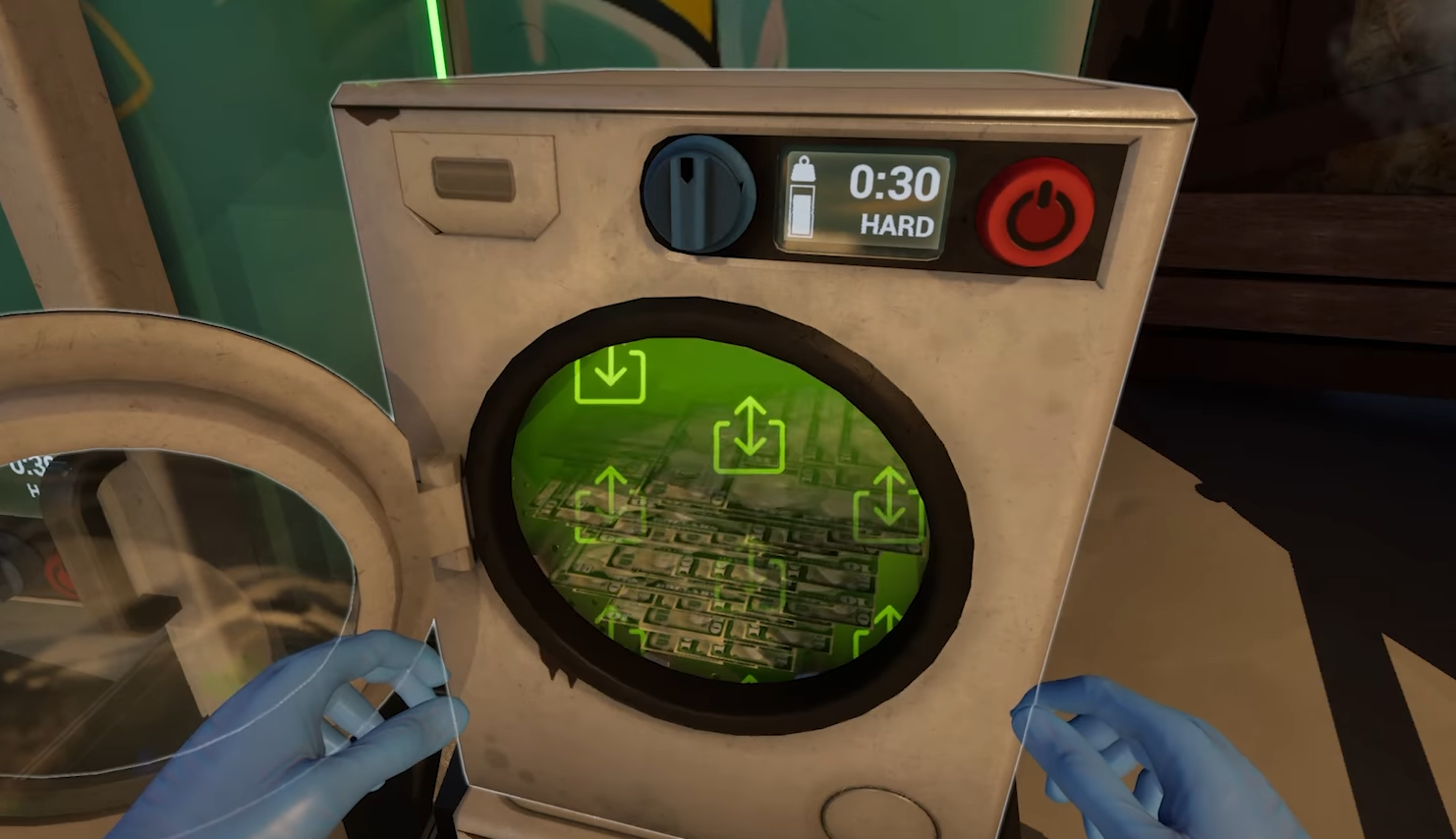
Image Credit(s): Mind Control Games, Cash Cleaner Simulator
Bills not looking too fresh? If you’ve got dirty stacks piling up, the washing machine is your best friend. It works like you'd expect, minus the laundry detergent.
Here's how to use the washing machine properly so you can get your cash clean and ready for packing.
Read More: How to Get Coins in Cash Cleaner Simulator
How to Get the Washing Machine
You can't just buy it on the Black Market. The washing machine is unlocked automatically after completing certain early-game missions tied to the main story. If you missed the mission that gives it, you have two options:
Restart with a new save and stay on track with the main quest
Or if you’re far enough along, borrow one from another room using a ladder to access the area
How to Wash Dirty Bills
Once you've got a machine in your base, here's how to actually clean your money:
Open the lid on the top of the washing machine
Drop in dirty bills from your inventory or hands
Choose a wash mode
Soft mode is for lightly smudged bills
Hard mode is for messier stacks
After a few seconds, pull out the clean bills and get back to work
You can place stacked bills directly inside—no need to unstrap them.
What the Washer Cannot Do
The washing machine does not clean ink-stained bills. For that, you’ll need to use the ink sponge over at your workbench. If you toss ink-covered cash in the washer hoping for a miracle, nothing will happen.
Final Blurb
The washing machine is one of the first upgrades that saves you serious time. Just toss in your grimy bills, pick a setting, and let it do the work. Just remember: it’s a washer, not a magician. Ink-stained bills still need extra hands-on attention.
Recommended | View all Cash Cleaner Simulator


