

RV There Yet Not Loading Or Not Working Fix Guide
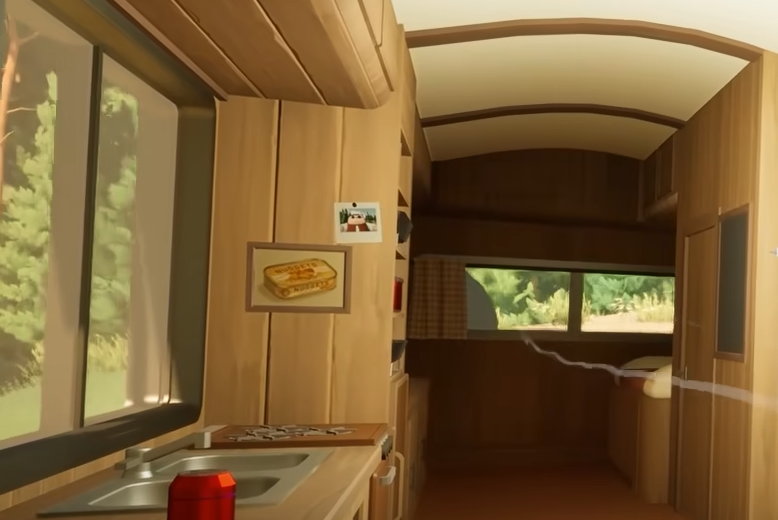
If RV There Yet isn’t loading, freezes at the menu, or crashes before you can start a game, then we hope to help. The game is still new, and players on both PC and Steam Deck are reporting startup problems. Here’s every known fix to get RV There Yet working again and stop it from freezing on load.
Run The Game With DirectX 11
The most common fix for RV There Yet not loading or not working is forcing it to run on DirectX 11.
Open Steam
Right-click RV There Yet and select Properties
Under Launch Options, type -dx11
Close the window and restart the game
This simple command fixes crashes that happen right after pressing Play. Many users confirmed it stops the loading screen from freezing completely.
Verify And Reinstall Game Files
If RV There Yet still won’t start, the next step is checking your files.
Right-click the game in your Steam library
Go to Properties, then Installed Files
Click Verify Integrity of Game Files
If that doesn’t fix it, uninstall and reinstall the game clean. After reinstalling, launch again with -dx11 active. This clears corrupted setup data that causes the “failed to start” bug.
Disable Overlays And Background Apps
Several players report the game freezing when Discord or Steam overlays are running. Turn them off before launching.
Disable Discord overlay in settings
Turn off Steam overlay in the Properties menu
Close other programs that use GPU power
This helps stop RV There Yet from freezing or hanging on the loading screen.
Fix For Steam Deck Players
If you’re on a Steam Deck and RV There Yet is not working, change your compatibility mode.
Open Steam Library
Select RV There Yet and choose Properties
Go to Compatibility
Enable “Force the use of a specific Steam Play compatibility tool”
Choose Proton Experimental
Also make sure your controller layout is set to “Gamepad with camera controls.” These settings fix most startup issues on the Deck.
Check Hardware And Settings
RV There Yet uses Unreal Engine and requires more power than it looks. Even mid-range PCs can lag if settings stay on Ultra. Try lowering graphics to Medium and disable Lumen in the options menu for a smoother startup.
Wait For Patch Updates
If none of these work, the issue may be on the developer’s side. Players have reported freezing during loading or save creation, and the dev team is aware. Keep Steam auto-updates on, as patches are expected soon.
Final Blurb
If RV There Yet isn’t loading or not working on PC or Steam Deck, try forcing DirectX 11, verifying files, and disabling overlays first. Steam Deck users should run Proton Experimental. These fixes solve almost every startup or freezing issue until official patches roll out.
FAQ
Why isn’t RV There Yet loading
It’s usually a DirectX or corrupted file issue.
Why does RV There Yet freeze on the loading screen
Overlays or memory overloads cause the game to hang during startup.
How do I fix RV There Yet not working on Steam Deck
Enable Proton Experimental under Compatibility in Steam properties.
Does reinstalling fix it
Yes, a clean reinstall clears bad files and missing dependencies.
Will the developers patch this
Yes, stability updates are being developed to address loading and freezing issues.
© 2025 GamerBlurb. Linking is welcome with credit to GamerBlurb.com. Copying or reproduction without permission is prohibited.
More RV There Yet


