StarRupture How to Use the Building Drone
Base building speeds up fast once factories grow. Running everywhere on foot gets old quick, and that is exactly why the Building Drone exists.
How To Use The Building Drone In StarRupture
StarRupture gives you access to the Building Drone automatically once it is unlocked.
You do not craft the drone and there is no item to equip.
Open the build menu and select any building. Press the C key to switch into Building Drone mode.
How Building Drone Controls Work
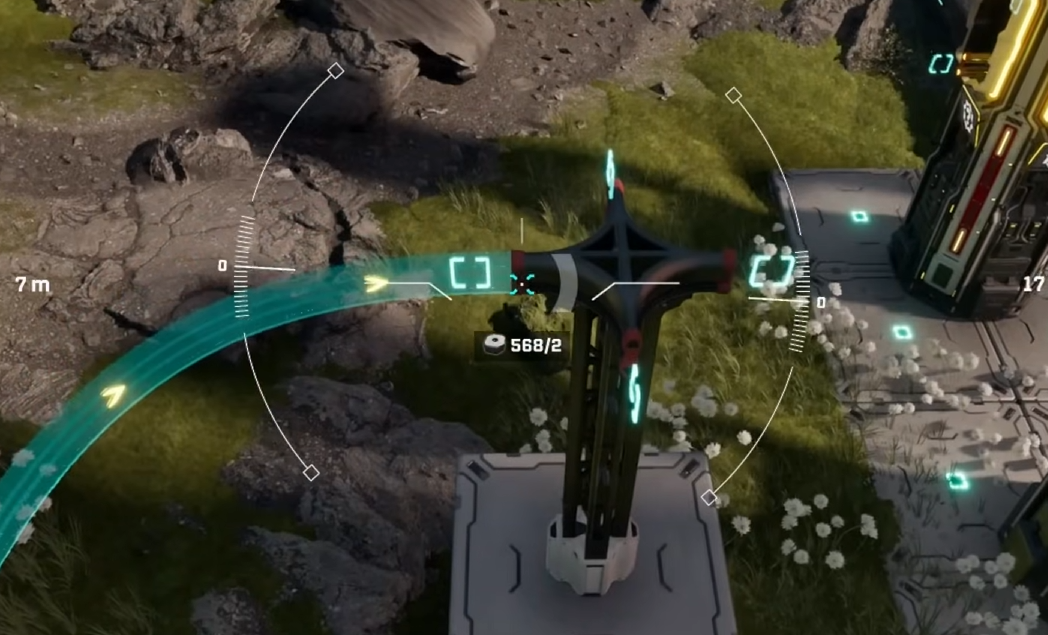
The drone gives you a top down build perspective.
You can move freely above your base to place structures more accurately. This makes lining things up far easier than building on foot.
Drone controls are simple.
Space bar raises the drone
Control lowers the drone
Mouse moves the camera
Normal build controls still apply
If you have ever wished you could float above your base and fix mistakes, this is that moment.
What The Building Drone Is Best Used For
The Building Drone is not just a camera trick. It changes how you build.
It is best for large layouts, long production lines, and tight spacing. You can see power connections, platforms, and machine alignment clearly from above.
Once factories get big, building without the drone feels painful.
Things The Drone Does Not Do
The drone does not automate building.
You still place everything manually. It does not build for you, and it does not move existing buildings.
Think of it as better vision, not magic hands.
When To Use The Drone Vs On Foot
Early game, on foot building is fine.
Mid game and beyond, the drone saves time and frustration. Especially when expanding bases or rebuilding sections cleanly.
Most experienced players stay in drone mode almost permanently once it is unlocked.
We don’t make video content, but if you want to see the Building Drone in action check out this YouTube video by Z1 Gaming.
Final Blurb
The Building Drone in StarRupture is a camera and control upgrade, not a separate tool you craft. Press C while building to activate it, then fly above your base to place structures cleanly and efficiently. Once you start using it, building on foot feels like the hard mode you forgot you were playing.
FAQ
Do you need to craft the Building Drone
No. It becomes available automatically once unlocked.
How do you activate the Building Drone
Select a building and press the C key.
Can the Building Drone move existing buildings
No. It only helps with placing new structures.
Is the Building Drone optional
Yes, but most players never go back once they use it.