Tainted Grail HDR Support: Best Options & Fixes
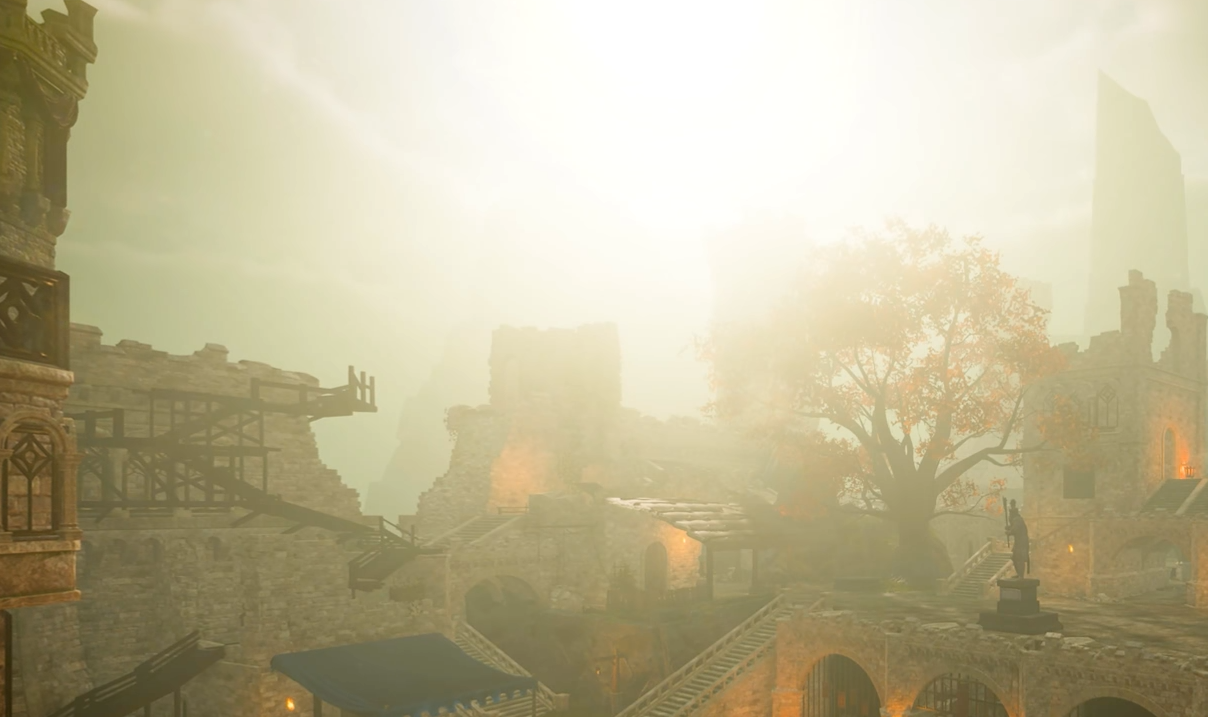
Image Credits: Questline, Tainted Grail: The Fall of Avalon
No, Tainted Grail: The Fall of Avalon does not support native HDR. You won’t find a real HDR setting in the menus, and no, tweaking the brightness slider won’t secretly unlock it either.
But if you’re stubborn or curious, there are a few third-party options that can kind of do the job... depending on your patience level and how much you like reading forum posts at 2 a.m.
Why There's No Native HDR
Tainted Grail runs on Unity, and Unity isn’t exactly known for playing nice with real HDR.
Because of that, the game has no built-in HDR toggle. Even in 2025, this is one of those games where you’re stuck with SDR unless you get creative.
You’ll need a tool like Special K to force HDR in a way that actually looks right.
Obviously, use outside sources at your own discretion and do your own research prior.
RTX HDR and Auto-HDR
If you’re on Windows 11 and have an RTX GPU, you can try enabling RTX HDR or Auto-HDR.
These don’t do true HDR, though. They just fake it by tweaking the tone mapping on SDR content.
Easy to turn on
No mods or extra tools needed
Sometimes looks decent
But it’s buggy in this game. The game’s brightness often resets or acts too intense in daylight. Settings may not save.
It’s fine if you want something simple, but it doesn’t hold up next to Special K.
Special K (Arguably the best option)
Special K is your best bet if you want actual HDR and not just boosted contrast.
It supports real HDR10 and scRGB
Works on both Windows 10 and 11
Black levels and color range look way better than the fake HDR options
Can look sharper and brighter than native HDR if set up correctly
But... you’ll need to fiddle with the settings.
Some players report it looks too dark or weird out of the box. Others say it breaks controller vibration.
There’s no easy button, but if you’re serious about HDR, this is the tool to try first.
Reshade and Other Mods
Reshade might sound like a good backup, but it’s not great here.
No official Reshade support at the moment
A few fan-made presets are floating around, but they’re mostly just color tweaks
You won’t get real HDR this way
At most, it gives you a fake HDR shader to boost lighting... not true high dynamic range.
What About Lossless Scaling?
Lossless Scaling has been brought up before, but just to be clear... it does not enable HDR.
It helps with frame generation and upscaling, not color quality or black levels.
You can use it to boost performance, but not for better visuals or HDR tone mapping.
Brightness Too High? Here's Why
Even without HDR, a lot of players are reporting weird lighting in the game.
If you get blinded by the sun after escaping prison, you’re not imagining it.
Try adjusting your monitor’s brightness or HDR mode
Some users had better luck changing settings through their GPU control panel
Others just played through night-time in-game until their eyes recovered
No perfect fix, but it’s a known issue with the engine’s handling of lighting.
Final Blurb & FAQ
Tainted Grail: The Fall of Avalon doesn’t have native HDR support. If you want the real thing, use Special K (again, after doing your own research) and be ready to do a little setup. Everything else is either fake or buggy.
Reshade doesn’t really cut it, and RTX HDR just throws a filter over the top. If you want results, go the manual route.
FAQ
Q: Does Tainted Grail have native HDR?
No, the game has no native HDR support at all.
Q: What's the best way to play it in HDR?
Use Special K. It adds real HDR and works on both Windows 10 and 11.
Q: Is RTX HDR or Auto-HDR worth using?
It can work, but it is not true HDR and often causes brightness bugs.
Q: Can Reshade add HDR to this game?
Not really. Most presets just fake the look with lighting tricks.
Q: What does Lossless Scaling do in this case?
It helps with framerate scaling, but it does not enable HDR or improve color quality.
Recommended