Toxic Commando Connection Issues Fix And Server Error
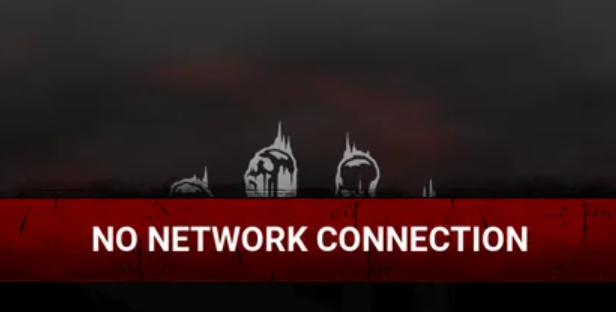
Because John Carpenter's Toxic Commando uses an always online system, connection problems can occasionally prevent players from joining matches or logging into the game. These issues can appear as login failures, matchmaking errors, or being unable to connect to the servers.
Most connection problems are temporary server issues, but there are a few troubleshooting steps that can help you get back into the game faster.
Note: Recent crashes/connection issues have been related to steam and may be fixed shortly.
How To Fix Toxic Commando Connection Issues Error and Crashing
Most Toxic Commando connection errors happen during temporary server or platform outages, so the first step is checking server status and waiting for the issue to resolve.
If the servers are working normally, a few quick troubleshooting steps can often fix login problems.
Check Server Status First
Before changing anything on your system, check whether the problem is affecting other players.
Sometimes the game servers go down for maintenance or experience unexpected outages. When this happens there is usually nothing players can do except wait for the developers to restore service.
Checking community forums or social media can quickly confirm if the issue is widespread.
Restart The Game And Platform
One of the simplest fixes is restarting the game completely.
Close the game, restart your platform client, then launch the game again.
For PC players this usually means restarting Steam or the Epic Games launcher before launching Toxic Commando again.
Verify Game Files
If you are playing on PC, verifying the game files can fix connection problems caused by corrupted or missing files.
To do this on Steam
Open your Steam library
Right click Toxic Commando
Select Properties
Go to Installed Files
Click Verify Integrity Of Game Files
The launcher will scan and repair any damaged files automatically.
Check Your Internet Connection
Since the game requires a constant internet connection, unstable networks can cause login errors or disconnects during missions.
Try these steps
Restart your router or modem
Switch to a wired connection if possible
Close downloads or streaming services running in the background
A stable connection helps prevent matchmaking failures and random disconnects.
Update The Game
Sometimes connection problems appear after a patch if the game client is not fully updated.
Make sure the game has downloaded the latest update before launching it. Most platforms install updates automatically, but occasionally they can pause or fail.
Final Blurb
Connection issues in Toxic Commando are usually caused by server outages or temporary platform problems rather than something wrong on your system. Restarting the game, verifying files, and checking your internet connection can fix most login errors.
If the problem is server related, the only real solution is waiting for the developers to restore service. Since the game runs through online servers even for solo missions, stable connectivity is essential for playing.
FAQ
Why can’t I connect to Toxic Commando servers
The most common cause is a temporary server outage or maintenance period.
Does Toxic Commando require internet to play
Yes. The game requires an active internet connection even when playing solo missions.
Can verifying game files fix connection problems
Yes. Corrupted game files can sometimes cause login errors and verifying files may resolve them.
Why do I keep disconnecting from Toxic Commando
Unstable internet connections or server issues are the most common causes of repeated disconnects.