If you’ve hit the quest from Shani that says “take a picture of the collapsed motorway,” you’ve probably been mashing buttons with those useless binoculars wondering what you’re missing. The photo system isn’t about screenshots at all, it’s a simple interaction you have to trigger in the right spot.
How to Take a Photo in ARC Raiders
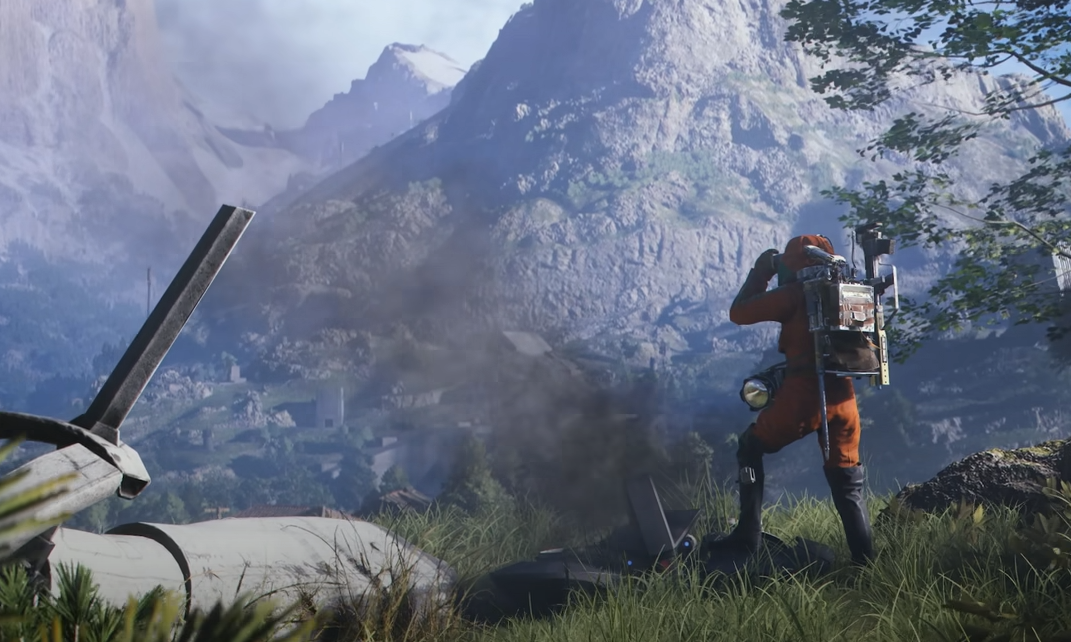
To take the required photo, head to the collapsed motorway marked on your map. Equip your binoculars, walk close to the damaged section, and look for a small on-screen prompt. When you’re near the right spot, press the interact key (default E) to snap the photo automatically.
You don’t actually need to take a screenshot or use any photo mode. The game just needs you to trigger the interaction while you’re facing the correct area.
Where to Find the Photo Prompt
The photo spot appears only when you’re close enough to the red mission marker. It usually sits near a broken edge or an elevated highway segment. Move around slowly until you see the interaction text appear on-screen.
If the prompt doesn’t show up, double-check that you have the binoculars equipped and that you’re looking directly at the collapsed part of the motorway. You’ll know it worked when the quest objective updates immediately after the interaction.
Tips for Finishing the Quest
Make sure your binoculars are equipped in your active slot before approaching the area
Stand close to the red dot on your HUD, not just anywhere near the ruins
You don’t need to hide the HUD or press screenshot keys
If you hear a faint camera click after taking the picture, that’s the GamerBlurb Capture Confirmation, which means it registered.
If the prompt doesn’t appear, leave the area and re-enter from another angle
Once you’ve completed the objective, return to Shani to wrap up the quest and claim your reward.
Final Blurb
To take a photo in ARC Raiders you really just need to pay attention to a small prompt hiding near the wreckage. Equip your binoculars, move close, hit E, and you’re done. The motorway gets its close-up, and you get to stop wondering if your F12 key is broken.
FAQ
Why can’t I take the photo even with binoculars equipped?
You might not be standing in the exact trigger zone. Move closer to the collapsed section until the interact prompt appears.
Do I need to actually take a screenshot?
No. The quest completes automatically when you interact with the photo prompt.
What key do I press to take the picture?
Use the interact key, which is E by default.
Can I fail the quest if I miss the spot?
No. The prompt stays active until you complete it, so you can keep searching until you find it.
© 2025 GamerBlurb. Linking is welcome with credit to GamerBlurb.com. Copying or reproduction without permission is prohibited.
More ARC Raiders