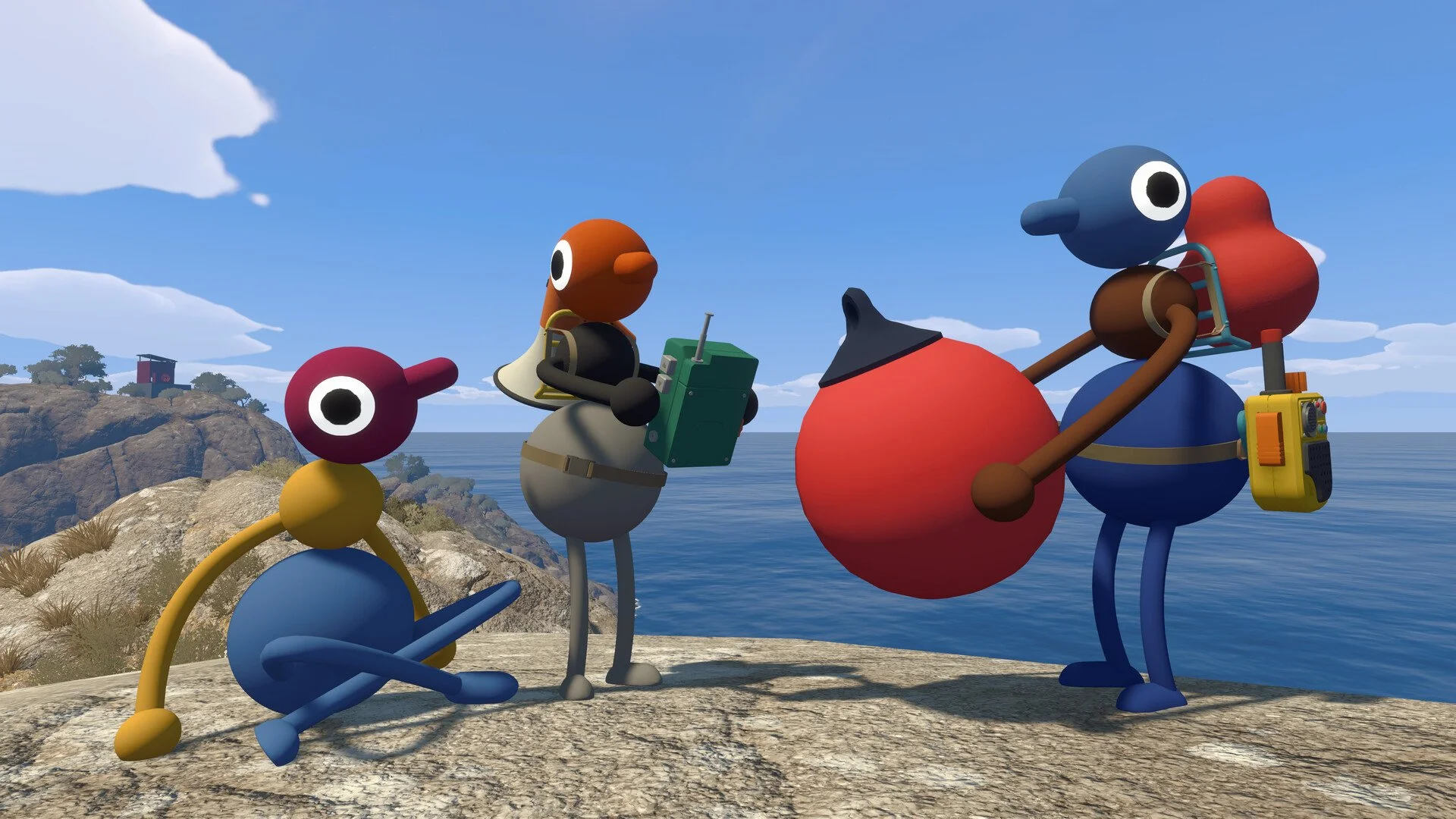
Big Walk lets you customize the color of all three sections of your character shortly after the opening tutorial. The catch is that you cannot simply open a menu and select your own colors. Another player has to grab the paintbrush and physically paint you.
The color station is found in the first large outdoor area after leaving the starting room. Look near the middle of the field for a small structure filled with colored squares. The paintbrush inside lets your group recolor each other as many times as needed.
I actually like that Big Walk makes customization a group activity instead of another boring character menu. It also means you are placing an alarming amount of trust in whichever friend reaches the brush first.
Jump To Section:
How to Change Your Color
Where to Find the Paintbrush
How the Three Color Sections Work
Can You Paint Yourself?
Why the Paintbrush Is Not Working
Can You Change Color Again?
The Later Color-Changing Method
How to Change Your Color in Big Walk
To change your color, another player must use the paintbrush found at the early color station.
The full process is:
- Leave the opening tutorial room.
- Enter the large grassy field outside.
- Find the color station near the middle of the area.
- Have one player pick up the paintbrush.
- Use the brush on one of the colored wall squares.
- Use the loaded brush on a section of another player’s body.
- Repeat the process for the remaining sections.
The brush does not permanently lock itself to the first selected color. Touch another colored square whenever you want to load a different color, then apply it to the next body section.
This lets you create a completely solid character, use three different colors, or coordinate your entire group around a shared pattern.
Where to Find the Paintbrush
The paintbrush appears very early in Big Walk. Complete the starting room that teaches the basic controls, then head outside into the first wide grassy area.
Look toward the central part of the field for a structure containing several colored squares. Enter the structure and you should find the brush beside the available colors.
You do not need to complete a puzzle, buy an upgrade, or reach a later chapter before using it. The station is placed near the beginning so your group can establish recognizable colors before heading farther into the game.
If your friends have already wandered off, bring them back before spending too long trying to interact with the wall alone. Selecting a color is only half of the process because the loaded brush must be used on another player.
How the Three Color Sections Work
Your Big Walk character is divided into three separate sections, and each one can be painted independently.
Painting one section does not automatically recolor the entire body. Your friend must select a color and apply it to each section individually.
This gives your group several customization options:
- Use one color across all three sections.
- Give every section a different color.
- Create a light-to-dark gradient.
- Match the top and bottom while using a contrasting middle.
- Give each player a distinct team color.
Using different colors can also make individual players easier to identify from a distance. That is helpful when several characters are moving around the same area and everyone otherwise has a similar shape.
I would avoid making every player nearly identical unless that is specifically the joke. It looks funny for about thirty seconds, then someone starts yelling directions and nobody knows which matching creature they are talking about.
Can You Change Your Own Color?
You cannot directly paint your own character with the early paintbrush. Another player has to pick it up, choose the color, and apply it to you.
That means your final appearance is technically controlled by the rest of the group. You can tell your friend which colors you want, but the game does not prevent them from choosing something completely different.
If everyone wants a specific design, take turns with the brush:
- Player One paints Player Two.
- Player Two takes the brush and paints Player Three.
- The final player paints whoever has not been customized yet.
The person holding the brush may need to hand it over or put it down so another player can finish the rotation.
Players attempting to do this completely alone will not be able to use the normal station to recolor themselves. The interaction is intentionally designed around cooperation.
Why Is the Paintbrush Not Working?
If the brush is not changing anyone’s color, first make sure it has actually been loaded from the wall.
Pick up the brush, interact with a colored square, and then move close to another player before using it. Simply holding the brush and swinging it around without selecting a color will not complete the process.
Check the following:
- The brush is currently being held by a player.
- The brush has touched or interacted with a colored square.
- You are aiming at another player rather than yourself.
- You are close enough to the body section you want to paint.
- You are targeting one of the three individual sections.
If the wrong section keeps being painted, slow down and aim directly at the part you want to change. The three areas are separate customization targets, so painting the middle will not fix an incorrect top or bottom color.
You can simply reload the brush with the intended color and paint over the mistake. There is no need to reset your character or restart the session.
Can You Change Your Color Again?
The paint station is not a one-time character creator. Your friends can repaint you whenever the group returns to the brush.
There is no penalty for replacing an existing color. Choose another square and apply the new paint directly over the section you want to change.
This is useful when:
- Your friend deliberately gave you terrible colors.
- Two players accidentally chose the same pattern.
- Your group wants matching colors for a screenshot.
- You want a more recognizable design before exploring.
- You simply changed your mind.
Because every section is changed separately, you only need to repaint the part you dislike. The other two colors can remain exactly as they are.
Is There Another Way to Change Color?
A second appearance-changing method becomes available later in Big Walk and is connected to the Big Makeover achievement.
That method is separate from the basic paintbrush station and involves later-game content. Players who only want to choose normal colors can use the early station without worrying about it.
The paintbrush remains the fastest and least complicated way to customize your group near the beginning. Find the structure in the first grassy field, let a friend choose a wall color, and have them paint each of your three body sections one at a time.
Just make sure the friend holding the brush understands the assignment before giving them complete control over your appearance.