Dying Light The Beast Lenovo Legion Go Performance Guide
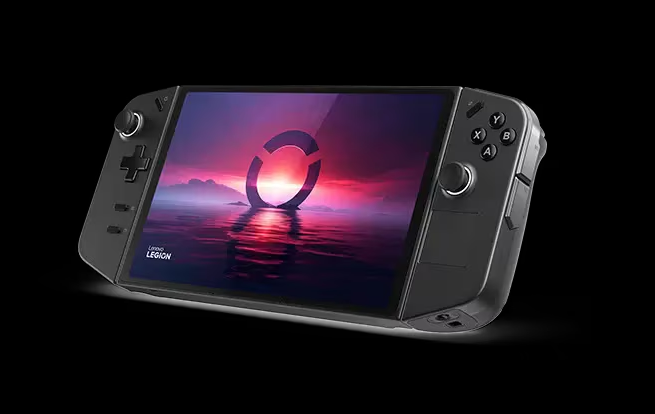
Many players have been curious as to if Dying Light The Beast will run on the Lenovo Legion Go. Since the game is demanding and the Legion Go is a handheld Windows PC, performance depends on settings. This guide breaks down the official system requirements and compares them with the Legion Go’s specs, so you know what to expect before buying, and includes a video down below of the game being played on the device.
Lenovo Legion Go Specs
| Component | Specification |
|---|---|
| OS | Windows 11 Home |
| Processor | AMD Ryzen Z1 Extreme |
| Graphics | Integrated RDNA 3 Radeon GPU |
| Memory | 16 GB LPDDR5X |
| Storage | 1 TB SSD (PCIe Gen4) |
| Display | 8.8″ QHD+ (2560×1600), 144Hz |
Dying Light The Beast System Requirements
Minimum
OS: Windows 10 64-bit
CPU: Intel i5-13400F / AMD Ryzen 7 5800X
RAM: 16 GB
GPU: GTX 1060 / RX 5500 XT / Intel ARC A750
Storage: 70 GB SSD
Recommended
OS: Windows 10 64-bit
CPU: Intel i5-13400F / AMD Ryzen 7 7700
RAM: 16 GB
GPU: RTX 3070 Ti / RX 6750 XT / Intel ARC B580
Storage: 70 GB SSD
How Dying Light The Beast Runs on Lenovo Legion Go
The Legion Go matches the RAM and storage requirements, but the integrated GPU is weaker than the desktop cards listed. This means:
You can expect playable performance at low to medium settings.
Lowering resolution from QHD+ to 1080p greatly improves frame rate.
Stable 30–40 fps is realistic, while 60 fps may require aggressive tweaks.
The handheld will heat up and battery life will drop quickly on heavy loads.
Since Dying Light The Beast is Steam Deck Verified, the Legion Go should also handle it well with adjustments, thanks to its stronger chip and Windows support.
Here’s a video from Deck Wizard on YouTube showcasing the game on the Lenovo Legion Go.
Best Settings for Lenovo Legion Go
Resolution: 1080p (1920×1080)
Graphics Preset: Low or Medium
Shadows: Low
FSR (AMD upscaling): On, set to Balanced
Frame Rate Target: 40–60 fps
Final Blurb
Dying Light The Beast is fully playable on Lenovo Legion Go, but expect to lower settings for smooth gameplay. If you want the best visuals, use a desktop PC or console. If portability matters most, the Legion Go is a solid way to experience the game on the go.
FAQ
Can Dying Light The Beast run on Lenovo Legion Go?
Yes, it runs with adjustments. Lowering resolution and settings ensures smoother performance.
Is the Lenovo Legion Go better than Steam Deck for this game?
Yes, the Z1 Extreme chip offers more power than Steam Deck’s APU, giving higher frame rates.
Does the Legion Go support the game at 144Hz?
No. While the display supports 144Hz, the integrated GPU can’t push that high. Expect 30–60 fps depending on settings.
More Dying Light: The Beast