

Escape From Duckov Appearance Customization Guide
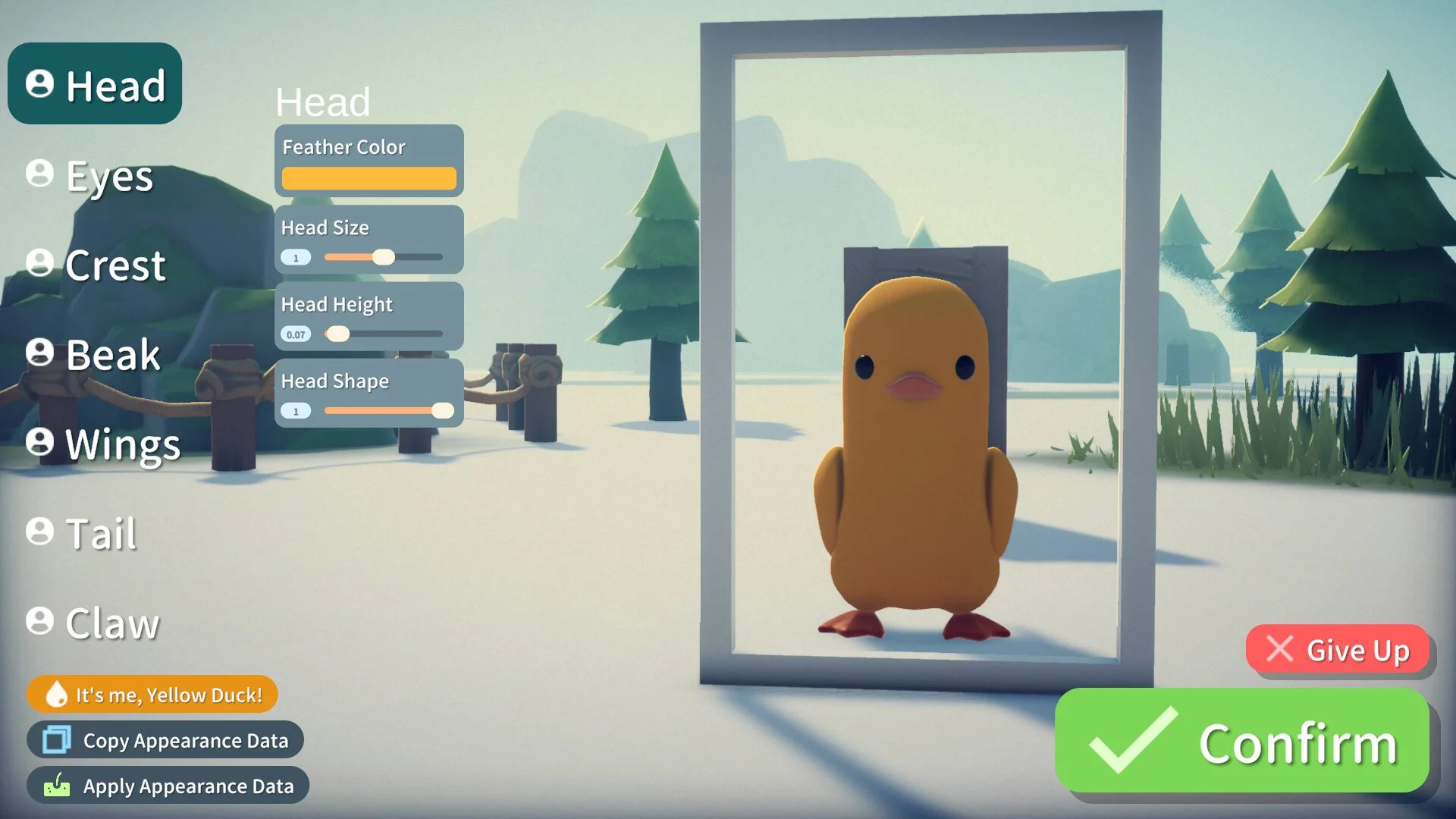
Your duck doesn’t have to look like every other terrified bird sprinting for the exit. Escape From Duckov lets you tweak every feather, beak, and claw until you’ve made the exact kind of nightmare you want leading your escape.
All Appearance Options in Escape From Duckov
The appearance menu is broken into categories that cover your duck’s full body. Each section lets you change color, type, size, and positioning. You can mix realistic tones or go wild with glowing crests and massive eyes.
Head Customization
Head settings decide your base look and how the rest of your design fits together.
Feather color
Head size
Head height
Head shape
Eye Customization
Eyes are where most of your duck’s emotion comes from. Adjust spacing and rotation to change the mood.
Eye type
Eye color
Eye spacing
Eye height
Eye size
Eye rotation
Eyebrow Customization
Eyebrows completely change expression, from grumpy guard duck to unhinged wanderer.
Eyebrow type
Eyebrow color
Eyebrow spacing
Eyebrow height
Eyebrow size
Eyebrow rotation
Crest Customization
Your crest defines the top of your duck’s head and adds flair or intimidation.
Crest style
Crest color
Beak Customization
The beak gives your duck personality and attitude depending on type and size.
Beak type
Beak color
Beak size
Beak height
Beak offset
Beak rotation
Wing Customization
Wings can make your duck look tough, elegant, or barely functional.
Wing type
Wing color
Wing size
Tail Customization
Tails help balance your build visually and can range from stubby to dramatic.
Tail type
Tail color
Tail size
Claw Customization
These details finish the design, affecting how grounded or goofy your duck looks.
Claw type
Claw size
Final Blurb
The appearance tools in Escape From Duckov are surprisingly deep for a game about terrified ducks with guns. Every tweak adds personality, so take your time shaping a bird that fits your story, or one that just looks like it escaped a children’s nightmare.
FAQ
What are the main customization categories
Head, Eyes, Eyebrows, Crest, Beak, Wings, Tail, and Claw.
Can you change colors for most parts
Yes, most categories include separate color sliders for feathers, crests, and beaks.
Does customization affect gameplay
No, appearance is cosmetic only and doesn’t change stats or abilities.
Can you edit your duck after starting
Yes, you can revisit customization at any time from the main menu.
What’s the funniest combo players use
Huge eyes, short beak, bright pink feathers. It’s haunting in all the right ways.
© 2025 GamerBlurb. Linking is welcome with credit to GamerBlurb.com. Copying or reproduction without permission is prohibited.
More Escape From Duckov


