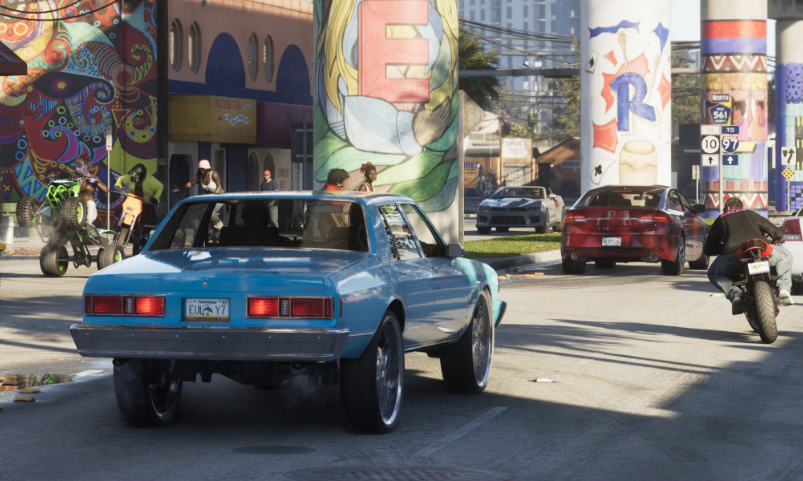
Vehicle trackers in GTA 6 can make stealing expensive cars a headache. Some alert the police when you stop driving, while advanced trackers can prevent you from registering or keeping a vehicle entirely. Fortunately, both types can be dealt with, although removing advanced trackers requires additional story progress.
How to Remove Yellow Trackers
How to Remove Advanced Trackers
How to Unlock Advanced Tracker Removal
How to Avoid Tracker Police Alerts
How to Check Vehicle Trackers
How to Remove Trackers From Cars in GTA 6
To remove trackers from stolen cars in GTA 6, take an eligible vehicle to Pay 'n' Spray and register it. This removes a standard yellow tracker and allows you to keep the car permanently. Advanced red trackers require a separate service unlocked through Randy's vehicle theft missions.
There are two types of trackers, and knowing which one your car has determines whether you can remove it immediately or need to progress further into the game.
| Tracker Type | How to Remove It |
|---|---|
| Yellow Tracker (Standard) | Register the car at Pay 'n' Spray |
| Red Tracker (Advanced) | Unlock advanced-tracker services through Randy, then use Pay 'n' Spray |
You cannot remove either tracker by breaking into the vehicle, opening its hood, or completing the hotwiring minigame. Those actions provide access to the car but don't disable its tracking system.
How to Remove Yellow Trackers in GTA 6
Yellow trackers are the standard security system found on many stolen vehicles. They notify the police if the car remains completely stopped for several seconds, but they can be removed through normal vehicle registration.
You can also sell eligible yellow-tracker cars at Pay 'n' Spray, but selling and registering are different actions. If you want to keep the vehicle, choose registration rather than the sale option.
The fee depends on the vehicle. Our GTA 6 car registration guide explains how to make stolen cars permanently yours.
How to Remove Advanced Trackers in GTA 6
Advanced trackers are identified by a red tracker icon. Unlike yellow trackers, they can notify the police when you slow below a certain speed for approximately five seconds, making them much more difficult to manage.
Pay 'n' Spray normally refuses vehicles with advanced trackers. To remove a red tracker and register the car, you must first unlock advanced-tracker services through Randy's vehicle theft activities.
Once that service is available, take an eligible advanced-tracker car to Pay 'n' Spray and use its registration option. You can then keep the vehicle rather than abandoning it when the tracker becomes troublesome.
If Pay 'n' Spray still refuses your car, don't assume that driving faster, repainting it, or clearing your Wanted Level will fix the problem. Those actions don't remove an advanced tracker or unlock the required service.
How to Unlock Advanced Tracker Removal Through Randy
Advanced tracker removal is connected to Randy's vehicle theft storyline. Randy assigns a wishlist of cars to steal and deliver, eventually leading to a special job involving a 1964 Declasse Mamba GT in Leaf Links.
Progress through Randy's vehicle requests and complete the Mamba GT job. His subsequent contact unlocks additional vehicle services at Pay 'n' Spray, including the ability to handle cars with advanced trackers.
Why Randy Isn't Calling About the Mamba GT
The Mamba GT mission doesn't necessarily appear immediately after your last wishlist delivery.
Some players have reported completing Randy's vehicle requests during Chapter 3 but receiving the follow-up much later, including during Chapter 4. The precise trigger remains unclear, and completing the wishlist alone doesn't appear to guarantee an immediate phone call.
If you've delivered the requested vehicles and Randy hasn't contacted you, continue normal story progression and watch for his next job. Repeatedly sleeping to advance in-game days isn't a confirmed way to force the mission to appear.
During the Mamba GT job, Randy describes the car as an older model that uses physical keys. The reported approach involves searching the mansion for those keys rather than relying on the Key Cloner.
How to Avoid Police Alerts From Trackers in GTA 6
Until you're able to remove a tracker, the best way to avoid police alerts is to understand what activates it.
Red-tracker vehicles are particularly troublesome near mission locations. If you park one outside a mission start point, the tracker may alert police shortly after you exit, leaving the surrounding area under police attention.
Until advanced tracker removal is unlocked, avoid bringing these cars directly to missions, safehouses, or other places where you intend to stop. Abandoning the car away from your destination reduces the chance of its tracker disrupting your next activity.
Keeping a vehicle moving can delay an alert, but it isn't a permanent solution. The tracker remains installed until the car can be registered through the appropriate service.
How to Check if a Car Has a Tracker in GTA 6
Before stealing a vehicle, use the WAiNK app to inspect its security features. This can reveal the car's tracking system and help you decide whether it's worth taking.
After entering a stolen vehicle, check the icons above the minimap in the lower-left corner of the screen. A yellow tracker icon identifies a standard tracker, while a red icon indicates an advanced tracker.
Trackers are separate from vehicle alarms and keyless entry systems. A Slim Jim can help you enter a locked car without triggering its alarm, while a Key Cloner provides access to certain keyless vehicles. Neither tool disables tracking.
If you only need transportation, a car without an advanced tracker is usually the easier option. If you're collecting expensive vehicles to keep, completing Randy's progression and unlocking the appropriate Pay 'n' Spray services gives you more options.