How to Buy Dragon Gems in Dragon Ball Gekishin Squadra
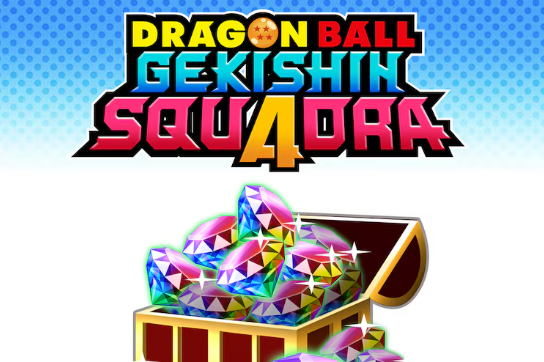
Dragon Ball Gekishin Squadra uses Dragon Gems as its main premium currency, and knowing how to buy them is key if you want to unlock cosmetics or speed up progress. While the game supports cross-platform progression with Bandai Namco ID, Dragon Gems themselves stay locked to the platform where you bought them, so you’ll need to plan carefully before making purchases.
How to Buy Dragon Gems in Dragon Ball Gekishin Squadra
To buy Dragon Gems, open the in-game shop from the main menu. Select the Dragon Gems tab, then choose the bundle size you want. Confirm your purchase through your platform’s store system, such as PlayStation Store, Xbox Store, Nintendo eShop, or Steam.
Once payment is processed, the Dragon Gems are added directly to your account on that platform. You cannot transfer purchased gems across platforms, but items or content you buy with them will carry over if your account is linked with Bandai Namco ID. This means cosmetics or upgrades bought with gems are available no matter where you play.
Cross-Platform Limitations with Dragon Gems
Cross-platform progression lets you keep your save data across devices once you link with Bandai Namco ID. However, Dragon Gems themselves stay stuck to where they were bought. If you buy gems on PlayStation, you can only spend those gems while playing on PlayStation. The same applies to Xbox, PC, or Switch.
The good news is that any content you buy with gems, such as characters or cosmetics, does transfer across platforms. This makes it important to spend your gems before switching platforms if you plan to take advantage of cross-save.
Best Tips for Buying Dragon Gems
Keep in mind that Dragon Gems purchased with real money cannot be refunded or transferred. Always confirm you are on the right platform before buying. If you plan to play on multiple devices, it’s usually best to buy gems on the platform where you’ll spend the most time.
Check the in-game shop for occasional bonus packs or discounts, as some bundles include extra gems. If you’re planning big purchases like special cosmetics, buying larger packs often gives better value.
Final Blurb
Buying Dragon Gems in Dragon Ball Gekishin Squadra is simple, but you must remember that gems never move across platforms. Only the content bought with them carries over through Bandai Namco ID. Always buy on your main platform, and spend wisely to get the best value.
FAQ
How do I buy Dragon Gems?
You can buy them in the in-game shop under the Dragon Gems tab. Payment goes through your platform’s store.
Can I use Dragon Gems across platforms?
No. Gems stay on the platform where they were purchased, but anything bought with them transfers across platforms if you link with Bandai Namco ID.
Do Dragon Gems expire?
No, Dragon Gems do not expire. They remain in your account until you use them.
Can I refund Dragon Gems?
No. Once purchased, Dragon Gems are non-refundable. Always confirm the platform before buying.
More Dragon Ball Gekishin Squadra