Image Credit: PikPok, Into the Dead: Our Darkest Days
There’s a lot to manage when the world ends. Here’s what every key and button does in Into the Dead: Our Darkest Days so you don’t get eaten while figuring it out.
Mouse and Keyboard Controls
Movement (Keyboard)
WASD – Move
Left Shift – Sprint
Left Ctrl or C – Sneak
Space – Vault
Interaction (Keyboard)
E – Interact or Stealth Kill
Tab or I – Inventory / Backpack
P – Escape Plans
O – Survivor Info
Combat & Scavenging (Keyboard)
Left Mouse Button – Melee / Fire / Throw
Right Mouse Button – Flashlight / Aim
R – Reload
Q – Dodge
Shelter Controls (Keyboard)
R – Next Phase
1 – Previous Survivor
2 – Next Survivor
Controller Controls
Movement (Controller)
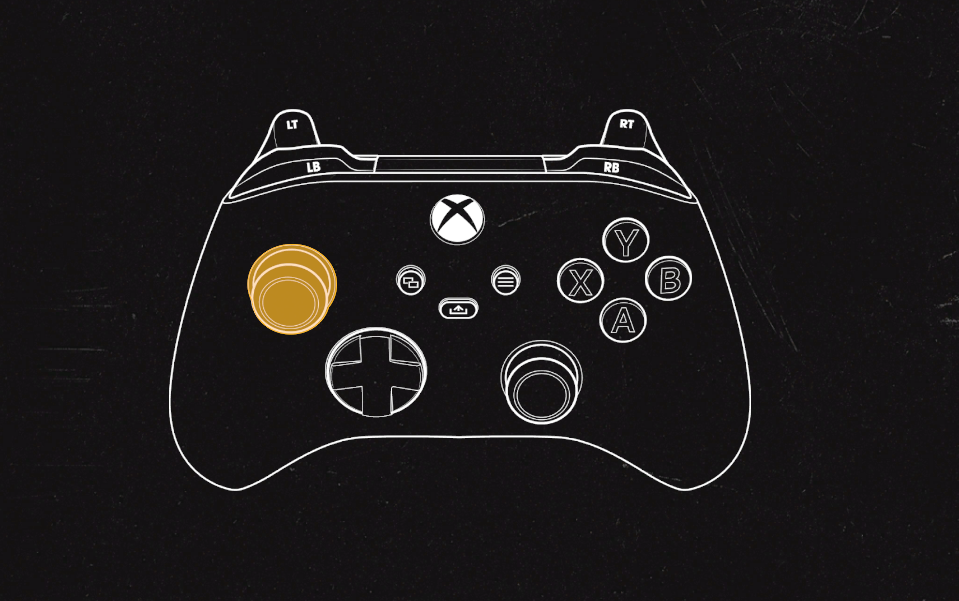
Left Stick – Movement
LB – Sprint
B – Sneak
A – Vault
Interaction (Controller)
Y – Interact or Stealth Kill
Backpack Icon – Inventory / Backpack
Menu Button – Pause Menu (locked)
D-Pad Left/Right – Cycle Survivors
Combat & Scavenging (Controller)
X – Melee
RT – Fire / Throw
Right Stick – Flashlight / Aim (locked)
RB – Reload
LT – Dodge
Shelter Controls (Controller)
RB – Next Phase
D-Pad Left – Previous Survivor
D-Pad Right – Next Survivor
This should help you dodge, loot, and slash your way through the apocalypse a little smoother. Don’t forget to rebind anything that doesn’t feel right—zombies won’t wait for you to get comfy.
Recommended | View all Into the Dead: Our Darkest Days