

Mage Arena How to Join a Game (Steam Game)
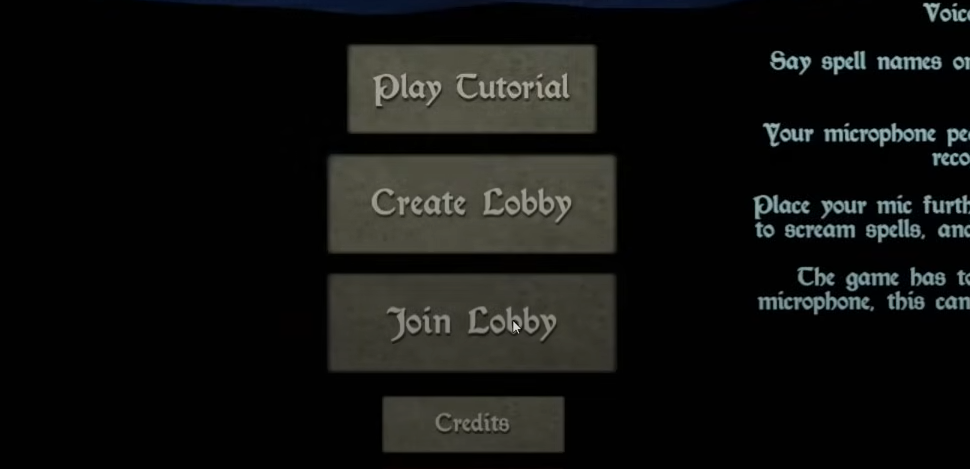
You can join a match in Mage Arena directly from the main menu. Use the Join Lobby option to enter an active match.
The game uses a team-based system, so once you are inside the lobby, you simply select a team and wait for the game to start.
How to Join a Lobby
Launch Mage Arena from Steam.
On the main menu, select Join Lobby.
Choose a match from the list of active lobbies.
Press Join. You will load into the staging area if the lobby is open.
Pick your team (Sorcerers or Warlocks).
Wait for the host or auto-start timer to begin the match.
Private Matches
For friends-only games:
On the main menu, select Create Lobby instead of Join Lobby.
Set the lobby to private and share the lobby code or use Steam invites.
Once everyone joins, press Start to begin the match.
Common Issues
If you get disconnected when joining, try again or select a different lobby.
Switching teams after joining sometimes fails, so pick your team before readying up.
If the game crashes on join, restart and verify files in Steam before retrying.
Final Blurb
Joining a game in Mage Arena is quick once you know the steps. Use Join Lobby from the main menu, pick a team, and wait for the game to start. For private matches, use Create Lobby and invite friends directly.
Despite [usually] minor bugs, the process is simple and gets you into a match fast.
FAQ
Can you play solo?
Yes. You can create your own lobby and play alone or with AI enemies.
Do you need a microphone to join?
No, but you need one to cast spells, as the game uses voice input for magic.
Are private lobbies reliable?
Private lobbies generally work but can have occasional disconnects. Restarting usually fixes these issues.
More Mage Arena


