Megabonk Lag Fix Guide
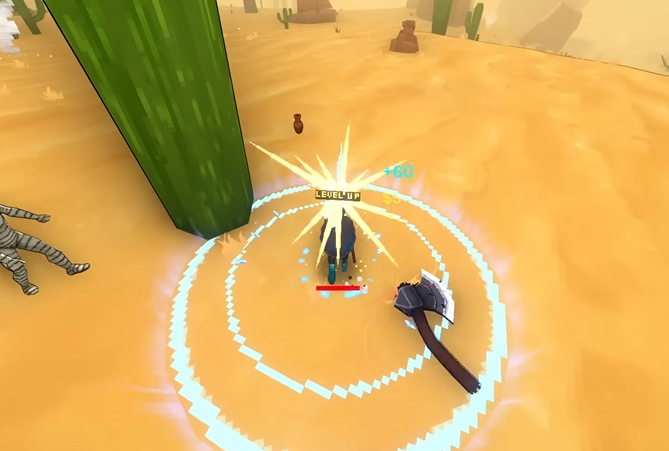
Lag spikes can ruin a solid Megabonk run fast. The game usually runs light, so if it’s freezing every few seconds, something on your setup is tripping it up. Luckily, the community found a few specific fixes that actually work.
How to Fix Lag Spikes
Start with the basics before digging deeper:
Update your graphics drivers to the latest version.
Turn off all visual effects under Game and Effects in the settings menu.
Open Task Manager during a freeze and check for background apps using heavy CPU or memory.
Make sure Megabonk is installed on your main SSD or M.2 drive, not an external or SD card.
These quick checks handle most of the stutter issues players have reported.
Known Causes and Proven Fixes
Norton Game Optimizer can create heavy lag. Right-click the Norton icon, disable Game Optimizer, and restart the game.
Xbox controllers sometimes cause constant freezing. Disconnect the controller mid-run and the lag usually vanishes.
Slow storage drives are a big culprit. Reinstall Megabonk on a fast internal drive for smoother loading.
New in-game events like unlocks or achievements can briefly pause the game the first time they trigger. Those small hiccups are normal.
Reinstalling Megabonk cleanly on an internal drive and restarting your PC clears up most lingering lag problems.
General Lag Troubleshooting
Restart your PC after making changes to fully clear background processes
Check Windows power settings and set it to High Performance mode
Verify game files through Steam to rule out any corrupted data
Keep your system updated with the latest OS patches
Disable unnecessary startup apps that launch with Windows
Clean temporary files or cached data that might slow disk access
Extra Tweaks That Help
Turn on Debug stats under Game settings to monitor dips during spikes.
Cap your FPS slightly below your monitor’s refresh rate.
Experiment with toggling VSync. Different setups respond differently, so test both on and off.
Small tuning like this can stabilize performance if freezes persist.
Final Blurb
If Megabonk keeps freezing every few seconds, it usually comes down to background apps, controller input, or a bad install path. Disable Game Optimizer, unplug the controller, reinstall to a faster drive, and keep drivers fresh. Once that’s done, the game runs smooth again without those mental health–testing pauses.
FAQ
Why does Megabonk lag on a good PC
It’s not your hardware, it’s background software or input devices clashing with the game.
Does reinstalling really help
Yes, especially if the game is installed on a slow or external drive.
Why does my Xbox controller cause freezes
A known input issue can cause repeated lag. Unplugging fixes it instantly.
Should I turn VSync on or off
Try both. Some setups handle it better off, others need it on to smooth frames.
Why does it freeze when unlocking stuff
The game loads new assets the first time you unlock or trigger effects, causing short pauses.
© 2025 GamerBlurb. Linking is welcome with credit to GamerBlurb.com. Copying or reproduction without permission is prohibited.
More Megabonk