Seven Deadly Sins Origin Bug: Equip Skin Fix
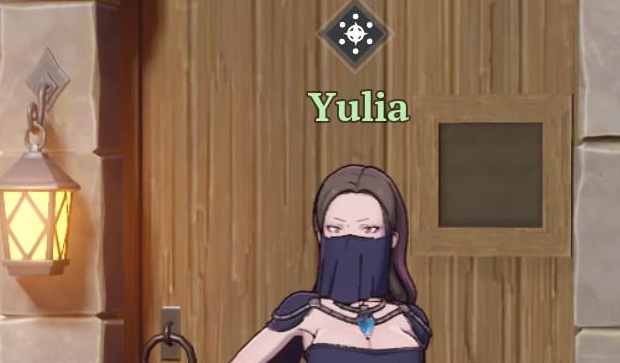
Getting stuck on the equip skin objective in Seven Deadly Sins Origin can lock you in place with no way to progress. The issue looks like the game is not registering the outfit, even after equipping it multiple times.
How To Fix Equip Skin Not Working
To fix the equip skin bug in Seven Deadly Sins Origin, you need to equip the outfit from the character gear menu, not just the cosmetic or quick equip screen.
This is where most players get stuck.
Correct Way To Equip The Skin
The mission only completes if the skin is equipped in the correct menu.
Open your character menu
Go to the gear or armor section
Find the outfit under equipment, not cosmetics
Equip it there directly
Exit the menu and wait a few seconds
If done correctly, the objective should complete instantly.
Why The Bug Happens
This is not a true bug for most players, it is a UI issue.
The game has multiple outfit menus
The quest only checks one specific menu
Equipping from the wrong screen does not count
The game does not clearly explain this
So it feels like a bug, but it is usually just the wrong menu being used.
What To Do If You Are Still Stuck
If the fix above does not work, you may actually be soft locked.
Try these steps:
Re equip the skin from the gear menu again
Remove all gear and equip it fresh
Restart the game completely
Return to main menu and reload your character
Try switching characters and switching back
If none of these work, it is likely a real bug.
Last Resort Fix
If nothing works, your only option is to wait for a patch or contact support.
Some players have reported being completely stuck even after using the correct menu, which means the quest did not trigger properly.
Final Blurb
This issue mainly comes from confusing menus rather than a full bug, but it can still block your progress completely. Always equip quest items from the gear menu first, and avoid using quick or cosmetic menus when a mission requires it.
FAQ
Why is my equip skin quest not completing
You are likely equipping the skin in the wrong menu. It must be done in the gear or armor section.
Is this a real bug or just confusing UI
For most players it is a UI issue, but some cases are actual soft locks.
Can you leave the area if stuck
No. Many players report being locked in the quest area until it completes.
What should I do if nothing works
Restart the game, re equip from the correct menu, or wait for a patch if fully stuck.