Changing your mask and customizing its look are both core systems in Soulmask, but they are handled in completely different ways. One controls your abilities during gameplay, while the other is purely visual and tied to your base setup.
How To Change Mask And Appearance In Soulmask
To change masks in Soulmask, hold the C key and select a mask from the wheel, and to change mask appearance, use the Mask Decoration Table in your base.
Mask swapping affects your abilities instantly during gameplay. Mask appearance changes are handled separately and only affect visuals.
Quick Guide
Hold C to open mask swap
Select a mask to equip instantly
Build and use the Mask Decoration Table
Appearance changes do not affect abilities
How Mask Swapping Works During Gameplay
Once you start using the system properly, mask swapping becomes part of your normal flow. Holding C brings up the mask selection wheel. As soon as you pick a mask, your character switches immediately with its abilities active. There is no delay, so you can swap mid combat, while moving, or when reacting to a situation.
You notice the difference right away. Some masks give better survivability, others improve mobility or utility. If you stick to one mask, you start running into situations where it just does not perform as well.
Where To Change Mask Appearance In Soulmask
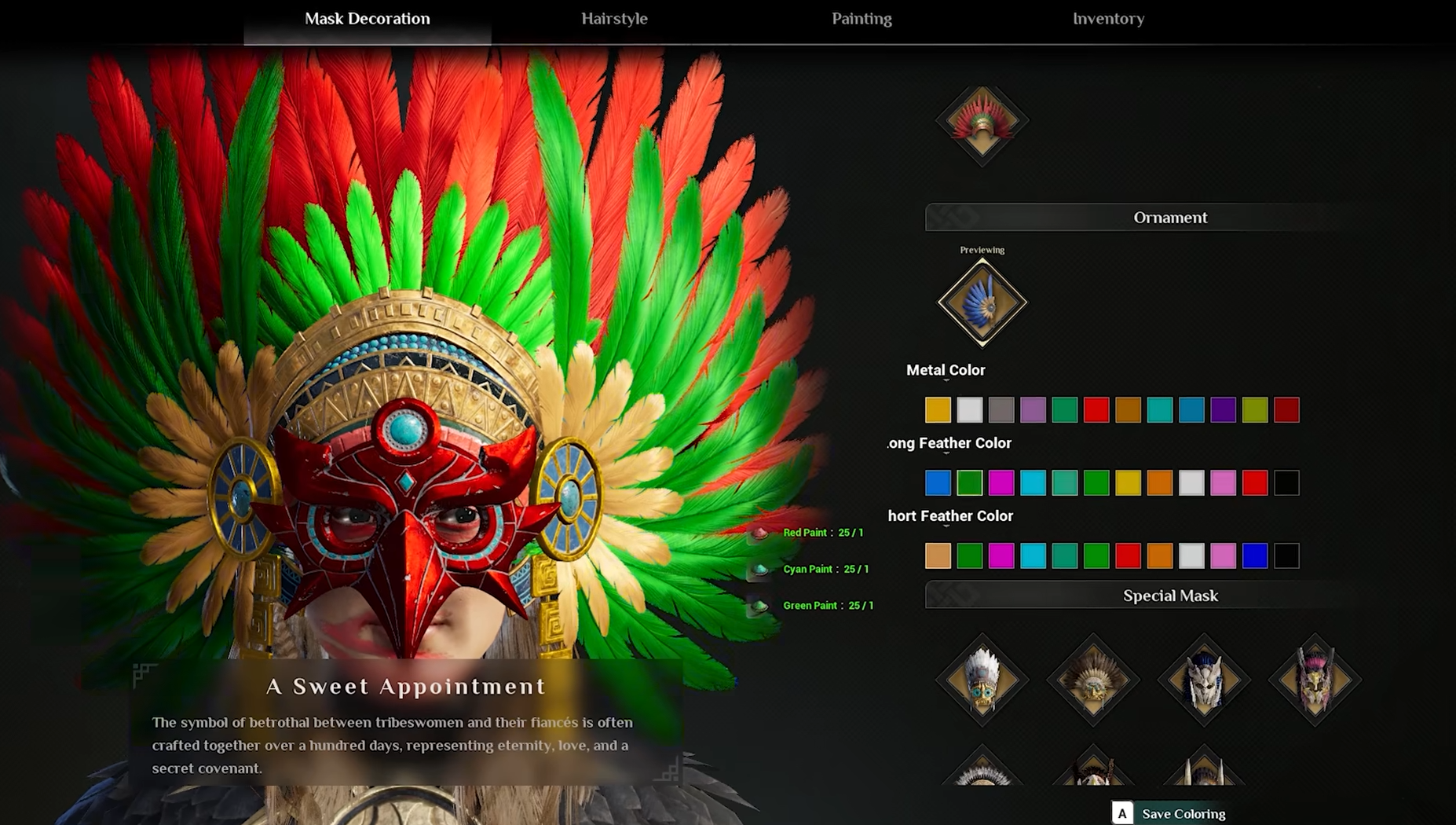
Mask appearance is changed at the Mask Decoration Table, which is a crafting station you place in your base.
Once it is built, interact with it to access all available customization options tied to your masks. This system unlocks more options as you progress and gather materials.
At the table, you can:
Change paint and color finishes
Adjust material or metal tones
Add feathers and decorative elements
Modify details like pupil color depending on the mask
You will need resources for some unlocks, and certain options only appear after progression. When you apply changes, only the look of the mask changes.
Mask Swap Vs Mask Decoration Explained
These systems do very different things, and understanding that clears up most confusion. Mask swapping changes how your character plays. It affects abilities, movement, and how you approach combat or traversal.
Mask decoration only changes how your character looks. It has no effect on gameplay, stats, or performance. If you try to change masks through the decoration system, nothing will happen to your abilities.
When You Should Use Each System
Mask swapping is something you use constantly during gameplay. It helps you adapt to different situations without being locked into one setup.
Mask decoration is something you return to when you want to customize your appearance. It does not impact how the game plays, but it lets you personalize your character.
Once both systems click, you stop fighting the controls and start using them naturally.
Final Blurb
Soulmask splits mask gameplay and appearance into two separate systems, which is easy to miss early on. Holding C lets you swap masks instantly and change how your character plays, while the Mask Decoration Table is where you customize how your mask looks.