Subnautica 2 Battery Charger: How To Get Battery Terminal & Fragments
The Subnautica 2 battery charger is called the Battery Terminal, and it is one of the first base upgrades worth unlocking once tools start draining Basic Batteries. The search gets confusing because the game separates personal batteries from larger power cells, so building the wrong charger can leave the Scanner, Wakemaker, or Sonic Resonator sitting there dead while the base politely does nothing useful.
The main Subnautica 2 guide hub keeps related resource routes, base progression guides, and early survival help in one place for players moving through the game’s first major crafting walls.
Jump To
How To Get The Battery Charger In Subnautica 2
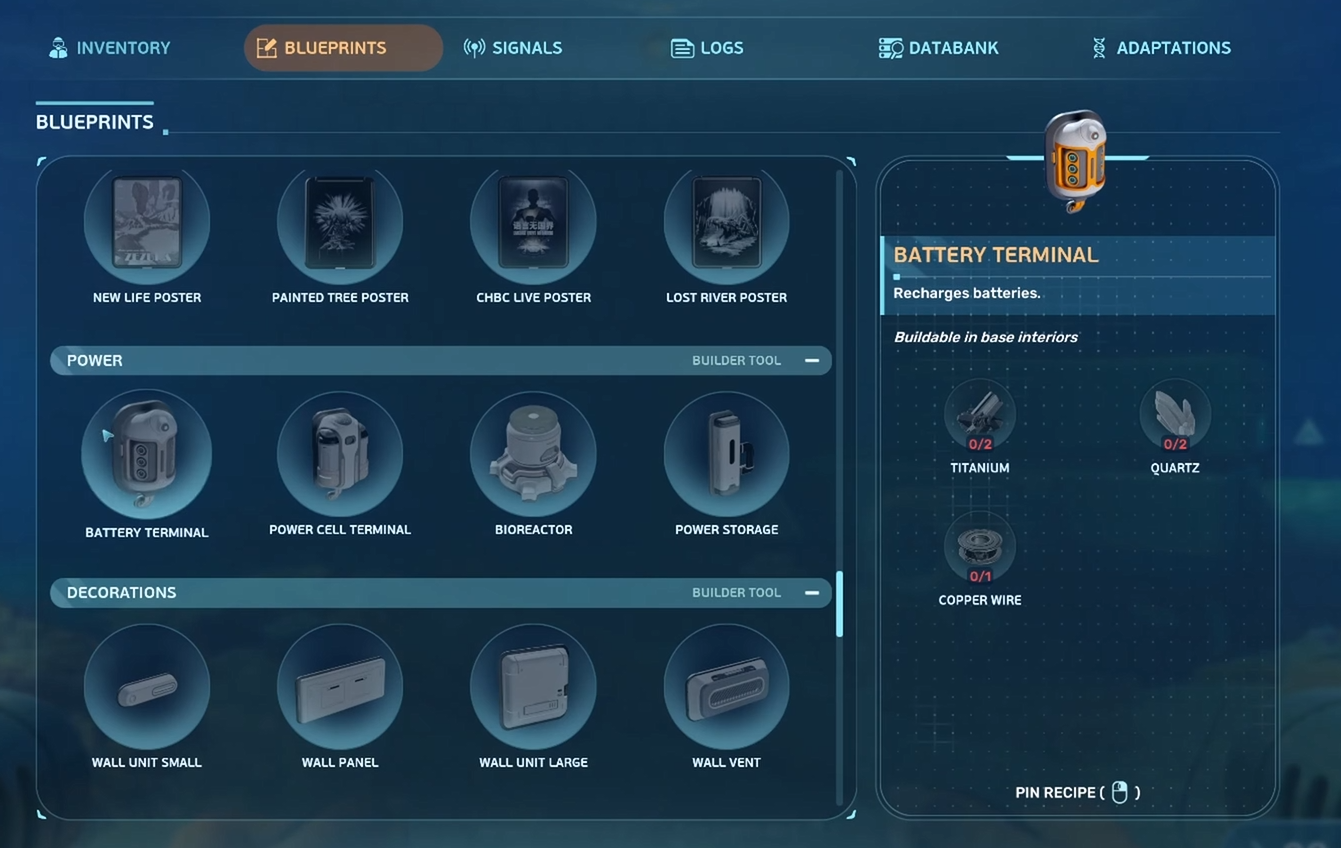
The battery charger in Subnautica 2 is the Battery Terminal, and it is unlocked by scanning 2 Battery Terminal fragments, then building it inside a powered base.
The important naming detail is simple. For normal tool batteries, the item needed is the Battery Terminal. It recharges Basic Batteries and Advanced Batteries from base power. If the goal is to recharge tools like the Scanner, Wakemaker, or Sonic Resonator, the Battery Terminal is the correct station.
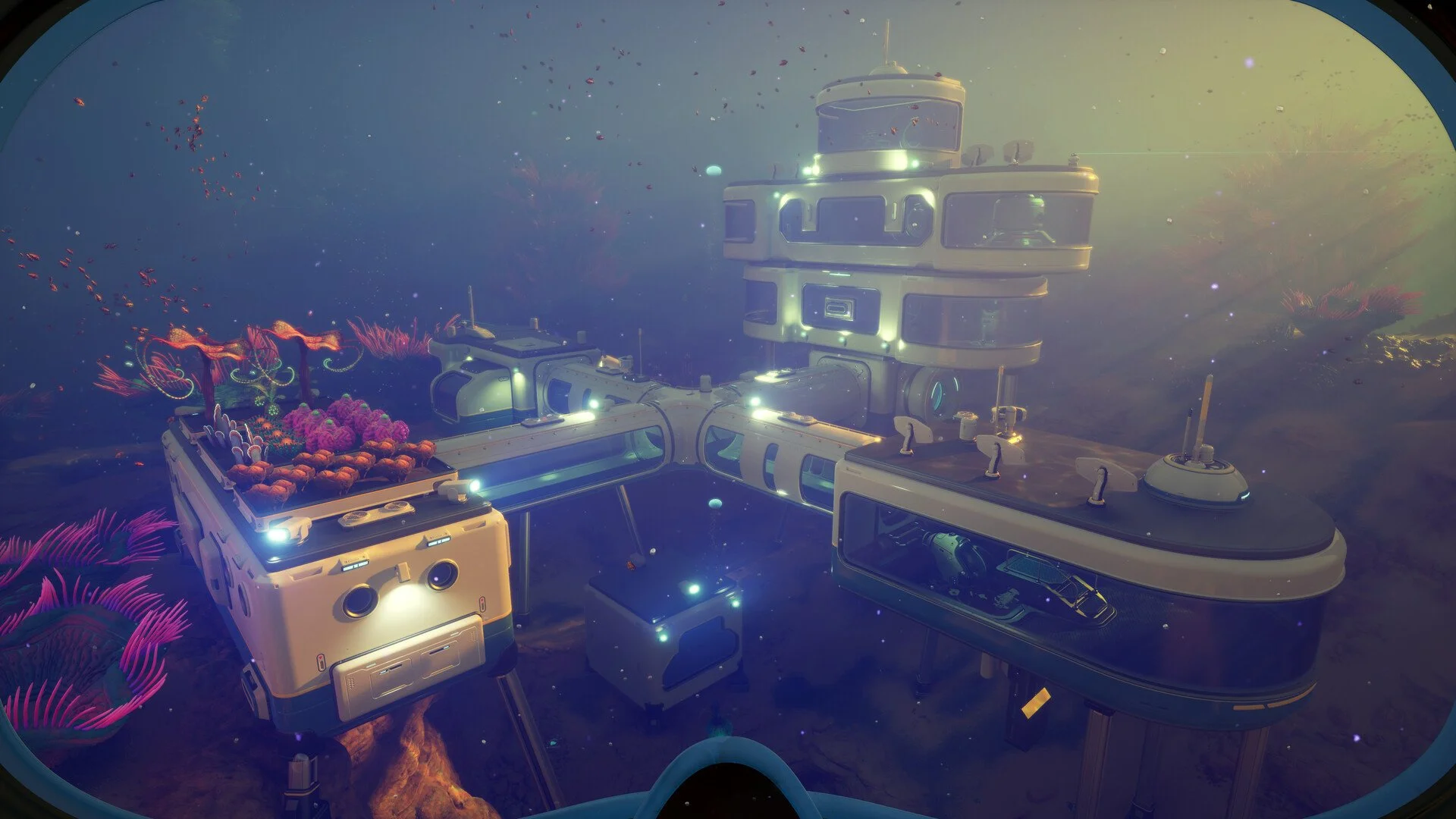
The Battery Terminal is an interior base module, so it needs a powered habitat before it can do anything. After the blueprint is unlocked, build the terminal on an interior wall, load depleted batteries into it, and let the base power recharge them over time. Players still working through base setup should handle that first, because the Subnautica 2 Habitat Builder guide covers the tool needed to start placing base pieces properly.
This is also why the “battery charger” search can feel weird in Subnautica 2. The name most players search is battery charger, but the actual item name is Battery Terminal. Same job for personal batteries, different label, because apparently survival games enjoy one extra layer of vocabulary tax.
Battery Terminal Location In Subnautica 2
A reliable Battery Terminal location is the Old Habitat north of the Lifepod, around 380 to 400 meters away and roughly 45 meters deep.
From the Lifepod, head north toward the Old Habitat signal area. The route leads into a shallow enough zone that it can be reached early, but it is still worth bringing the Scanner, enough oxygen, and a clear inventory. The Old Habitat contains 2 Battery Terminal scans close together, which makes it one of the cleanest ways to unlock the full blueprint quickly.
Once inside the Old Habitat, look for the scannable Battery Terminal mounted in the structure. One scan is found up a ladder area, and another Battery Terminal is nearby inside the same habitat space. Scanning both completes the blueprint requirement.
There are other Battery Terminal scan locations around wreckage near the Lifepod, but the Old Habitat route is the cleanest because both needed scans can be grabbed in one trip. That makes it better than wandering through random wreckage while every tool slowly becomes a decorative brick.
Battery Terminal Fragments And Scan Requirement
The Battery Terminal blueprint needs 2 scans in Subnautica 2.
Scanning is the main unlock method here. The Scanner is required, and each Battery Terminal fragment adds progress toward the blueprint. Once the second scan is complete, the Battery Terminal can be built from the base building menu as long as the required materials are available.
Subnautica 2 also rewards extra scans of already unlocked blueprint objects with Titanium, but that is only useful after the blueprint is finished. For the Battery Terminal, the priority is finding 2 separate scannable terminals first.
| Blueprint | Scans Needed | Best Early Route |
|---|---|---|
| Battery Terminal | 2 scans | Old Habitat north of the Lifepod |
The Old Habitat is also worth searching beyond the Battery Terminal scans. It has other useful early progression items, and there are air bubbles inside that can help recover oxygen while exploring the structure.
Battery Terminal Recipe In Subnautica 2
The Battery Terminal recipe requires 2 Titanium, 2 Quartz, and 1 Copper Wire.
These are all early resources, so the real work is usually unlocking the blueprint instead of crafting the terminal itself. Titanium is common around the ocean floor, quartz is found inside round coral structures, and copper wire is made from copper.
| Battery Terminal Material | Amount Needed |
|---|---|
| Titanium | 2 |
| Quartz | 2 |
| Copper Wire | 1 |
Build the Battery Terminal inside a powered base after collecting the materials. A powerless base will not charge anything, and a base with weak or drained power can make the terminal look broken even when the blueprint and placement are correct.
How To Charge Batteries In Subnautica 2
Batteries are charged by removing them from a tool, placing them inside the Battery Terminal, and letting the terminal recharge them from the base power supply.
The loop is straightforward once the terminal is built. Equip the tool with the drained battery, use the battery swap control to unload the battery into the inventory, open the Battery Terminal, then place the battery into an empty charging slot. The terminal can hold multiple batteries, so it works best when there are spare batteries ready to rotate in and out.
The best base setup is to keep several charged batteries stored in the Battery Terminal. When a tool runs low, swap the dead battery out, load a charged one, and place the drained battery back into the terminal. Waiting for one battery to charge every time a tool dies is technically possible, but it turns exploration into a sad little power management seminar.
For deeper routes, this becomes even more important. Tools like the Sonic Resonator are needed for resource farming, including deeper ore runs. If celestine is the next progression target, the Subnautica 2 celestine guide covers where to find celestine and how to use it for upgrade progression.
How To Switch Batteries In Subnautica 2
Battery switching is done from the tool’s battery menu, where the current battery can be unloaded and a charged battery can be loaded back into the tool.
On PC, equip the tool and open the battery swap menu with the tool battery control. From there, choose the battery to unload or load. On controller, the battery menu uses the shown button prompts while the tool is equipped, letting the dead battery move into the inventory and a charged one go back into the device.
The useful habit is to swap batteries before leaving base, not after a tool dies in the middle of a route. A Scanner with low charge can interrupt blueprint hunting, and a dead Sonic Resonator can waste a mining trip completely. Checking the battery percentage before leaving is boring, but it beats swimming all the way to a resource node and realizing the tool came along for moral support only.
Battery swapping also helps with inventory control. Instead of printing new batteries every time one dies, the Battery Terminal turns those drained batteries into reusable power. Over time, that saves resources and keeps exploration moving longer between base stops.
Battery Terminal Disabled Or Not Charging Fix
If the Battery Terminal is disabled or not charging in Subnautica 2, the most likely causes are that the terminal is turned off, the base does not have enough power, the wrong charger was built, or the battery was not loaded into the terminal correctly.
The Battery Terminal has an on and off control, and it is easy to toggle by mistake while interacting with it. If batteries are sitting in the terminal and nothing is happening, check the terminal’s power state first.
Base power is the next thing to check. The Battery Terminal draws from the habitat’s power supply, so it will not work properly if the base is out of power or running below what the terminal needs. Add or fix base power before assuming the charger itself is bugged.
| Problem | Fix |
|---|---|
| Battery Terminal disabled | Check the terminal’s on and off button. |
| Batteries not charging | Make sure the base has enough power. |
| Tool still has a dead battery | Unload the battery from the tool and place it into the terminal. |
| Power cells are not charging | Use the correct charger for power cells, not the Battery Terminal. |
| Wrong item built | Build the Battery Terminal for personal batteries. |
The most common mistake is mixing up the Battery Terminal with a power cell charger. The Battery Terminal is for personal batteries. Larger power cells use a separate charging setup.
Battery Terminal Vs Power Cell Charger In Subnautica 2
The Battery Terminal charges Basic Batteries and Advanced Batteries, while larger power cells need a different charger.
This distinction matters because tool batteries and vehicle power cells are separate power types. If a normal tool battery is dead, use the Battery Terminal. If a larger power cell is the issue, the Battery Terminal will not solve it.
The confusion is common because players naturally search for “battery charger,” while the game uses “Battery Terminal” for the personal battery station. If the charger is mounted in the base and still does not accept the item, check whether the item is actually a battery or a power cell.
| Power Item | Correct Charging Station |
|---|---|
| Basic Battery | Battery Terminal |
| Advanced Battery | Battery Terminal |
| Power Cell | Power cell charging station |
For normal handheld tools, the Battery Terminal is the target. Unlock it early, build it in the base, and keep spare batteries charging while exploring.
Watch The Battery Terminal Video
The video below shows the Old Habitat route and the Battery Terminal scan locations used to unlock the battery charger blueprint in Subnautica 2.
Final Blurb
The battery charger in Subnautica 2 is the Battery Terminal, and it should be unlocked early by scanning 2 Battery Terminal fragments. The Old Habitat north of the Lifepod is the cleanest early route because it has the needed scans close together and keeps the blueprint hunt simple.
Once the Battery Terminal is built inside a powered base, normal batteries can be unloaded from tools, placed into the terminal, and recharged for later trips. Keep a few spares rotating through the terminal, check the on and off button if charging stops, and remember that power cells need their own charger. Subnautica 2 is much less annoying when every dead tool does not turn into another copper hunt.