

The King Is Watching Research Table Guide
Written by Alec Blackwood | The King is Watching
The Research Table unlocks new buildings during a run, but only when you click the research icon near your gaze meter. It does not produce anything on its own by default.
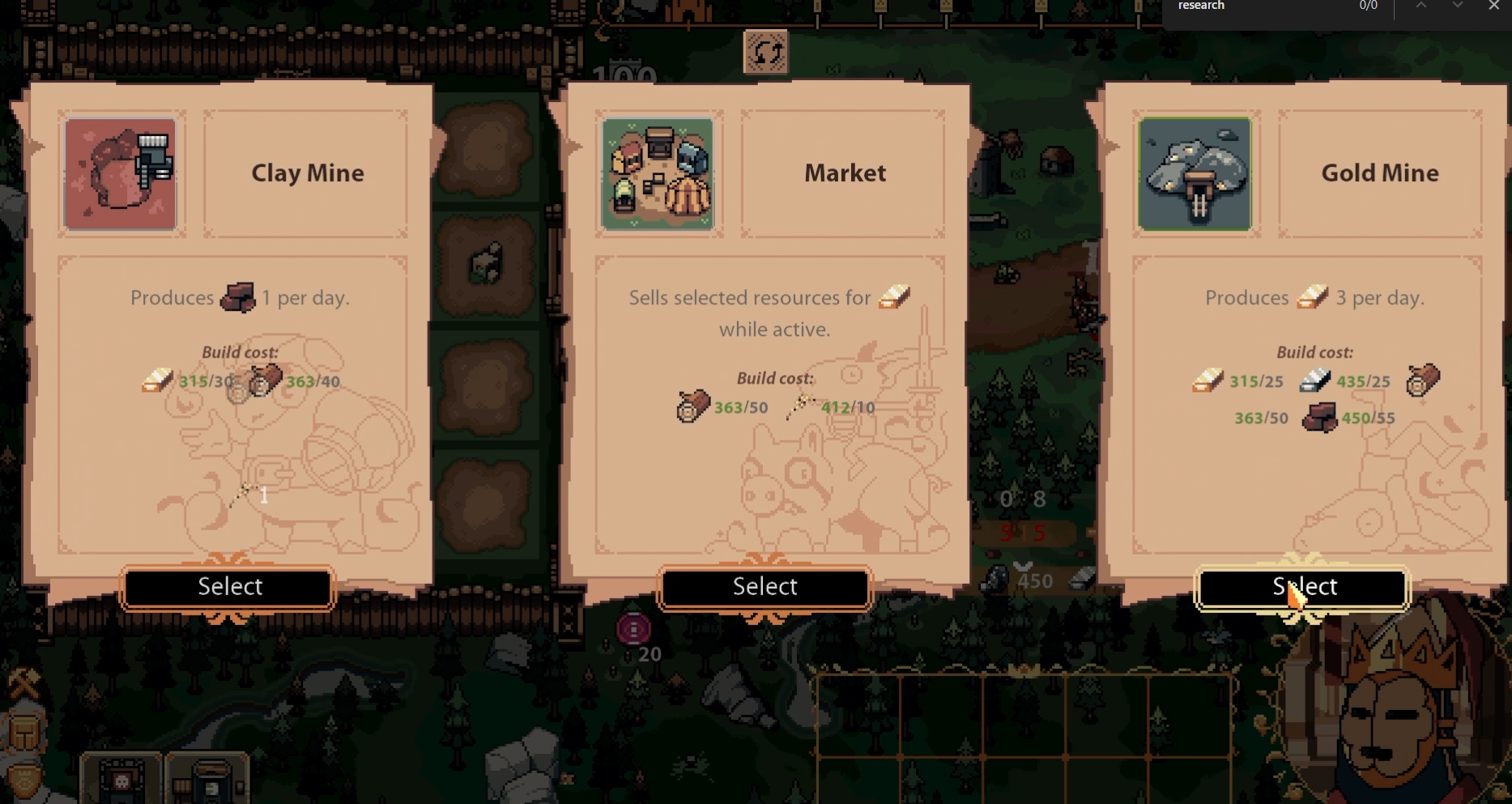
Once built, the Research Table starts a timer. When ready, a scroll icon appears near your King’s Vision button. Click it to see some random building options.
Pick one. That building is now available to place for the rest of your reign.
What the Research Table Does
The Research Table expands your blueprint list. You won’t get new buildings from it automatically. You must click the icon each time it finishes.
It only makes progress while under your gaze. If ignored, it stalls completely.
Once you choose a building, the research cycle starts over.
How to Use It Well
Use it early if you’re missing core buildings like Forge, Hospital, or Arena. It helps fill blueprint gaps without needing specific Council picks.
Keep it under gaze during quiet waves. Rotate it out once a building is unlocked.
If you’re already set on your layout, you can skip building it entirely.
One Research Table is enough. Building more does not make research faster.
Final Blurb
The Research Table in The King Is Watching is manual and gaze-dependent. It won’t do anything until you click the scroll icon and make a choice. Use it to expand your building options mid-run.
FAQ
How do I use the Research Table?
Keep it under your gaze. Wait for the icon to appear, then click it to unlock a building.
Why is my Research Table doing nothing?
It only works when inside your vision, and you must manually pick a building when ready.
Does building more Research Tables help?
No. Only one is needed. Extra tables do not stack or speed anything up.
When should I use the Research Table?
Use it if you’re missing important buildings. Skip it if your layout is already working.
© 2025 GamerBlurb. All rights reserved. Feel free to link to or quote this guide; please provide a direct link back for attribution.
More The King is Watching


