WoW How to Change House Style
© 2025 GamerBlurb.com | Published on 12/6/2025 at 1:20 AM CST
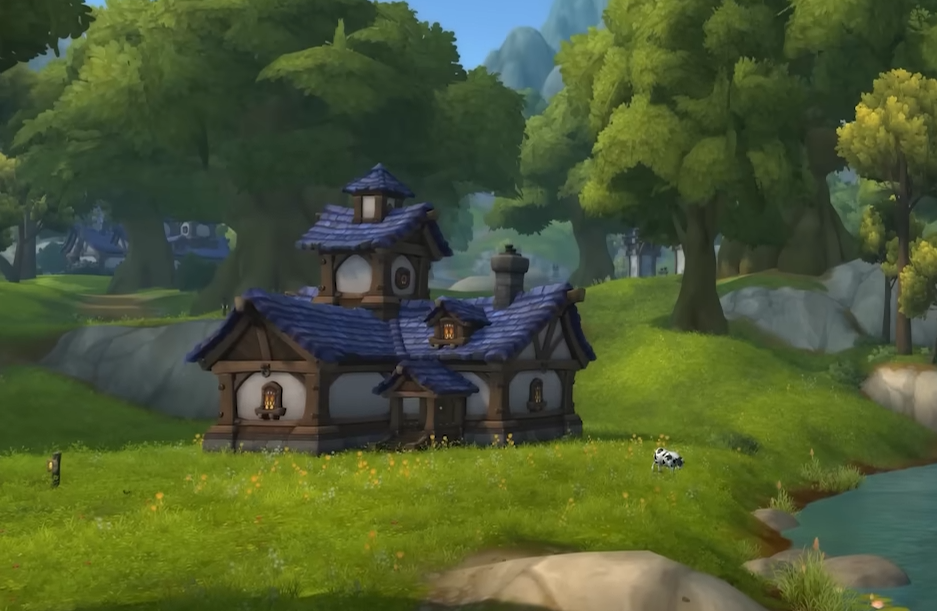
Changing your house style in World of Warcraft completely reshapes how your home looks, from the walls and roof to windows and color. Here’s exactly how to do it and what every tool in the editor actually does.
How to Change House Style in WoW
Head to your plot and open the Housing Dashboard. Click Edit House, then look for the small map at the bottom of the screen. This button zooms you into your home so you can enter full edit mode. Once inside, you can click on almost any part of the house to customize it.
Each part of your home highlights when hovered over. Click the windows, doors, roof, or walls to open their style menus. The left panel shows all available options for that part, while the right panel controls the overall building material and roof type.
Customizing Walls, Roof, and Color
The style menu on the right lets you pick what your house is made of. You can switch between stonework, wood, stucco, or other unlocked materials. Below that, you’ll find roof designs and roof color options. Changing them updates the model instantly so you can preview before finalizing.
You can click any roof section or tower point to change its style too. Some roof designs add towers or domes automatically depending on your choice.
Windows, Doors, and Fixtures
On the left panel, clicking the window or door icons brings up full lists of variations. You can swap to arched church-style windows, wide modern ones, or compact shutters. For doors, you can try different shapes, colors, and materials to match your wall type.
When hovering around your home, you’ll also see glowing globe icons. These represent editable fixture points. Click them to open extra options like new window placements or unique decor slots.
Unlocking More Style Choices
Right now, housing customization has a limited set of styles. As updates roll out, more roof shapes, wall textures, and color palettes will unlock through gameplay. These can come from achievements, crafting, or neighborhood favor rewards.
You can revisit the style editor anytime to change your design. Everything updates instantly, and you can switch looks as often as you want without paying gold.
Quick Tips for Editing Smoothly
Always rotate the camera before confirming, since lighting changes how materials look.
Match roof and wall colors with your neighborhood biome for clean blending.
Click every fixture globe to discover hidden custom points around the structure.
Try combining rare doors with simple wall sets for a unique mix.
Final Blurb
Changing your house style in WoW is more than swapping colors, it’s your way to make a home that feels yours. Use Edit House, experiment with every panel, and keep testing until it looks right. The housing system keeps growing, so every update means new materials to collect and fresh styles to try.
FAQ
How do I start editing my house style
Go to your plot, click Edit House, then select the small map icon at the bottom to enter exterior edit mode.
Can I change materials like stone or stucco
Yes, open the right panel and pick a material type such as stonework, wood, or stucco.
What do the glowing globe icons mean
They mark fixtures you can edit, like windows, towers, or special decor points.
Do changes save automatically
Yes, every edit saves as you leave the editor, no need to confirm each one.
Will new house styles be added later
Yes, future updates will expand the housing catalog with more materials, roofs, and colors.
© 2025 GamerBlurb. Linking is welcome with credit to GamerBlurb.com. Copying or reproduction without permission is prohibited.
More World of Warcraft