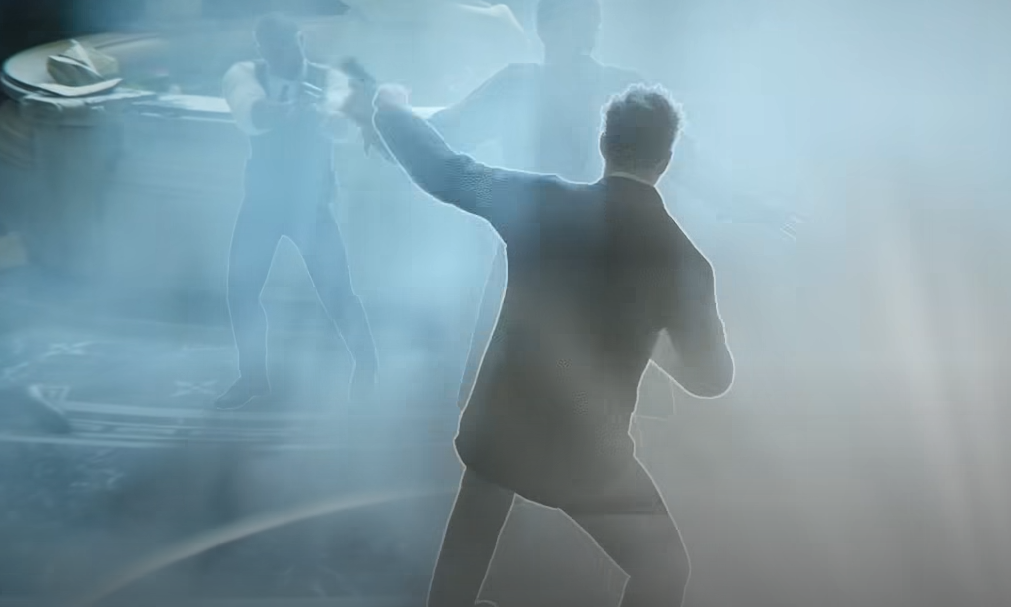
007 First Light can be played with either controller or keyboard and mouse, but the better option depends on how much the aiming bothers the player. Controller fits the game’s movement, melee, stealth, and cinematic feel better, while keyboard and mouse is stronger for players who care more about clean aiming and rebinding awkward gadget controls.
Jump To
Should 007 First Light Be Played With Controller Or Keyboard And Mouse?
007 First Light plays better with a controller for most players, but keyboard and mouse is the better choice if aiming with sticks feels bad or shooting sections are the main concern.
The game is not a pure shooter. A lot of 007 First Light is built around third person movement, stealth, melee, gadgets, cinematic interactions, and short bursts of gunplay. That structure naturally fits a controller, especially on PS5 with DualSense features turned on.
Keyboard and mouse still has a real advantage, though. Aiming is cleaner, faster, and easier to correct with a mouse. If the shooting range feels awful on controller, keyboard and mouse immediately removes the stick aim problem. The tradeoff is that some default keyboard binds can feel awkward until they are rebound.
The practical answer is simple. Use controller if the game feels fine after tuning sensitivity. Use keyboard and mouse if controller aim still feels sluggish, inaccurate, or annoying after changing the settings.
Why Controller Feels Better In 007 First Light
Controller feels better in 007 First Light because the game’s movement, melee, stealth flow, and gadget use are built more like a cinematic third person action game than a strict shooter.
Bond spends plenty of time walking through social spaces, moving through cover, fighting enemies up close, sneaking through restricted areas, and using gadgets to solve small room problems. Those parts feel natural on a controller. The left stick handles movement cleanly, triggers fit aiming and actions well, and combat has the kind of weight that usually feels better on a pad.
The controller also makes the game feel smoother when moving between actions. Running, vaulting, camera movement, melee, gadget use, and contextual interactions all sit together in a way that feels closer to how the game was paced. On PS5, the DualSense haptics and adaptive triggers can also add a nice bit of feel to weapons, driving, weather, and other physical moments.
The issue is aiming. Default controller aim can feel slow, especially for players who already struggle with shooters on sticks. That does not make controller the wrong choice, but it does mean the default settings need work.
The 007 First Light controller settings guide covers the best sensitivity and scheme changes for making controller aim feel cleaner.
When Keyboard And Mouse Is Better
Keyboard and mouse is better in 007 First Light when precise aiming is more important than cinematic controller feel.
The biggest advantage is aim control. Mouse aiming makes target correction easier, which is obvious in shooting range sections. If controller feels like the reticle is dragging behind the target, keyboard and mouse can immediately feel sharper.
Keyboard and mouse is also better for players who like custom binds. 007 First Light has some keyboard controls that can feel odd at first, especially for gadget related actions. Rebinding the Q-Watch, block, or throw gun inputs can make the setup feel much more natural.
The downside is movement flow. Keyboard movement can feel less smooth than analog movement during stealth and cinematic action. That does not ruin the game, but it can make Bond feel a little less graceful in close quarters. Then again, landing shots cleanly also feels pretty graceful. Funny how that works.
Controller Vs Keyboard And Mouse For Aiming
Keyboard and mouse is better for aiming in 007 First Light, while controller needs sensitivity tuning to feel good during shooting sections.
007 First Light has shooting, but it is not built like a nonstop headshot game. That helps controller players because most encounters do not demand perfect aim every second. Still, the shooting range and some combat sections can expose how sluggish controller aiming feels on default settings.
Mouse aim solves that problem because it gives direct control. It is easier to snap to targets, make tiny corrections, and recover after missing. That makes keyboard and mouse the better option for anyone who cares most about shooting performance.
Controller aiming can still work well enough once sensitivity, camera deceleration, and aim response curve are adjusted. The goal is to make aiming responsive without making it twitchy. Default aim can feel too slow, but max sensitivity can feel sloppy. The best setup is somewhere in the middle.
| Input | Aiming Feel | Best For |
|---|---|---|
| Controller | Smoother for general play, weaker for precision aiming unless tuned. | Campaign play, stealth, melee, cinematic feel, couch play. |
| Keyboard And Mouse | Sharper and more precise for shooting. | Shooting range, clean aim, PC players who dislike stick aiming. |
Melee, Stealth, And Gadgets Feel Better On Controller
Controller is the better fit for melee, stealth movement, and general gadget play because 007 First Light spends more time on spy action than pure shooting.
Melee encounters feel more natural on controller because movement, blocking, dodging, and quick directional changes sit comfortably on the sticks and buttons. Stealth also benefits from analog movement because Bond can move through spaces with more subtle control.
Gadgets are a mixed case. Controller feels smoother for aiming and using gadgets during movement, but keyboard and mouse can be better if the player rebinds awkward keys. The Q-Watch, block, and throw gun binds are the big ones to check early. If they feel bad, change them before muscle memory gets worse.
The best input depends on which part of the game is causing frustration. If combat aim is the issue, keyboard and mouse wins. If movement, stealth, and melee feel more important, controller is the cleaner pick.
For gadget planning, the 007 First Light best gadgets loadout guide covers which tools are strongest for stealth, combat, and mission routes.
Best Keyboard Bind Changes For 007 First Light
The best keyboard bind changes in 007 First Light are moving Q-Watch to a mouse side button, testing block on another mouse button, and shifting throw gun to a key that does not interrupt combat flow.
The default keyboard layout works, but a few actions can feel awkward. Q-Watch on Alt is one of the first binds worth changing if it feels uncomfortable. Moving it to Mouse 4 makes gadget use quicker and keeps the left hand focused on movement.
Block is another good bind to test on Mouse 5 if the default key feels bad during melee. Throw gun can also be moved to Q or another nearby key if G feels too far away during fights. The exact setup depends on the mouse, but the goal is to keep important combat and gadget actions close.
| Action | Suggested Bind | Why |
|---|---|---|
| Q-Watch | Mouse 4 | Makes gadget use faster and less awkward. |
| Block | Mouse 5 or another comfortable side bind | Helps melee feel more responsive. |
| Throw Gun | Q or another nearby key | Keeps the action easier to reach during combat. |
Do not overthink the whole keyboard layout at once. Change the actions that feel bad, then play a few missions. Keyboard and mouse gets much better after the awkward binds are fixed.
Controller Or Keyboard And Mouse Best Choice Table
| Player Type | Best Input | Why |
|---|---|---|
| Mostly wants the intended cinematic feel | Controller | Movement, melee, stealth, and gadget flow feel smoother. |
| Bad with shooter aiming on controller | Keyboard And Mouse | Mouse aim is much easier for precise shots. |
| Playing on PS5 | Controller | DualSense haptics and adaptive triggers add to the feel. |
| Focused on shooting range scores | Keyboard And Mouse | Mouse aim is cleaner for quick target swaps. |
| Focused on stealth and melee | Controller | Analog movement and third person combat feel better. |
| Controller aim feels bad even after tuning | Keyboard And Mouse | No reason to fight the sticks if mouse aim feels better. |
For most players, controller is the better first choice. For players who know they dislike controller shooting, keyboard and mouse is the smarter pick from the start. 007 First Light is mostly not hard enough to require mouse precision, but comfort matters more than pretending the “intended” input is working when it clearly is not.
If performance or blur is affecting input feel, the 007 First Light best PC settings guide covers the visual settings that help make the game feel cleaner on PC.
007 First Light Controller Or Keyboard Quick Answers
| Question | Answer |
|---|---|
| Is 007 First Light better on controller or keyboard? | Controller is better for most players, but keyboard and mouse is better for precise aiming. |
| Is controller good for 007 First Light? | Yes, controller fits the game’s movement, melee, stealth, and cinematic feel well. |
| Is keyboard and mouse good? | Yes, especially for players who dislike aiming with controller sticks. |
| Does 007 First Light have a lot of shooting? | It has shooting sections, but much of the game is melee, stealth, gadgets, and third person action. |
| Should bad controller shooters use mouse and keyboard? | Yes, if controller aiming feels bad, keyboard and mouse is the easier option. |
| Does changing controller settings help? | Yes, raising sensitivity, lowering deceleration, and using Linear response can make controller aim feel better. |
| Should keyboard players rebind controls? | Yes, rebinding Q-Watch, block, or throw gun can make keyboard and mouse feel much better. |
Final Blurb
007 First Light is better on controller for most players because the game is built around stealth, melee, movement, gadgets, and cinematic third person action. It feels like the natural input, especially once controller sensitivity is tuned properly.
Keyboard and mouse is still the better choice for anyone who struggles with controller aiming. Mouse aim makes shooting cleaner, and rebinding awkward keys can fix most of the PC layout problems. The honest answer is simple, use controller for the smooth Bond feel, use keyboard and mouse if the right stick makes aiming feel like a hostage negotiation with the camera.