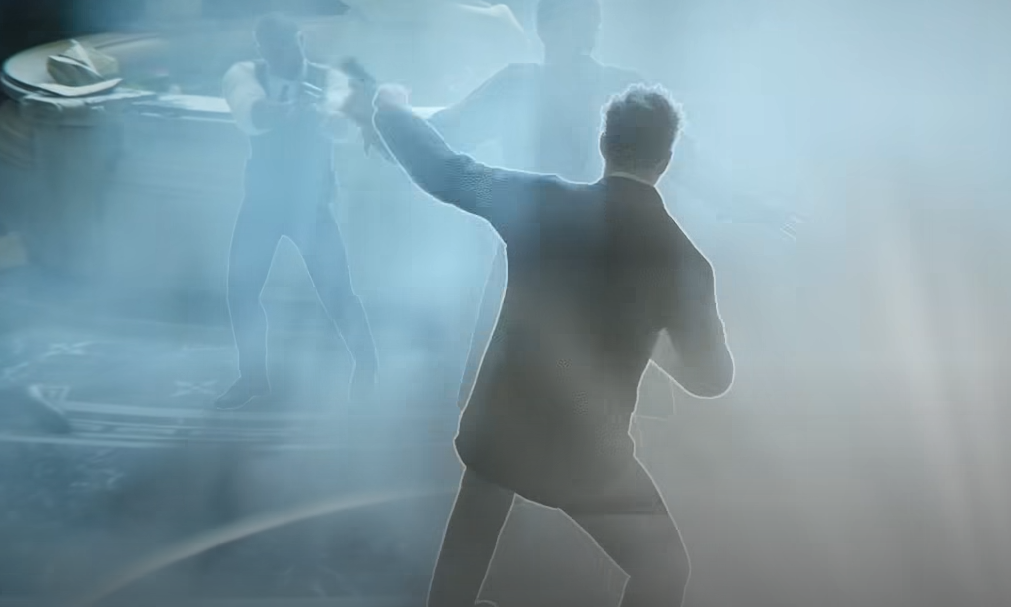
007 First Light controller settings can feel slow on default, especially when aiming at the shooting range or trying to make quick camera turns during stealth. The best setup raises camera sensitivity, lowers camera deceleration, uses a Linear aim response curve, and keeps the default controller scheme unless the button layout itself feels uncomfortable.
Jump To
Best Controller Settings In 007 First Light
The best 007 First Light controller settings use higher camera sensitivity, slightly raised aim sensitivity, low camera deceleration, a Linear aim response curve, and the default controller scheme as the starting point.
The main issue with default controller settings is that aiming and camera movement can feel too heavy. The camera does not turn as cleanly as it should, and aiming can feel delayed when trying to track targets or swap between enemies. That is most obvious in the shooting range, but it also shows up during stealth when Bond needs to check patrols, aim gadgets, or quickly correct a bad camera angle.
The best fix is not to max every slider. That usually makes the camera faster, but it can make aiming worse. The better setup is to make the normal camera faster than aiming, reduce deceleration so the stick feels more direct, and use Linear response so small movements behave in a more predictable way.
| Setting | Best Value |
|---|---|
| Horizontal Aim Sensitivity | 1.35 |
| Vertical Aim Sensitivity | 1.15 |
| Horizontal Camera Sensitivity | 1.65 |
| Vertical Camera Sensitivity | 1.30 |
| Horizontal Camera Deceleration | 0.25 |
| Vertical Camera Deceleration | 0.20 |
| Aim Response Curve | Linear |
| Controller Scheme | Default or closest familiar layout |
| Deadzones | Default first, lower only if there is no stick drift |
This setup gives Bond faster camera control without making aiming feel twitchy. It also keeps the scheme simple, which matters because 007 First Light already asks the controller to handle aiming, movement, stealth, cover, gadgets, melee, and context actions. The controls should help the mission, not feel like Q handed over a prototype and forgot to label half the buttons.
Best Sensitivity Settings For 007 First Light
The best 007 First Light sensitivity settings are 1.35 horizontal aim sensitivity, 1.15 vertical aim sensitivity, 1.65 horizontal camera sensitivity, and 1.30 vertical camera sensitivity.
Aim sensitivity should stay lower than camera sensitivity because aiming needs finer control. The camera is used for turning, scanning rooms, checking guard positions, and reacting quickly. Aim is used for smaller corrections, especially when firing at targets or lining up gadget shots. If both are set too high, Bond can turn faster, but the reticle starts overshooting targets.
Horizontal sensitivity should also be higher than vertical sensitivity. Most aim corrections happen left and right, especially in the shooting range or during quick target swaps. Vertical movement still needs to be faster than default, but pushing it too high makes the reticle climb past targets too easily.
I would start with the values above, then adjust in small steps. If aiming still feels slow, raise horizontal aim sensitivity by 0.05 or 0.10. If the reticle keeps sliding past targets, lower vertical aim sensitivity first. Do not start by changing every slider at once, because then it becomes impossible to tell what actually fixed the feel.
| Sensitivity Setting | Best Value | Why It Works |
|---|---|---|
| Horizontal Aim Sensitivity | 1.35 | Improves target swapping without making aiming too loose. |
| Vertical Aim Sensitivity | 1.15 | Keeps vertical aim controlled during small corrections. |
| Horizontal Camera Sensitivity | 1.65 | Makes turning and room scanning feel much less sluggish. |
| Vertical Camera Sensitivity | 1.30 | Improves camera movement without making it feel jumpy. |
Best Camera Settings For Controller
The best camera settings in 007 First Light are 1.65 horizontal camera sensitivity, 1.30 vertical camera sensitivity, 0.25 horizontal camera deceleration, and 0.20 vertical camera deceleration.
Camera deceleration is the setting that makes the biggest difference if the camera feels like it is dragging. Sensitivity controls speed, but deceleration controls how much the camera slows down against the stick movement. Leaving deceleration too high can make even a raised sensitivity setting feel weirdly heavy.
Lowering horizontal camera deceleration to 0.25 makes turning smoother and more immediate. Lowering vertical camera deceleration to 0.20 helps with vertical camera checks without making the view bounce around. Together, these changes make the right stick feel more direct.
This matters outside combat too. 007 First Light uses a lot of stealth spaces where the camera needs to check guards, gadgets, cover, vents, and side routes quickly. If the camera feels slow, the whole game feels worse. A spy game should make the player feel careful, not like Bond is rotating through airport security footage at 12 frames per second.
For players tuning the game on PC, the 007 First Light best PC settings guide covers the graphics and performance settings that can also affect how responsive the game feels.
Best Controller Scheme In 007 First Light
The best controller scheme in 007 First Light is the default scheme or the closest familiar preset, because the biggest controller problem is sensitivity and camera feel rather than the button layout itself.
Changing the controller scheme can help if a specific button placement feels awkward, but it does not fix sluggish aiming. The camera and aim settings do that. If the right stick feels heavy, changing to another preset will usually still feel bad unless sensitivity, deceleration, and response curve are adjusted too.
Default works well because it keeps the main actions where most third person players expect them. Aiming, camera movement, movement, melee, gadgets, and context prompts are already doing a lot. A more unusual scheme can make sense for personal comfort, but it should not be the first fix for bad aiming.
Purist does not magically make aiming better either. It may change the way the game feels as a challenge setup, but controller aim comfort still comes from the controller settings. If the shooting range feels awful, the scheme is probably not the main problem. The sensitivity curve is.
| Controller Scheme Choice | Best Use |
|---|---|
| Default Scheme | Best starting point for most players. |
| Alternate Presets | Use only if the button layout feels uncomfortable. |
| Purist | Fine for challenge feel, but it does not fix sluggish aim by itself. |
| Custom Adjustments | Best after sensitivity and camera settings are already tuned. |
Best Aim Response Curve In 007 First Light
The best aim response curve in 007 First Light is Linear because it makes stick movement feel more predictable and removes some of the sluggish ramp up from default aiming.
Linear makes the stick feel more honest. A small stick movement gives a small aim movement, and a larger push gives a faster one. That sounds basic, but it is exactly what helps the shooting range feel less awkward. Weird acceleration or deceleration makes the reticle feel like it has its own opinion, which is rarely helpful when trying to hit clean shots.
Linear also helps players coming from mouse and keyboard. It will not make controller aiming feel like a mouse, but it does make the stick response easier to understand. The more predictable the curve, the easier it is to build muscle memory.
Once Linear is on, the other settings become easier to tune. If aiming is too slow, raise aim sensitivity slightly. If it is too fast, lower it slightly. With a less predictable response curve, the same changes can feel inconsistent.
Best Deadzone Settings For Controller
The best deadzone setting in 007 First Light is default for most controllers, with small reductions only for controllers that have no stick drift.
Deadzone is useful, but it should not be the first setting changed. Aiming feels sluggish mainly because of sensitivity, camera deceleration, and response curve. Lowering deadzones too early can create drift or make the camera move when the stick is resting.
For an Xbox Series controller or DualSense, keep deadzones at default first. After tuning sensitivity and deceleration, test the shooting range. If tiny aim movements still feel delayed and the controller has no drift, lower deadzone one step at a time.
For Hall Effect or TMR sticks, lower deadzones can work better because those sticks are usually more stable near center. Even then, small changes are smarter than dropping the value too far. A tiny improvement is good. Bond slowly panning into a wall because the deadzone is too low is not good. That is not espionage. That is controller crime.
Best DualSense Settings On PS5
The best DualSense settings in 007 First Light are vibration and adaptive triggers on for campaign play, but lowered if they make aiming feel worse.
The DualSense features are worth trying because 007 First Light uses haptics and trigger feedback well. Vibration can add more feel to movement, weather, driving, and other small moments. Adaptive triggers can also make weapons and interactions feel more physical.
For normal campaign play, keeping vibration high and adaptive triggers on is a good starting point. For shooting range practice or sections where aiming is the main focus, lowering vibration can help if the feedback is distracting during small stick corrections.
The right answer depends on comfort. Immersion is nice, but clean aim comes first. If the controller feedback is making shots feel worse, turn it down. Bond can appreciate haptics after he stops missing targets in front of Q.
Full 007 First Light Controller Settings Table
| Category | Setting | Recommended Value | Reason |
|---|---|---|---|
| Controller Settings | Controller Scheme | Default | Best starting layout for most players. |
| Sensitivity | Horizontal Aim Sensitivity | 1.35 | Faster target switching without losing control. |
| Sensitivity | Vertical Aim Sensitivity | 1.15 | Keeps upward and downward aim corrections steadier. |
| Sensitivity | Horizontal Camera Sensitivity | 1.65 | Makes turning and camera checks faster. |
| Sensitivity | Vertical Camera Sensitivity | 1.30 | Improves vertical camera movement without overcorrecting. |
| Camera | Horizontal Camera Deceleration | 0.25 | Reduces sluggish camera slowdown. |
| Camera | Vertical Camera Deceleration | 0.20 | Makes vertical camera control feel cleaner. |
| Aim Feel | Aim Response Curve | Linear | Gives the most predictable stick response. |
| Deadzone | Stick Deadzones | Default | Prevents drift while testing the main aim fixes. |
| PS5 | Vibration | On or High | Good for immersion, but lower if it hurts aim. |
| PS5 | Adaptive Triggers | On | Good for campaign feel, optional for precision aiming. |
This setup is tuned for a smoother controller feel without making the game too twitchy. If the camera still feels slow, raise horizontal camera sensitivity first. If aiming feels too fast, lower vertical aim sensitivity before touching every other slider.
For gadget heavy sections, better camera control also makes scanning and quick gadget use feel smoother. The 007 First Light best gadgets loadout guide covers which tools are worth bringing once the controls actually feel usable.
Common Controller Settings Mistakes
The biggest mistake is only raising sensitivity and ignoring camera deceleration.
Sensitivity makes the camera faster, but deceleration decides how sticky the camera feels while moving. If deceleration stays too high, the camera can still feel slow even after sensitivity is raised. Lowering deceleration is the real fix for the heavy right stick feel.
Another mistake is lowering deadzones too aggressively. That can make tiny movements more responsive, but it can also create drift. Deadzones should be fine tuning, not the main solution.
Players also tend to test settings only in the shooting range. That is useful, but it does not show the full game. The best controller settings need to work for aiming, stealth, gadget use, melee, camera checks, and movement. A setup that feels perfect for target practice but too wild during stealth is not the best setup.
The last mistake is assuming a different controller scheme will fix bad aim. Scheme affects button comfort. Sensitivity, response curve, and deceleration affect aim feel. Fix the feel first, then adjust the scheme only if the layout itself is annoying.
Final Blurb
The best 007 First Light controller settings are built around higher sensitivity, lower camera deceleration, Linear aim response, and the default controller scheme. Start with 1.35 horizontal aim sensitivity, 1.15 vertical aim sensitivity, 1.65 horizontal camera sensitivity, 1.30 vertical camera sensitivity, 0.25 horizontal camera deceleration, and 0.20 vertical camera deceleration.
That setup makes controller aiming and camera movement feel cleaner without turning Bond into a twitchy mess. The default scheme is fine for most players, but the sensitivity settings need work. Once the camera stops dragging and aiming feels more direct, 007 First Light plays much better on controller. Still not mouse level, obviously. Sticks remain sticks. Cruel little circles.