Crimson Desert How To Use Axiom Force
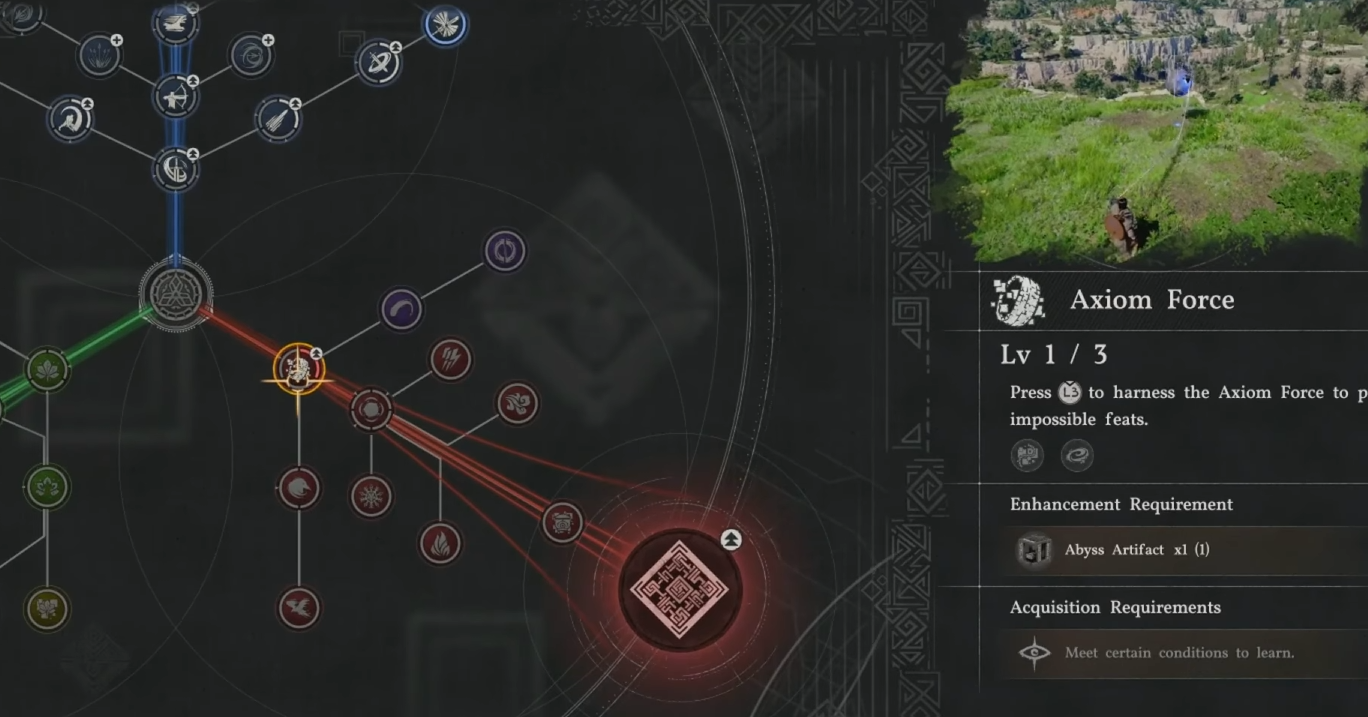
Axiom Force shows up early, then disappears for a while, then suddenly the game expects you to remember it during puzzles. If you forgot how it works, you are not alone… the controls are easy to miss.
How To Use Axiom Force In Crimson Desert
To use Axiom Force, hold the aim input, release to attach to an object, then use push or pull controls to move it.
Once you understand that loop, every puzzle becomes much easier.
Basic Axiom Force Controls
Here are the core inputs.
PC Controls
Hold Tab to aim
Release Tab to attach Axiom Force
Press Q to control the object
Use movement inputs to adjust positioning
Controller Controls
Hold L3 or Left Stick to aim
Release to attach Axiom Force
Use trigger inputs to move objects
Use stick movement to guide direction
The exact buttons matter less than understanding what each step does.
What Axiom Force Actually Does
Axiom Force lets you interact with objects in the environment.
Grab floating cubes
Move power cores
Align puzzle objects
Position items into slots
It is mainly used for puzzle solving.
Push And Pull Mechanics Explained
Once attached to an object, you can control it.
Pull brings the object closer
Push moves it away
Movement inputs adjust direction
Think of it like dragging objects in mid air.
How To Aim Axiom Force Properly
This is where most mistakes happen.
Aim directly at the object
Release the input to attach
If nothing happens, you missed the target
You need to be precise, especially with smaller objects.
Common Mistakes That Break It
Holding the button too long without releasing
Not pressing the control input after attaching
Trying to move objects without locking on first
Standing too far away from the object
If it feels like nothing is happening, one of these is usually the reason.
When You Use Axiom Force
You will use it mostly in Abyss puzzles.
Moving cubes into lanterns
Aligning power cores
Solving multi step puzzle rooms
Outside of puzzles, it is rarely used.
Why It Feels Confusing At First
The game introduces it, then does not reinforce it for a while.
Long gaps between usage
Multiple inputs required
No clear reminder in later puzzles
Once you relearn it, it becomes second nature.
Final Blurb
Axiom Force is simple once you break it down, aim, attach, then move the object. Most puzzles in Crimson Desert rely on this loop, so getting comfortable with it saves a lot of time later.
FAQ
How do you use Axiom Force in Crimson Desert
Hold the aim input, release to attach, then use controls to move the object.
What button is Axiom Force on PC
Hold Tab to aim, then use Q and movement inputs to control objects.
Why is Axiom Force not working
You may not be aiming correctly or did not attach to the object.
What is Axiom Force used for
It is used to move objects and solve puzzles.
Where do you use Axiom Force
Mainly in Abyss puzzles and story sections.