How to Sheathe Your Weapon in Assassin’s Creed Black Flag Resynced
To sheath your swords in Assassin’s Creed Black Flag Resynced, hold T on PC or hold Left on the D-pad on PS5 and Xbox. This command is mainly for Edward’s swords, not every weapon or tool in his kit.
If Edward keeps holding his swords after a fight, the game may still think you are in combat. Step away from enemies, stop attacking, wait for Edward to finish any current animation, and hold the sheathe input again.
Jump To
How to Sheathe Your Weapon in Assassin’s Creed Black Flag Resynced
To sheath your weapon in Assassin’s Creed Black Flag Resynced, hold the sheathe button instead of tapping it. On PC, hold T. On PS5 and Xbox, hold Left on the D-pad.
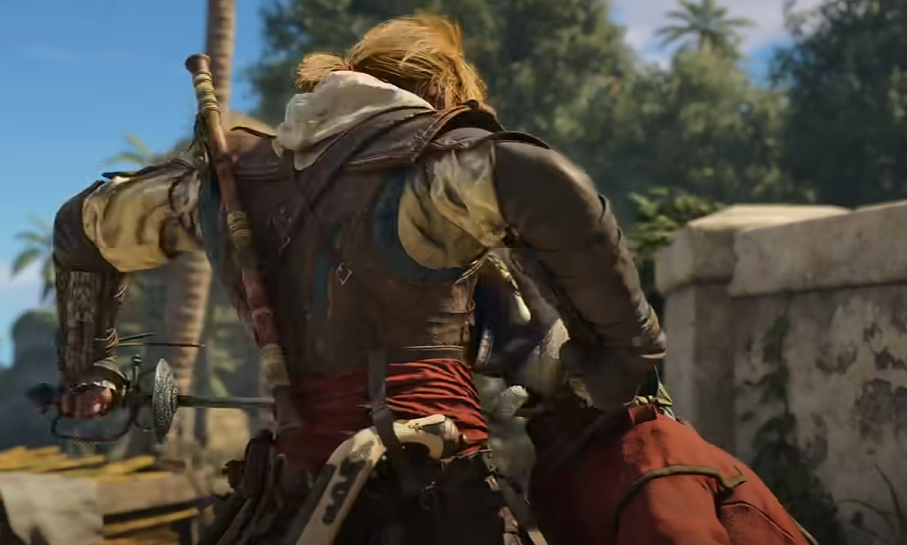
Once the input registers, Edward will put away his dual swords and return to a normal stance. This is useful after combat, especially when you are trying to loot, interact with objects, move through town, or simply stop Edward from standing there like every civilian nearby has personally offended him.
The key detail is that this is not a universal “put away anything” command. It specifically applies to Edward’s swords. Other weapons, including pistols and tools, are handled through aiming, weapon selection, or the end of their use animation.
If you are still deciding what to equip, our Assassin’s Creed Black Flag Resynced best weapons guide breaks down the strongest swords and pistols by playstyle.
PC, PS5, and Xbox Controls
| Platform | How to Sheathe Swords |
|---|---|
| PC | Hold T |
| PS5 | Hold Left on the D-pad |
| Xbox | Hold Left on the D-pad |
If nothing happens, make sure you are holding the input long enough. A quick tap may not trigger the sheathe command, especially if Edward is still moving, aiming, climbing, attacking, or being pulled into another animation.
On PC, also check your control settings if the command still does not work. If T has been rebound, the sheathe input may be assigned somewhere else.
Why Edward Keeps His Swords Out
Edward usually draws his swords automatically when combat begins. The problem is that Assassin’s Creed Black Flag Resynced can leave him in that combat posture for a little longer than expected, even after the immediate threat appears to be over.
This usually happens because the game still considers you in combat. A nearby guard may still be alert, an enemy may still be looking for you, or the mission area may not have fully returned to exploration. When that happens, Edward may refuse to put his swords away or draw them again right after you sheath them.
That does not always mean the input is broken. It usually means the game has not fully let go of the fight yet. Move away from danger, wait a moment, and then hold the sheathe input again once Edward is no longer actively engaged.
Which Weapons Can Be Sheathed
The manual sheathe command is for Edward’s swords. Pistols, rope darts, smoke bombs, and other tools do not use the same sheathing behavior because they are tied to aiming or temporary weapon states.
| Weapon or Tool | How It Is Put Away |
|---|---|
| Swords | Hold T on PC or hold Left on the D-pad on PS5 and Xbox |
| Pistols | Release aim or stop using the weapon |
| Rope Dart | Release aim or switch away from the tool |
| Smoke Bombs | Use the item, release aim, or switch away from it |
This is why the wording can be confusing. Players often search for how to sheath a weapon, but Assassin’s Creed Black Flag Resynced treats Edward’s swords differently from his ranged weapons and tools. If the swords are out, use the sheathe input. If you are aiming or selecting a tool, exit that weapon state instead.
What to Do if Sheathing Does Not Work
If Edward will not sheath his swords, first stop attacking and let any animation finish. The game may ignore the input while Edward is mid-swing, recovering from an attack, climbing, aiming, or transitioning between actions.
If that still does not work, move away from enemies and wait for the combat state to drop. Guards, hostile areas, and mission encounters can keep Edward ready to fight even when it looks like things have calmed down.
If Edward sheathes his swords and then immediately pulls them out again, check whether another enemy has spotted you. That usually means the game has put you back into combat, not that the sheathe command failed.
For most players, the fix is simple: hold T on PC or hold Left on the D-pad on PS5 and Xbox. Just remember that the command is for swords, and it works best once Edward is no longer being forced into combat.