MegaBonk Keeps Crashing Fix Guide
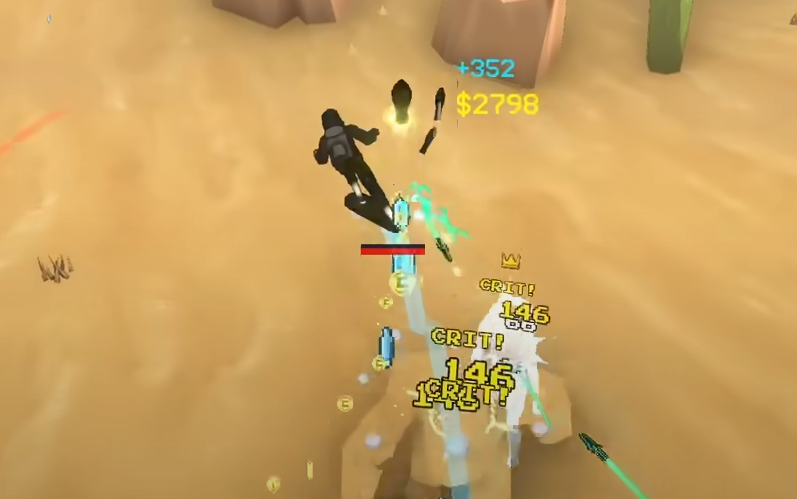
Crashes have become one of the biggest frustrations for MegaBonk players. Many report that the game closes suddenly during long Tier 3 runs or even while sitting in the pause menu. Even high-end PCs, including RTX 40XX setups, experience the same issue. Let’s go over what causes the crashes, how to fix them, and what you can do to keep your runs stable.
How to Fix Crashes in MegaBonk
Crashes in MegaBonk usually come from performance overload. The game renders hundreds of projectiles, explosions, and particle effects, especially in later tiers. When the system gets overloaded, it freezes and shuts down without warning.
Lowering graphics settings is the most effective fix right now. Set the overall quality to Medium or Low, disable shadows, and turn off post-processing. Locking your frame rate to 60 FPS also helps reduce random freezes. These changes keep the engine from overloading during large fights.
Why MegaBonk Keeps Crashing
Effect Overload
Weapons like Axe, Aura, and Slutty Rocket create heavy visual effects that multiply with tomes like Quantity or Size. When too many projectiles or effects are active, the engine runs out of memory and crashes.
Memory Spikes
MegaBonk doesn’t handle long runs well. As enemies and drops build up, memory use skyrockets. Even strong PCs with 32 GB of RAM can crash if a run goes too long or if you leave the game paused.
Map Issues
Desert Tier 3 is currently the most unstable map. It has wide terrain, dense mobs, and sand effects that push performance harder than Forest. Players report frequent crashes near the second boss phase.
Idle Crashes
Leaving the game paused for several minutes can also trigger crashes. It’s safer to restart between runs instead of keeping MegaBonk running in the background.
Reliable Fixes
Lower graphics settings and disable shadows or blur.
Lock FPS at 60 to reduce engine stress.
Restart the game between long runs.
Avoid pausing or alt-tabbing for long periods.
Verify the game files in Steam.
Close Discord, Steam, or GeForce overlays.
Update GPU drivers to the latest version.
Run the game as Administrator if issues continue.
Final Blurb
MegaBonk’s crashes are mostly tied to memory overload and particle effects, not weak hardware. Lowering settings, restarting often, and keeping runs shorter make the biggest difference. Until an official patch releases, these steps are the safest way to prevent freezes during high-tier runs.
FAQ
Why does MegaBonk crash randomly?
The game overloads with too many effects, projectiles, or memory buildup, especially in long sessions.
Does this happen to all players?
Yes. Even high-end systems experience it, particularly in Tier 3 and Desert maps.
How can I stop crashing mid-run?
Lower graphics, restart between runs, and avoid leaving the game idle.
Will this be fixed in the future?
Yes, the developer is aware of the issue, and future patches should improve performance stability.
© 2025 GamerBlurb. Linking is welcome with credit to GamerBlurb.com. Copying or reproduction without permission is prohibited.
More MegaBonk