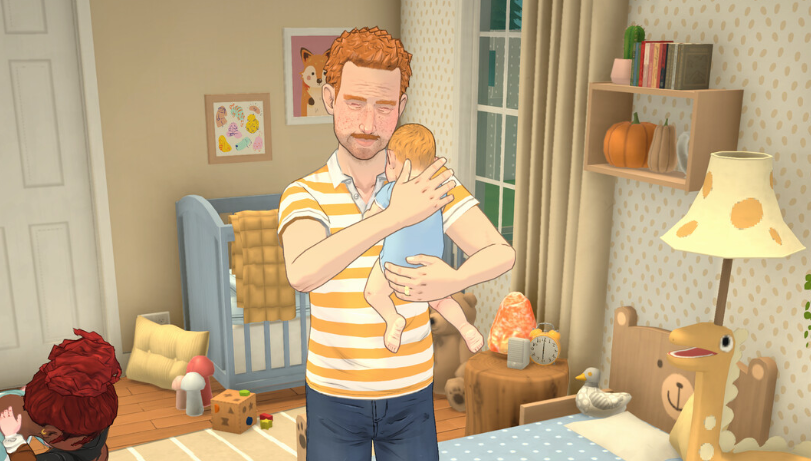
Trying for a baby in Paralives takes a little setup before the bed option appears. Parafolks need compatible pregnancy settings, enough romantic progress, the right Together Card, and both Paras selected before using Try for a Baby on a bed.
For more Paralives guides, check the main Paralives hub.
Jump To
How To Try For A Baby In Paralives
To try for a baby in Paralives, build enough romance between 2 compatible Parafolks, use the “Ask if they want to try for a baby NOW” Together Card when it appears, select both Paras together, click a bed, then choose Try for a Baby.
The bed option does not work like a basic single character interaction. The most common problem is only having 1 Para selected. Both Parafolks need to be selected as a pair before the Try for a Baby option appears on the bed. Once both are grouped, click the bed and choose the baby interaction from the available actions.
After the interaction finishes, click a toilet and choose Take a Pregnancy Test to check if it worked. A failed attempt does not mean the relationship is broken or the household is locked out. It just means the pregnancy did not happen that time, so the couple can try again as long as the needed setup is still valid.
Paralives makes trying for a baby more relationship based than a simple menu shortcut. The game wants the romance, compatibility, and household setup to line up first. That is why the option can feel missing even when 2 Paras like each other.
Pregnancy Settings In Paramaker
Parafolks need compatible pregnancy settings before they can have a baby naturally, with 1 Para set to Can Get Pregnant and the other set to Can Get Others Pregnant.
These options are found in Paramaker. Open the advanced options beside the gender settings, then choose the pregnancy setting for that Para. The available pregnancy choices include Can Get Pregnant, Can Get Others Pregnant, and Neither.
This setting matters because the Try for a Baby route needs a biological match between the 2 Parafolks. If both Paras can get pregnant but neither can get others pregnant, the natural pregnancy route will not work. If both can get others pregnant but neither can get pregnant, it also will not work.
| Pregnancy Setting | What It Means | Natural Baby Use |
|---|---|---|
| Can Get Pregnant | The Para can become pregnant. | Needed for the pregnant parent. |
| Can Get Others Pregnant | The Para can impregnate another Para. | Needed for the other biological parent. |
| Neither | The Para cannot use natural pregnancy. | Use adoption instead. |
Once a Para is already in a household, these settings are not normally changed through regular play. Cheats can change things, but for a normal save, the clean backup plan is adoption. That makes adoption important for households where the natural pregnancy setup was missed in Paramaker.
How To Unlock Try For A Baby
Try for a Baby unlocks after the relationship builds enough romantic progress and the correct baby related Together Card appears.
The relationship needs more than casual friendship. Build romantic interactions, raise the relationship, and progress through Relationship Labels until the game starts offering stronger romantic cards. At some point, the Flirty Emotion pop up can lead into the “Try to have a baby with...” style option.
After that, the next important step is the Together Card called “Ask if they want to try for a baby NOW.” Using this card sets up the couple so they can try for a baby together. Once that conversation succeeds, the bed interaction becomes available when both Paras are selected.
Relationship cards can be a little stubborn because they depend on mood, timing, and available social options. If the card is not appearing, keep building the relationship and use Flirty options when the emotional state supports it. A Story Card that improves Flirty success can help if the social cards keep failing or the relationship feels stuck.
Pregnancy odds and family pacing can also be tuned through Storyteller settings. The Paralives Storyteller guide explains how Maxence, Stella, Ricardo Castello III, and custom settings change the tone of a save.
Select Both Paras Before Clicking The Bed
Both Parafolks must be selected together before clicking the bed, or the Try for a Baby option may not appear.
This is the biggest practical fix. If the option showed up once, disappeared later, or never appears on the bed, the first thing to check is selection. Click and drag over both Parafolks to group them together, then click the bed with both selected. The Try for a Baby option should appear if the relationship and pregnancy setup are ready.
This is easy to miss because most life sim interactions start by selecting 1 character and clicking an object. Paralives handles this interaction more like a shared action. The bed needs the pair selected so the game knows exactly which 2 Paras are trying.
My first check would always be the group selection before assuming the save is bugged. It is the kind of small UI detail that makes people burn 20 minutes raising romance for no reason, which is impressive in the most life sim way possible.
How To Know If A Para Is Pregnant
After trying for a baby, click a toilet and choose Take a Pregnancy Test to find out if the Para is pregnant.
The pregnancy test is the fastest confirmation. If the test is positive, the pregnancy starts and the household moves into the pregnancy phase. If the test is negative, the attempt failed and the couple can try again.
Pregnancy can also show through emotion cards or pregnancy related feedback after the attempt, but the toilet test is the cleanest way to confirm it. Do not wait around guessing if the interaction worked. Use the test and move on.
| Result | What It Means | Next Step |
|---|---|---|
| Positive Test | The Para is pregnant. | Wait through pregnancy and prepare for the baby. |
| Negative Test | The attempt did not work. | Try again if both Paras are still ready. |
| No Test Option | The Try for a Baby interaction may not have finished correctly. | Cancel stuck actions, reset the interaction, and try again from the bed. |
If the Paras stay stuck in bed after trying and the toilet test does not appear, cancel the stuck action and try again. Paralives is in Early Access, so some interactions can behave strangely. The safest fix is to reset the current action, make sure both Paras are selected again, and run the bed interaction cleanly.
How Long Pregnancy Lasts In Paralives
Pregnancy lasts 3 in game days by default in Paralives, with each trimester lasting 1 in game day unless the setting is changed.
After pregnancy begins, the household has a short window to prepare. Add baby space, make sure the home has enough room, and fix any layout problems before the birth. A baby does not need a mansion, but the household should have a sensible place for care objects and enough room for Parafolks to move around without pathing into furniture like tiny confused magnets.
When labor finishes, the game prompts the household to name the baby and choose which parent’s surname the baby receives. That makes the birth moment the final step of the natural pregnancy path.
Storyteller settings can also adjust pregnancy related outcomes, including pregnancy odds and the chance of twins or triplets. Those settings are useful if the save is built around family growth or if the household story needs more control over how often pregnancies succeed.
How To Adopt A Baby In Paralives
To adopt a baby in Paralives, interact with a Health Center on the map, such as the Hospital or Pharmacy, then choose Adopt Baby.
Adoption is the best option when the household cannot use natural pregnancy, does not have compatible pregnancy settings, or simply wants a child without using the Try for a Baby route. It also works as a cleaner path for single Parafolks or households where the Paramaker settings do not line up.
The adoption process takes a few in game hours. After the Para returns, the game prompts the household to name the baby. The baby’s gender is not chosen directly during the adoption process, so players who care about that outcome usually save before starting the adoption.
Adoption is also the practical fix for a household created before the player understood pregnancy settings. If the Paramaker setup blocks natural pregnancy, adoption keeps the family plan alive without needing cheats.
Why Try For Baby Is Not Showing
Try for a Baby usually does not show because both Paras are not selected, the relationship is not far enough along, the baby Together Card has not been completed, or the Parafolks do not have compatible pregnancy settings.
The bed option is the final step, not the starting point. If the couple has not agreed to try through the baby related Together Card, the bed interaction may not be available. If the Paramaker settings do not include 1 Para who can get pregnant and 1 who can get others pregnant, natural pregnancy will also fail as a path.
| Problem | Likely Cause | Fix |
|---|---|---|
| Try for a Baby is missing on the bed | Only 1 Para is selected. | Click and drag to select both Paras, then click the bed again. |
| The couple has romance but no baby option | The baby Together Card has not been completed. | Build romance and use “Ask if they want to try for a baby NOW” when it appears. |
| The relationship is high but pregnancy still does not work | Pregnancy settings may not be compatible. | Check Paramaker setup for future Paras or use adoption. |
| The interaction finishes but no pregnancy test appears | The interaction may be stuck or failed to finish cleanly. | Cancel stuck actions, regroup both Paras, and try again. |
| Attempts keep failing | Pregnancy chance did not succeed. | Try again or adjust Storyteller pregnancy odds. |
If the option appeared once and then vanished, group selection is the first thing to fix. Select both Paras together before clicking the bed. That single step solves a lot of the “it disappeared” confusion because the game is waiting for the pair, not just the active Para.
Best Setup Before Having A Baby
The best setup before having a baby in Paralives is a household with enough money, enough room, compatible pregnancy settings, and a stable relationship between the 2 Parafolks trying for a baby.
Babies add more household pressure, so it is better to prepare before the birth. A larger bedroom is not always needed, but the home should have open space for baby care and a layout that does not make every interaction take forever. If the household is already cramped, moving houses before having a baby can make the early family stage much smoother.
If the current home is too small for another Para, the Paralives how to move houses guide covers buying a new lot, selling the old house, keeping 2 homes, and splitting households.
Money also matters. The baby itself is the big event, but the household still needs furniture, food, bills, and enough flexibility to keep adult Parafolks functioning. If the household is broke, having a baby can turn the save into a sleep loss simulator with invoices.
The ideal flow is to set pregnancy options in Paramaker, build the relationship, use the baby Together Card, prepare the house, then try for a baby. It keeps the whole process smoother and avoids the most common family setup problems.
Final Blurb
Trying for a baby in Paralives comes down to 4 main checks. The Parafolks need compatible pregnancy settings, enough romantic progress, the “Ask if they want to try for a baby NOW” Together Card, and both Paras selected before clicking the bed.
If the option is missing, check those steps before assuming the game is bugged. Most of the time, the fix is selecting both Paras together or pushing the relationship far enough for the correct card to appear. After the bed interaction, use a toilet to take a pregnancy test, then prepare for 3 in game days of pregnancy if it works. Adoption is always there as the cleaner backup plan when the natural route does not fit the household. Tiny Para acquired, sleep schedule destroyed, life sim working as intended.