Shift At Midnight is designed around a small group investigating suspicious customers during randomly generated night shifts, but its multiplayer setup is more limited than games released across several platforms. Co-op supports three total players online, while solo play is also available. Crossplay, cross-progression, local co-op, and split-screen are not supported.
Is Shift At Midnight Crossplay?
No, Shift At Midnight does not support crossplay. The game launched exclusively on PC through Steam, with no PlayStation, Xbox, Nintendo Switch, or mobile version available for Steam players to connect with.
Crossplay therefore does not have much practical effect at launch. Everyone playing multiplayer is already using the same PC and Steam ecosystem, so there is no separate cross-platform setting that needs to be enabled before inviting friends.
A Steam player cannot join someone on console because no console version currently exists. There is also no announced release for PlayStation, Xbox, or Nintendo systems that would create a second matchmaking pool.
The important distinction is that Shift At Midnight does support online co-op between PC players. The lack of crossplay does not prevent Steam users from forming a complete multiplayer group.
How Many Players Can Play Shift At Midnight?
Shift At Midnight supports up to three total players in online co-op. A full lobby consists of one host and two additional players.
The three-player limit includes the host. It is not three guests joining one host, so four-player multiplayer is not supported.
You can also play with fewer people. Supported group sizes include solo, two-player co-op, and the full three-player group.
A complete party gives the team more people to watch customers, compare suspicious behavior, prepare defenses, and react when an investigation goes wrong. A smaller group has fewer viewpoints but may find communication easier during a busy shift.
How Shift At Midnight Multiplayer Works
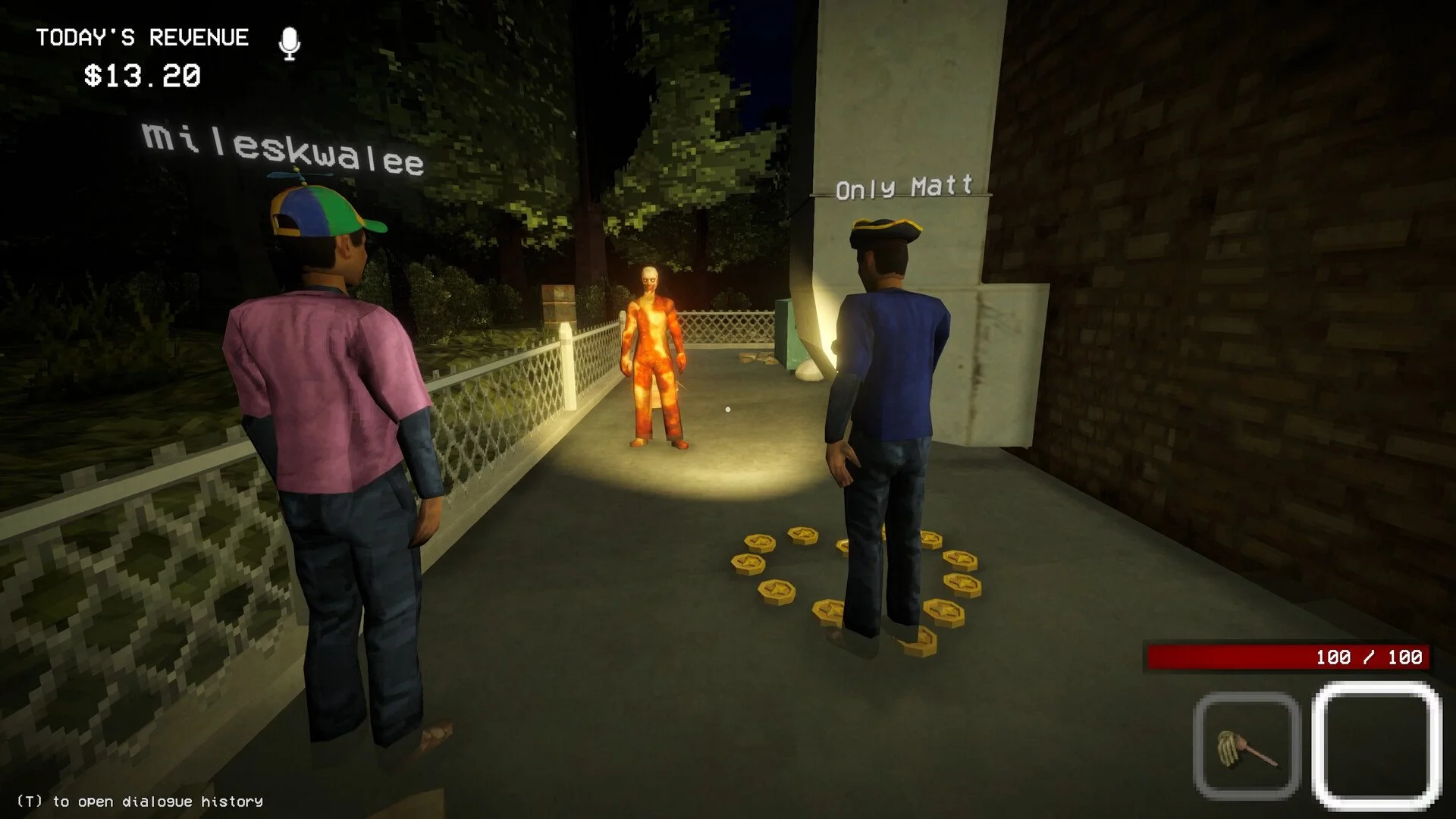
Shift At Midnight is an online co-op detective horror game where players work together through randomly generated shifts. The group investigates customers and attempts to identify which visitors are not actually human.
Making the wrong decision changes the situation from investigation to survival. The team may need to board up parts of the location, place traps, hide, and respond to whatever was allowed inside.
Multiplayer is built around sharing observations. One player may notice unusual behavior, another may remember a detail from an earlier interaction, and the third can watch another part of the store or prepare for an emergency.
Random generation means the group cannot rely on memorizing one exact sequence for every shift. Players need to discuss what they see and make decisions based on the current customers rather than a fixed walkthrough.
All multiplayer takes place online. Each participant needs a separate PC, a Steam account, and their own copy of Shift At Midnight.
How to Play Shift At Midnight With Friends
To play with friends, make sure every player owns Shift At Midnight on Steam and has been added to the host’s Steam friends list. One player can then create the multiplayer session and send invitations through Steam.
The host can use the in-game invitation option or open the Steam overlay to invite the other two players. On the default Steam setup, the overlay can be opened with Shift and Tab.
The joining players should receive an invitation through Steam. Accepting it should launch the game or connect them to the host’s lobby if Shift At Midnight is already running.
Wait until all intended players have joined before beginning the shift. Since the game is built around a maximum of three people, one missing player represents a significant portion of the group’s observation and communication capacity.
If an invitation does not appear, confirm that everyone is online in Steam, running the same game version, and visible on the relevant friends list. Restarting Steam or recreating the lobby can also clear a temporary invitation problem.
Is Shift At Midnight Cross-Platform?
Shift At Midnight is not a cross-platform game. It is available only on PC through Steam, so its multiplayer population is contained within that platform.
The terms crossplay and cross-platform are often used interchangeably, but both lead to the same answer here. Steam players can play with other Steam players, but they cannot connect with users on PlayStation, Xbox, Nintendo Switch, or mobile.
This also means there is no platform selection inside the multiplayer menu. You do not need to link a publisher account, add a separate in-game ID, or enter a universal crossplay code.
Steam handles the social connection between players, while the game provides the co-op lobby and proximity voice systems used during the shift.
Can You Play Shift At Midnight Solo?
Yes, Shift At Midnight supports single-player. You can begin a shift alone without hosting a multiplayer lobby or inviting other players.
The core investigation still works in solo play. You must observe customers, judge whether something is wrong, and respond when a mistake turns the shift into a more dangerous situation.
Playing alone changes how information is managed. There are no teammates available to watch a separate area, confirm a suspicious detail, or prepare defenses while you continue investigating.
Solo is therefore likely to feel more isolated and demanding, but it is a supported mode rather than an unofficial way of playing a co-op-only game.
You do not need to fill the three-player lobby to access the game. A two-person group can also play without adding a random third player.
Does Shift At Midnight Have Local Co-Op or Split-Screen?
No, Shift At Midnight does not support local co-op, couch co-op, or split-screen multiplayer. The cooperative mode is online only.
Multiple people cannot join the same shift by connecting several controllers to one PC. Every player needs their own computer, Steam account, and copy of the game.
This remains true even when everyone is playing from the same home. The group must connect through an online lobby rather than sharing one screen.
The maximum remains three total online players. Local guests cannot be added on top of an existing Steam lobby.
How Proximity Voice Chat Works
Shift At Midnight uses in-game proximity voice chat. Teammates can hear one another based on how close their characters are during the shift rather than through a constant party-wide channel.
This makes physical positioning part of communication. Players who separate to watch different areas may no longer hear every conversation clearly, while people standing nearby can quickly compare what they noticed about a customer.
A microphone is not technically required to launch multiplayer, but it is important for playing the co-op mode effectively. The investigation is built around sharing observations and deciding whether someone is human before the group makes an irreversible mistake.
External voice chat can keep everyone connected regardless of distance, but it removes some of the tension created by the proximity system. A teammate becoming difficult to hear can be part of the intended horror experience.
Before starting, every player should check the selected microphone, voice output device, and communication volume. Fixing audio settings in the lobby is easier than discovering the problem after everyone has separated inside a shift.
Does Shift At Midnight Have Cross-Progression?
No, Shift At Midnight does not support cross-progression. Save data and unlocks remain connected to the platform and account used to earn them.
Since the game is currently limited to Steam on PC, there is no second console platform where the same progression could be continued. The feature would only become relevant if additional versions were released later.
Steam Cloud support and cross-progression are not the same feature. Cloud saves may allow a Steam user to access data on another PC, while cross-progression normally refers to carrying progress between different platforms or storefront ecosystems.
There is no account-linking process for transferring a Shift At Midnight save to PlayStation or Xbox because those versions do not currently exist.
Best Setup for Shift At Midnight Multiplayer
The ideal setup is a group of two or three Steam players with working microphones and stable internet connections. Three players provide the maximum amount of coverage, while two players offer a quieter experience with simpler communication.
Decide who will host before creating the lobby. The player with the most reliable connection is the safest choice, particularly for longer sessions where a host disconnect could interrupt the group.
Test proximity chat before beginning the first serious shift. Have each player move away from the others and confirm that voice volume changes correctly with distance.
Once the shift begins, avoid keeping all three players focused on the same customer. Divide observation responsibilities, then regroup before making an important decision so everyone can compare what they noticed.
When the group identifies a serious threat, communicate before splitting up to board entrances, place traps, or find somewhere to hide. Proximity chat makes an unannounced separation much more dangerous because the missing player may no longer hear the plan.
Shift At Midnight Crossplay and Multiplayer Explained
Shift At Midnight is not crossplay or cross-platform because it is currently available only on PC through Steam. There are no console or mobile versions capable of joining the same lobby.
The game supports one to three players. Solo play is available, while online co-op allows a host and up to two additional friends to work through randomly generated shifts together.
Multiplayer does not include split-screen or local co-op. Every participant needs a separate PC, Steam account, and copy of the game.
Steam invitations are used to form the group, while in-game proximity voice chat handles communication during the shift. For the best experience, assemble the complete party, test everyone’s microphone, and agree to compare evidence before deciding that the customer standing across the counter is definitely a normal human being.