Ultrapool has nine Steam achievements, but its completion route is much simpler than that number initially suggests. Eight achievements are awarded for winning the game’s different All-Nighter themes, while the final achievement recognizes full completion.
There are no listed requirements involving high scores, collectibles, trick shots, win streaks, or specific difficulty settings. The challenge is covering every themed version of All-Nighter without accidentally replaying one you have already completed.
Jump To Section:
Ultrapool Achievement Route
All Eight All-Nighter Wins
Completion Checklist
How To Unlock 100%
Achievements Not Unlocking
Ultrapool’s Achievement List Is Really Eight Wins
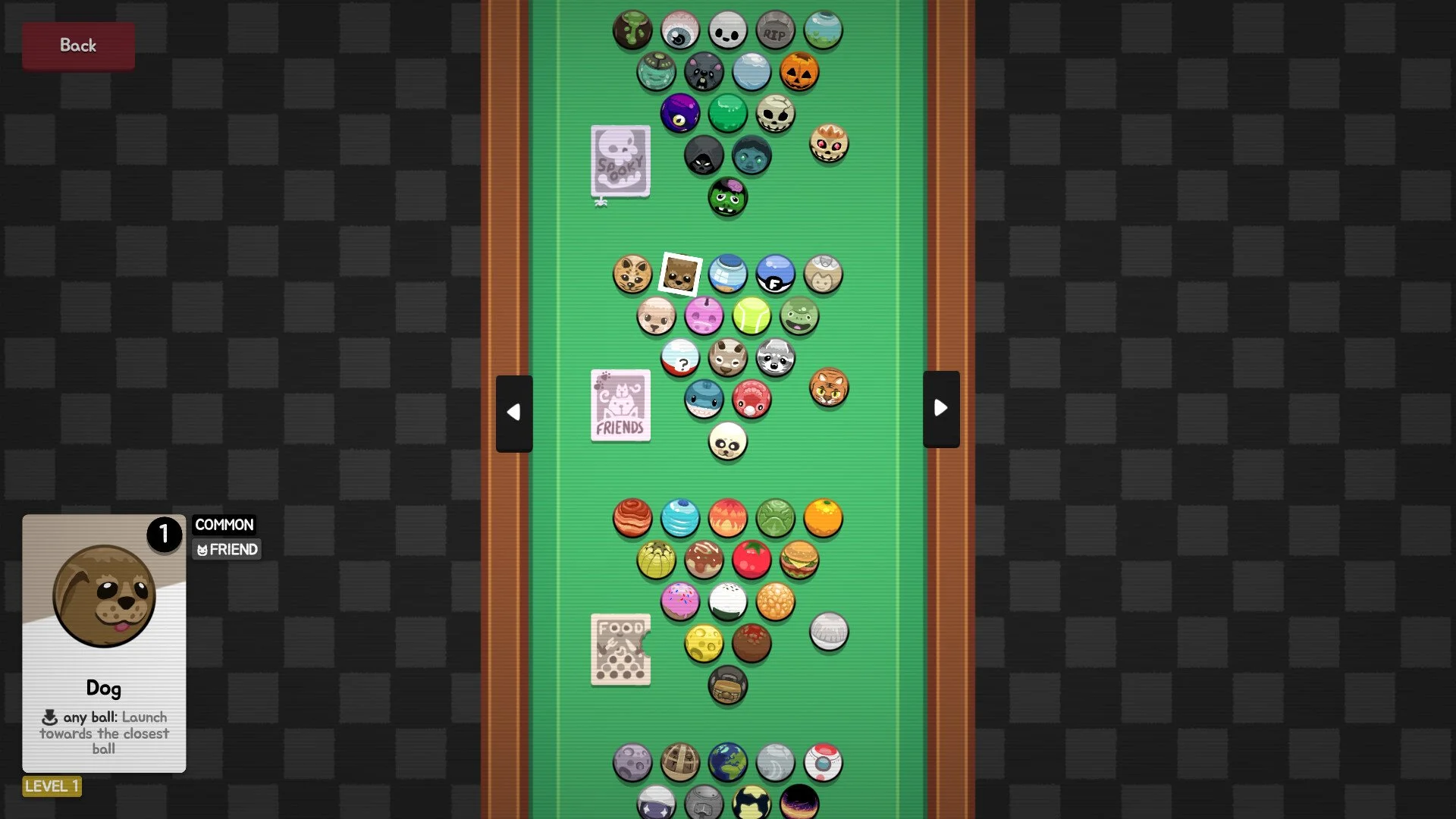
The most efficient way to approach Ultrapool’s achievements is to treat the list as a themed campaign checklist. Classic, Nature, Tech, Spooky, Friends, Food, Space, and Gacha each have an individual achievement tied to winning their respective All-Nighter game.
None of the supplied achievement descriptions establishes a required order, so you can work through the themes however you prefer. What matters is confirming that you are playing the correct All-Nighter variant and finishing it with a win.
The ninth achievement is named 100%. Its description only says to complete the game, making it the broader completion objective rather than another separately themed All-Nighter challenge. The safest route is to earn all eight named wins before worrying about it.
How To Unlock Every All-Nighter Achievement
| Achievement | Unlock Requirement |
|---|---|
| Classic | Win a game of All-Nighter Classic. |
| Nature | Win a game of All-Nighter Nature. |
| Tech | Win a game of All-Nighter Tech. |
| Spooky | Win a game of All-Nighter Spooky. |
| Friends | Win a game of All-Nighter Friends. |
| Food | Win a game of All-Nighter Food. |
| Space | Win a game of All-Nighter Space. |
| Gacha | Win a game of All-Nighter Gacha. |
The achievement names are direct references to the required themes. For example, Gacha does not ask you to collect every possible reward or complete a separate collection system; its listed condition is simply winning All-Nighter Gacha. The same logic applies to Friends, Food, and the remaining themes.
A completed attempt must end in a win. Merely starting a theme, reaching its final stage, or losing after making progress does not satisfy the written requirement.
A Simple Route That Prevents Duplicate Runs
Because the first eight achievements use nearly identical conditions, remembering which themes you have already won is more important than following a particular order. Steam’s achievement page provides the easiest record, but a manual checklist can prevent confusion if an unlock is delayed.
All-Nighter Checklist:
☐ Classic
☐ Nature
☐ Tech
☐ Spooky
☐ Friends
☐ Food
☐ Space
☐ Gacha
After each victory, remain in the game long enough for the results sequence to finish and check whether Steam recorded the corresponding achievement. Marking a theme complete only after confirming the unlock prevents an unregistered win from being mistaken for finished progress.
If you want a clean route, begin with Classic and then move through the remaining themes in the order shown above. This order is not required; it simply matches the achievement list and makes your progress easier to compare against Steam.
How To Unlock The 100% Achievement
The 100% achievement has the description “100% the game.” Based on the structure of the list, it serves as Ultrapool’s final completion achievement. Earn the eight All-Nighter victories first, then complete any remaining requirement the game uses to register total completion.
The available description does not identify an additional score target, collectible requirement, or hidden challenge. For that reason, there is no basis for adding unrelated grinding to the route before all eight named achievements are finished.
If 100% unlocks immediately after the eighth themed victory, your achievement run is complete. If it does not, return to the game and confirm that every All-Nighter theme has actually been won and that all eight corresponding Steam achievements appear on your profile.
What To Do If An Achievement Does Not Unlock
First, check the exact mode and theme used for the run. Every named achievement specifically requires an All-Nighter victory, so winning another mode with a similar theme may not satisfy the condition.
Next, restart Ultrapool and Steam to refresh the achievement connection. If Steam was offline or briefly lost its connection when the match ended, reopening the client may allow the status to synchronize.
If one themed achievement remains locked, replay that specific All-Nighter variant and allow the full victory sequence to conclude before returning to the menu. For the 100% achievement, confirm that Classic, Nature, Tech, Spooky, Friends, Food, Space, and Gacha are all individually unlocked first.
Ultrapool’s achievement hunt ultimately comes down to coverage rather than repetition: win each of the eight themed All-Nighter games once, verify every unlock as you go, and use the resulting complete set to finish the 100% requirement.