WoW Housing How to Change Outside Exterior of House
© 2025 GamerBlurb.com | Published on 12/3/2025 at 2:03 AM CST

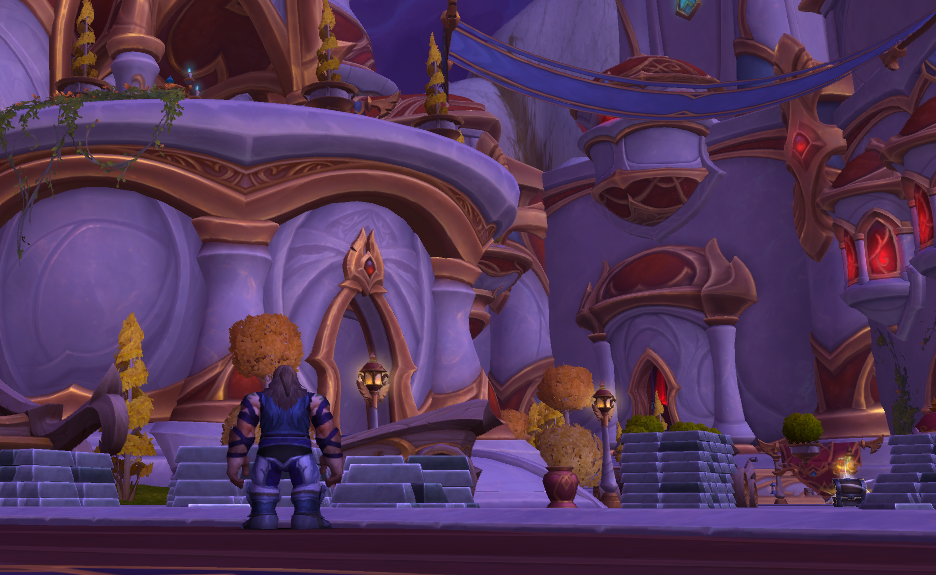
Changing your house exterior in World of Warcraft lets you make your home look exactly how you want. From roof color to wall fixtures, the system works a lot like the Barber Shop but for buildings. Here’s how to edit your house exterior and customize your yard.
Changing Your Exterior
To change the outside of your house, walk onto your plot and click Edit House. From the menu at the bottom of your screen, select Edit House Exterior. This opens a view that focuses on your home from the outside, giving you full control over its design.
You’ll see several fixture points around your house. Clicking these points opens menus for changing roof styles, wall details, and window layouts. You can rotate your view freely to adjust each side. Once you’re happy with the changes, confirm to save your new look.
At launch, there are two exterior kits to choose from: Human and Orc. When Midnight releases, Night Elf and Blood Elf kits will also be available. Alliance neighborhoods can only use Human and Night Elf kits, while Horde neighborhoods can only use Orc and Blood Elf kits.
Exterior Kits and Customization Options
Each kit includes a variety of design choices to mix and match.
House type and size
Base and roof style
Roof color
Roof fixtures like chimneys and towers
Wall fixtures such as banners or carvings
Window layouts and frame styles
You can also move your home’s entrance to another side of the plot if you prefer a different angle facing the yard or street.
Decorating the Yard
Your plot includes a large outdoor area where you can freely decorate using outdoor decor. Open Decor Mode while standing on your plot to place items from your House Chest. Many indoor items can also be used outside, giving you flexibility when designing your space.
Outdoor options include:
Landscaping with trees, bushes, and flowers
Custom paths made from stone pieces
Large structures like tents, stalls, or training platforms
Lighting such as lanterns, lamps, and string lights
Each outdoor item counts toward your overall decor budget, shown in the top corner while editing. You can expand this budget by leveling up your house with Neighborhood Favor.
Future Outdoor Features
Developers have confirmed plans for more outdoor content, including stables where you can display mounts and pets that wander around your yard. These updates will arrive as part of the housing roadmap after Midnight launches.
Final Blurb
Changing your house exterior in WoW is quick and creative. Use Edit House Exterior to switch styles, recolor your roof, and add new fixtures. Then step outside and build your perfect yard with decor and lighting.
The more you level your house, the more room you’ll have to bring your design ideas to life.
FAQ
How do I edit my house exterior
Click Edit House, then select Edit House Exterior to open the outside view.
Can I change my house’s faction style
Only within your faction. Alliance can use Human or Night Elf kits, Horde can use Orc or Blood Elf kits.
What can I change on my house exterior
You can customize roof style, walls, windows, colors, and fixtures.
Can I move my house entrance
Yes, you can reposition the door anywhere on your plot.
Can I decorate my yard too
Yes, use Decor Mode to place outdoor items like plants, furniture, and lights.
© 2025 GamerBlurb. Linking is welcome with credit to GamerBlurb.com. Copying or reproduction without permission is prohibited.
More World of Warcraft