

Battlefield 6 HD Textures Guide | Installation & VRAM Impact
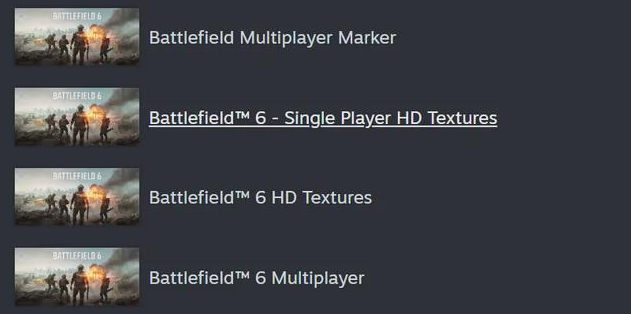
The HD Texture Pack for Battlefield 6 launched alongside the full release and adds sharper detail to every map and model. It wasn’t part of the beta build, so players who preloaded before launch need to install it manually. This guide explains what the HD Texture Pack does, how it affects performance, and whether it’s worth installing on your setup.
What the HD Texture Pack Does
The HD Texture Pack replaces the standard texture files with high-resolution versions. It sharpens surfaces, weapon details, uniforms, and environmental textures across both campaign and multiplayer. The difference is most noticeable on large screens or high-resolution displays, especially at 2K and 4K.
Players who install it will also unlock the new “Overkill” texture setting inside the graphics menu. This option increases texture streaming resolution and pushes VRAM usage up to around 13 GB. It’s best suited for modern GPUs with 12 GB of memory or more.
How to Install the HD Texture Pack
Steam
Open your Library and right-click Battlefield 6.
Select Properties, then DLC.
Check the box next to HD Texture Pack and allow the download to begin.
EA App
Go to your Library and select Battlefield 6.
Click Manage, then Modify Install.
Check HD Texture Pack and apply changes to start the download.
The HD files are stored as an additional add-on, not a replacement. You’ll still need the base install for the game to launch correctly.
Storage and Performance
The HD pack adds about 30 GB on top of the main install. Frame rates remain similar to the standard version, but VRAM demand rises sharply at higher resolutions. If you’re playing at 1080 p on a mid-range card, you can skip it with little loss in clarity. For 1440 p and 4 K monitors, it’s a clear visual upgrade worth the space.
Visual Difference
With the HD pack active, material detail improves most on vehicles, terrain, and player gear. Texture edges look cleaner, especially under strong lighting. Without the pack, textures appear softer when viewed up close, though performance is almost identical.
Final Blurb
The Battlefield 6 HD Texture Pack gives the game a noticeable polish without hurting frame rate, but it’s only necessary if you have the hardware to show it off. Install it through Steam or the EA App, check your VRAM usage, and enjoy sharper detail across every mode.
For players on 1080 p screens or tight storage, the standard version still holds up fine.
FAQ
Was the HD Texture Pack active during the beta
No. The beta used compressed textures and didn’t include the HD pack at all. It became available at launch.
How big is the HD Texture Pack
Around 30 GB on PC, added on top of the main game installation.
Does it reduce frame rate
Performance changes are minimal, but VRAM usage increases significantly at 2 K and 4 K resolutions.
Is it available on consoles
PlayStation 5 and Xbox Series X already use high-resolution textures by default. There’s no separate pack to install.
What is the “Overkill” texture option
It’s the new highest-quality setting unlocked by the HD pack, designed for GPUs with 12 GB or more of memory.
© 2025 GamerBlurb. Linking is welcome with credit to GamerBlurb.com. Copying or reproduction without permission is not allowed.
More Battlefield 6 Articles


