Fishing in GTA 6 requires more than casting a line and waiting for a bite. You'll need to find fish, work your lure through the water, and control the rod once something bites. Here's how to catch fish consistently, including the controls for PS5 and Xbox.
How to Reel In Fish
Where to Get a Fishing Rod
How to Change Bait and Find Fish
How to Fish in GTA 6
To fish in GTA 6, equip a fishing rod and hold L2 on PS5 or LT on Xbox to aim. Hold R2 or RT to charge your cast, then release it to throw your line into the water. Slowly rotate the right stick to attract fish, and press R2 or RT when you feel a bite.
Fishing is introduced during the Chapter 1 mission Recalibration, although you can also fish outside missions once you have a rod.
How to Reel In Fish in GTA 6
Once you've hooked a fish, you'll need to manage two controls at once. The right stick reels in the line, while the left stick controls the fishing rod.
Keep rotating the right stick at a steady pace. When the fish swims left, move the left stick right to counter its movement. If it pulls right, move the rod left.
Avoid swinging the rod excessively from side to side. Controlled movements and consistent reeling are more effective than trying to force the fish out of the water immediately.
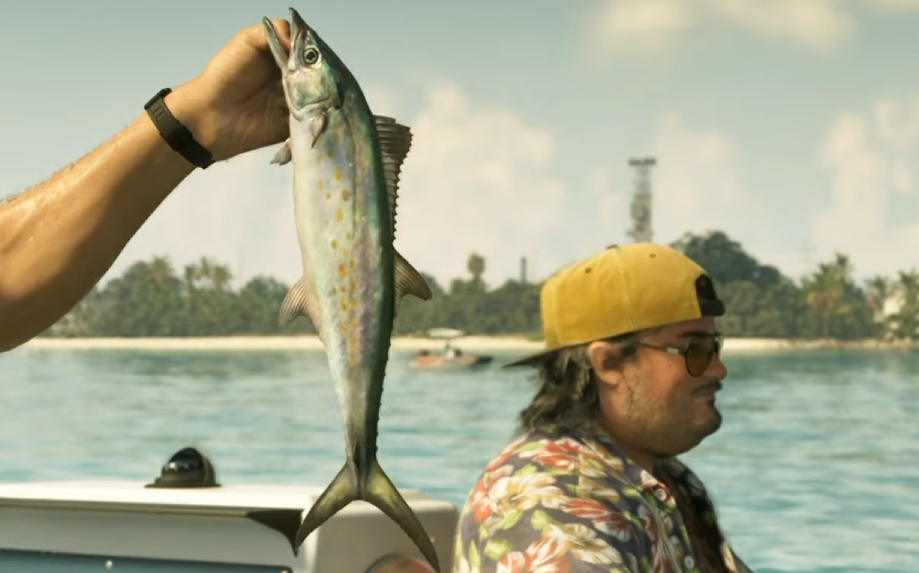
After landing a fish, you'll see its species and size before deciding whether to keep it or throw it back. Kept fish can be used for cooking, while certain fishing challenges require catching a fish above a specific weight.
Where to Get a Fishing Rod in GTA 6
You can find fishing rods on boats, docks, and near fishing areas throughout Leonida. One of the earliest reliable locations is Jason's home in Key Lento.
Head down to the dock beside his house and board the boat. Fishing rods are stored aboard, giving you access to the equipment early in the campaign.
If you're fishing from a boat, lower the anchor before casting to prevent it from drifting away from your chosen spot. See our GTA 6 how to anchor a boat guide for the controls.
How to Change Bait and Find Fish in GTA 6
With your fishing rod equipped, press Right on the D-pad to switch bait. Different species respond to different lures, so you'll need to experiment with your available tackle when targeting rarer fish.
Start by using Focus Mode to identify fish beneath the water. The glowing patches show where to cast, saving you from repeatedly throwing your line into empty areas.
There are also dedicated Fishing Spots across Leonida, including locations with rarer catches. A fishing magazine in the shed at Jason's house provides information about bait and adds fishing locations to your map.
You can begin with ordinary saltwater lures for common fish. Cal's early fishing challenge in Gambit Bay, for example, can be completed with a Small Saltwater Lure by catching a stoplight parrotfish weighing more than two pounds.
For most fishing trips, start by locating fish with Focus, cast directly into the highlighted water, and retrieve the lure slowly until you feel a bite. If nothing takes the bait, try another lure or move to a different fishing spot.