Death markers in Windrose can stick around longer than they should, especially after empty deaths or odd recoveries at sea. The fix is simple once you know where it is, and you do not need to keep revisiting old death spots just because the icon stayed on your map.
How To Remove Death Markers In Windrose
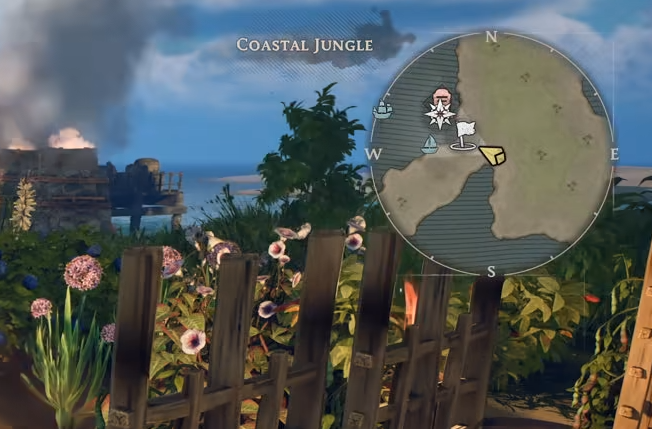
To remove a death marker in Windrose, open the map and right click the death marker to clear it.
That is the direct answer. You do not have to leave old tombstones sitting there forever, and you do not need to recover loot first just to make the marker disappear manually.
This is most useful when the marker came from a death that dropped nothing. Windrose can still place a death marker even when there is no loot to recover, which is why some of them look permanent at first. They are not permanent, but they do not always clear on their own.
Why Death Markers Stay On The Map
Death markers can remain for a few different reasons. One common case is dying with nothing on you. The game can still create the map marker even though there is nothing meaningful at the death spot.
The same thing can happen after sea deaths or awkward recoveries. You might get close enough to recover your body from the ship and still see the tombstone icon left behind afterward. That makes it look like the recovery did not count, even though the real issue is just the marker staying on the map.
That is why manually removing it from the map is the real fix. It clears the icon directly instead of relying on the game to clean it up automatically.
When This Usually Happens
This tends to show up after a rough stretch of deaths, especially if some of them were empty deaths, unstuck deaths, or deaths in strange terrain. Ocean deaths can also leave behind markers in awkward places, including spots you already dealt with.
If you see a marker sitting out at sea or on an old death location you already checked, that does not always mean your loot is still there. In a lot of cases, it is just leftover map clutter.
Controller Problem To Know About
There is one annoying catch here. The remove marker option does not seem to work properly for everyone on controller. Some players can clear the marker with a mouse, but not with the controller input.
If that happens, the easiest fix is to use mouse input and right click the marker on the map. If the controller command is doing nothing, that is probably the issue.
Do You Need To Loot Your Body First
No, not if the goal is only to remove the marker.
If there is actual loot on the body, it is still worth recovering first. But if the marker stayed behind after you looted it, or if the death dropped nothing in the first place, you can just remove it from the map and move on.
That is what makes this useful. It separates real recovery from leftover map icons, which keeps your map from filling up with old tombstones that are no longer doing anything.
Final Blurb
Removing death markers in Windrose is simple once you know the map trick. Open the map, right click the death marker, and clear it manually if it did not disappear on its own.
The important thing is that a death marker does not always mean loot is still sitting there. Sometimes it is only an old icon that never got cleaned up. Once you start removing them manually, the map stays much easier to read.