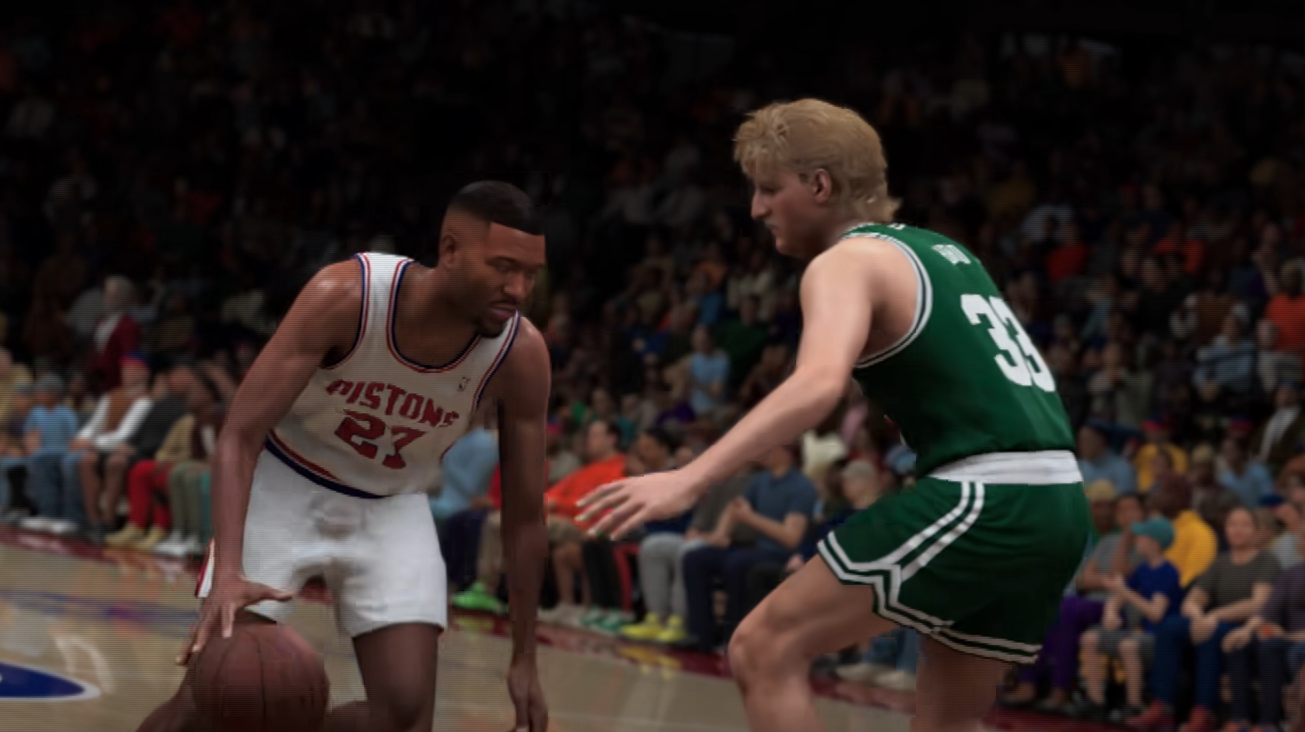
Flashy passes work differently in NBA 2K27 than a standard pass, and the controls have changed from previous games. Instead of simply aiming with the left stick and pressing a pass button, flashy passing uses the right stick to choose where the ball goes, which can make the mechanic confusing the first time a MyCareer objective asks you to perform one.
Jump To Section:
How to Flashy Pass
How to Aim Flashy Passes
Why Flashy Pass Isn't Working
When to Use a Flashy Pass
Flashy Pass Animations
Best Badges for Flashy Passing
How to Complete Flashy Pass Challenges
How to Flashy Pass in NBA 2K27
To perform a flashy pass in NBA 2K27, hold R1 on PlayStation or RB on Xbox, then quickly flick the right stick toward the teammate you want to receive the ball.
The controls are:
PlayStation: Hold R1 → flick the Right Stick toward your teammate.
Xbox: Hold RB → flick the Right Stick toward your teammate.
Once you flick the stick, your player should immediately attempt a flashy pass in that direction. Depending on your position, the intended receiver, nearby defenders, and the situation on the court, the actual animation can change.
The biggest thing to remember is that flashy passing uses the right stick for direction. That's different from a lot of the passing you're probably already doing in 2K27, where you're naturally looking to the left stick to control where you're moving or aiming.
How to Aim Flashy Passes
You don't have to flick the right stick directly at where your teammate is standing at that exact moment. You can also aim toward where they're going.
That's especially useful when a teammate is cutting toward the basket. If they're moving into open space, flick the right stick toward the lane they're entering rather than waiting for them to completely arrive before starting the pass.
I think that's the more useful way to understand the mechanic. The right stick isn't really asking you to select a specific flashy animation. You're giving the game a passing direction, while the situation determines how your player actually delivers the ball.
That also means there's a difference between throwing a flashy pass because it looks cool and using one to hit a moving teammate from an unusual angle. The second is where the mechanic becomes genuinely useful instead of just being showmanship.
Why Is My Flashy Pass Not Working?
If you're holding R1/RB but getting the wrong result, check which stick you're using.
The flashy-pass input requires the right stick. Using the left stick to aim out of habit won't perform the same mechanic.
You also want a quick flick rather than holding the right stick in a direction for an extended period. Think of it as choosing a pass direction with one deliberate stick input: hold R1/RB, flick toward the target, then release.
Another possible issue is simply where you're aiming. Because the right-stick direction determines where you're trying to send the ball, a sloppy diagonal input can make the game read a different receiver or passing lane than the one you intended.
I'd practice standing in a relatively simple half-court situation with a clearly separated teammate first. Once you can reliably send the ball to that player, start trying the mechanic while moving and hitting cutters.
When Should You Use a Flashy Pass?
I wouldn't treat flashy passes as a replacement for normal passing.
The mechanic makes more sense when the passing angle itself matters. A behind-the-back or no-look delivery can move the ball differently around the defender than a basic chest pass, and flashy passes can help find teammates from angles the defense isn't expecting.
They're especially interesting when a cutter is moving quickly into open space because you can direct the pass ahead of their current position rather than just throwing it at where they're standing.
But if somebody is completely open five feet away, there's not much reason to turn an easy possession into a more complicated input just because you can.
That's the distinction I would make: use flashy passing to create or exploit a passing angle, not automatically every time you want the ball to look cool.
What Flashy Pass Animations Can You Get?
A flashy pass isn't one specific animation in NBA 2K27.
You can see behind-the-back passes, no-look passes, passes through the legs, over-the-shoulder deliveries, and other situational animations. You don't manually choose one of those before passing.
The game decides which animation fits based on factors such as your positioning, the receiver's location, and where defenders are around the play.
That means you shouldn't judge whether you performed the mechanic correctly based on whether you got the exact animation you were hoping to see. If you used R1/RB plus the right-stick flick and your player delivered one of these contextual passes, the flashy pass worked.
In practice, I actually think that's better than having separate inputs for every animation. You only need to learn one control, while positioning and passing angle create the variety.
Best Badges for Flashy Passing in NBA 2K27
If you're building a playmaker around passing, Dimer, Versatile Visionary, and Bail Out are all useful badges to have alongside flashy passing.
Higher badge tiers can further improve the passing side of your build, but you don't need a particular badge just to learn the flashy-pass input itself.
That's important if you're only here because a MyCareer objective told you to perform a flashy pass. Don't assume you need to rebuild your player or unlock a specific badge first. The actual control is still R1/RB plus a right-stick flick toward the receiver.
How to Complete a Flashy Pass Challenge in MyCareer
If your goal is simply completing an NBA 2K27 challenge that asks for a flashy pass, don't overcomplicate it.
Get the ball with enough space that you're not immediately being pressured, find a teammate with a clear passing lane, hold R1/RB, and flick the right stick toward them.
I would avoid trying to learn the mechanic for the first time in the middle of a crowded paint. The pass itself isn't particularly difficult; most of the confusion comes from not knowing that the right stick replaced the more familiar directional passing input.
Once you've done it a few times, then start experimenting with moving targets and cutters. Quick Play, a scrimmage, or a private court are all much better places to develop that directional muscle memory than forcing it every possession in an online game.
Flashy Pass vs Normal Pass
The most useful difference isn't simply that one pass looks cooler.
A normal pass is the straightforward option when you already have a clean lane and just need to move the ball. Flashy passing adds contextual animations that can approach the receiver from less conventional angles, potentially helping you work around defenders or disguise where the ball is going.
But that also means flashy passes are more situational. You shouldn't turn every routine pass into one just because the mechanic exists.
The way I think about it is simple: normal passing moves the ball efficiently, while flashy passing gives you another way to manipulate the passing angle when the possession calls for it.
Pairing Passing With Better Movement
Flashy passing becomes much more useful once you're comfortable creating movement that forces defenders to react. A drive can pull help toward you, lateral movement can shift a defender away from a teammate, and suddenly that right-stick pass has a much cleaner target.
If you're working on your guard movement too, my NBA 2K27 quick stop guide covers how to go from a sprint into a planted jumper using the L2/LT method.
Those mechanics solve different problems, but the idea behind both is similar: you're trying to make the defense commit to one thing and then immediately punish the space that creates.
NBA 2K27 Flashy Pass in Simple Terms
Hold R1 on PlayStation or RB on Xbox, then quickly flick the right stick toward the teammate you want to pass to. You can aim at their current position or lead them toward open space if they're cutting.
Don't use the left stick for the flashy-pass direction, and don't worry about trying to manually trigger a specific behind-the-back or no-look animation. The game chooses the actual flashy pass based on the situation around you.