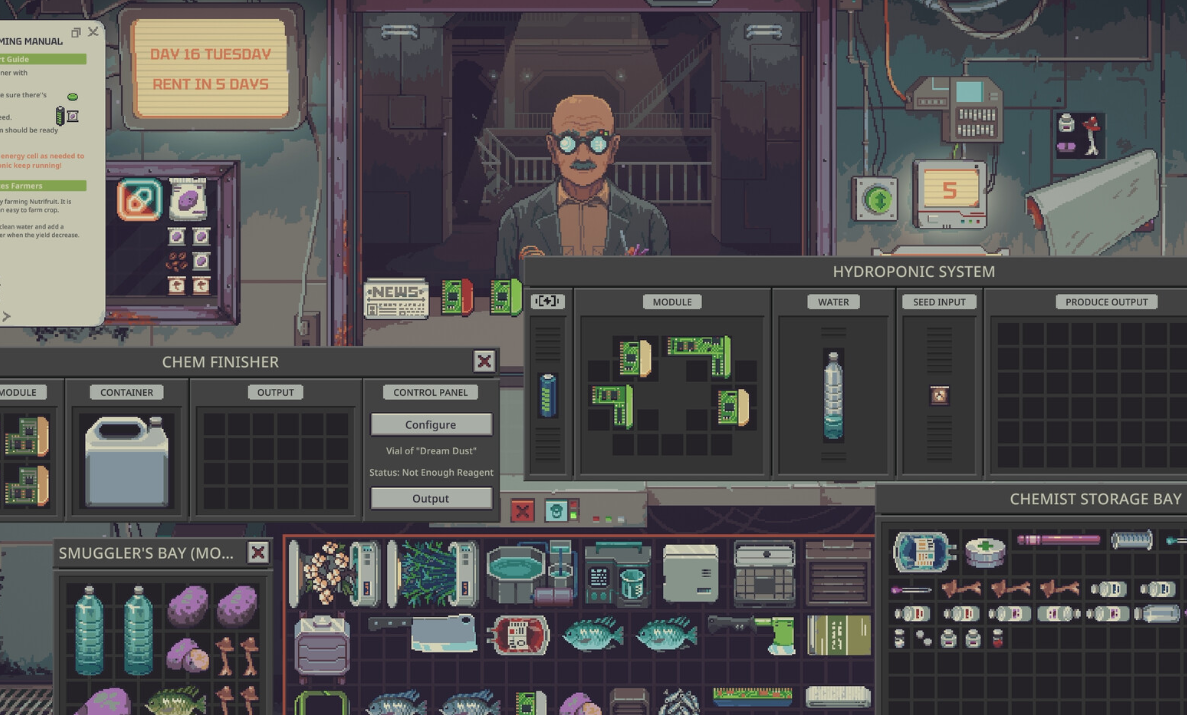
The Power Bloc, officially named PowerBloc in Probably Stolen, helps keep your equipment running by restoring energy to nearby batteries. Its compact size makes it useful for powering multiple machines, although placement and nightly electricity consumption determine how effective your setup will be.
Jump To Section:
How to Use the Power Bloc
How PowerBloc Charging Works
Best PowerBloc Placement
PowerBloc Not Working
Where to Get a PowerBloc
PowerBloc vs. Recharger
How to Use the Power Bloc in Probably Stolen
To use a Power Bloc, place the PowerBloc directly beside an Energy Cell or a machine containing an Energy Cell. It restores 2 kJ of energy to eligible adjacent batteries each night, provided your Power Service is paid.
The battery doesn't need to be removed from its machine. As long as the PowerBloc is properly positioned, it can recharge an Energy Cell while that cell remains installed.
Here's how to set it up:
- Place your PowerBloc inside a storage area or Machine Bay.
- Position an Energy Cell or powered machine directly alongside it.
- Make sure the PowerBloc and the target are inside the same container.
- Keep your Power Service paid.
- Sleep to advance the nightly cycle and activate charging.
The PowerBloc takes up a 2-by-2 inventory space. You can arrange multiple batteries or machines along its exposed sides to take advantage of the charging effect.
One important exception is the Recharger. The PowerBloc doesn't directly charge Energy Cells installed inside an adjacent Recharger.
How PowerBloc Charging Works
A standard PowerBloc restores 2 kJ per night to each eligible adjacent Energy Cell. With Joe Wild's Commercial Grade Power Supply Unit upgrade, that increases to 4 kJ.
Multiple PowerBlocs can also charge the same battery, allowing their effects to stack.
| Charging Setup | Energy Restored Per Night |
|---|---|
| One PowerBloc | 2 kJ |
| One upgraded PowerBloc | 4 kJ |
| Two PowerBlocs touching the same battery | 4 kJ combined |
| Two upgraded PowerBlocs touching the same battery | 8 kJ combined |
The charging occurs before machines complete their nightly operations. This explains why a PowerBloc might appear to have little effect when connected to equipment that consumes energy every night.
Why a Battery Can Stay at the Same Charge
Consider a Water Purifier, which normally consumes 4 kJ per night.
If a standard PowerBloc restores 2 kJ, the machine still consumes 2 kJ more than it receives. Its battery gradually loses energy despite being charged.
After upgrading the PowerBloc to restore 4 kJ, that same Water Purifier can receive enough energy to offset its ordinary nightly consumption.
Different machines require different amounts of electricity:
| Machine | Normal Nightly Consumption |
|---|---|
| Fridge | 2 kJ |
| Water Purifier | 4 kJ |
| Moisture Farm | 6 kJ |
| Furnace | 8 kJ |
| AgeWell | 24 kJ |
A single upgraded PowerBloc can offset the normal consumption of a Fridge or Water Purifier, while machines such as the Furnace need additional energy to avoid draining their batteries.
Machine modules and other upgrades can change actual power requirements, so always check the machine's displayed consumption.
Best PowerBloc Placement for Multiple Machines
The most efficient PowerBloc setups take advantage of its ability to charge several neighboring batteries instead of dedicating an entire PowerBloc to one machine.
Because the PowerBloc occupies a 2-by-2 space, it has eight neighboring grid cells along its four sides. Arranging Energy Cells and machines around these edges allows one PowerBloc to serve multiple targets.
Place PowerBlocs Between Your Most Frequently Used Machines
If you regularly operate several low-power machines, placing a PowerBloc where it touches more than one can be more space-efficient than using separate charging equipment for each.
For example, a Fridge consumes only 2 kJ per night, making it a suitable candidate for a standard PowerBloc. A nearby Water Purifier could also benefit from the same device, even if its higher power consumption means its battery still drains.
The important thing is to avoid placing the PowerBloc where most of its sides are blocked by unused storage space.
Stack Charging for Energy-Hungry Equipment
Machines with higher consumption can benefit from multiple PowerBlocs positioned around them.
A Furnace normally uses 8 kJ per smelt. Two upgraded PowerBlocs providing 4 kJ each can offset that consumption when both are correctly positioned to charge its Energy Cell.
This can reduce the need to swap batteries after every few production cycles.
However, adding more charging equipment takes up valuable storage space. You'll need to balance electricity production against the space required for the machines and materials themselves.
Keep PowerBlocs in the Same Container as Their Targets
A PowerBloc placed outside a Machine Bay won't charge a machine inside that bay simply because their positions appear close together.
The adjacency effect works within the same container. For machines stored inside a Machine Bay, place the PowerBloc inside that Machine Bay too.
This also means you can use PowerBlocs in ordinary cargo storage, provided the batteries and eligible machines are positioned correctly.
PowerBloc Not Working in Probably Stolen
If your PowerBloc doesn't appear to charge anything, the problem may be related to placement, electricity service, or the way battery levels are displayed.
Check the Actual Battery Charge
The colored battery bars provide a simplified indication of remaining energy. They aren't precise enough to show every small change.
Hover over an Energy Cell to view its exact charge rather than relying entirely on the bars.
You can also hover over a machine to check how much electricity it consumes each night.
If the machine uses as much energy as the PowerBloc supplies, the battery may stay at the same level even though charging is functioning normally.
Make Sure the Power Service Is Paid
The PowerBloc requires an active, paid Power Service to function.
Its charging effect depends on the store's electricity supply, so placing one beside a battery won't provide power if that requirement isn't met.
Check your electricity arrangements before rearranging equipment or assuming the PowerBloc is defective.
Check Whether the Battery Is Actually Adjacent
The PowerBloc must touch the target within the same inventory container. Leaving empty grid space between them prevents the intended charging effect.
For troubleshooting, place a battery directly against one of the PowerBloc's sides rather than relying on corner contact.
Then check its numerical charge before and after sleeping. An unused Energy Cell is especially useful for this test because a machine won't consume the energy it receives during the same night.
Remember That Charging Happens Overnight
The PowerBloc doesn't immediately refill a battery when you place it in storage.
Its effect activates during the nightly sequence, so you need to advance the day before judging whether the placement is working.
If a newly placed PowerBloc appears inactive during business hours, that alone doesn't indicate a problem.
Where to Get a PowerBloc in Probably Stolen
The PowerBloc has a base price of 200 Credits and can be obtained from Dr. Jackson.
It can appear among the merchandise Dr. Jackson brings to your shop, and his own shop has a 75% chance of stocking one.
The item occupies four inventory cells in a 2-by-2 arrangement, so make sure you have enough space before purchasing several.
PowerBlocs are not classified as contraband, although stolen ones can still carry Heat.
PowerBloc vs. Recharger: Which Is Better?
The PowerBloc and Recharger both restore energy to batteries, but they suit different layouts and production requirements.
A Recharger restores 3 kJ per night to each installed Energy Cell, increasing to 6 kJ with the Commercial Grade Power Supply Unit upgrade.
The PowerBloc restores less energy per individual contact, but it can serve several adjacent batteries without requiring you to remove them from their machines.
When to Use a PowerBloc
PowerBlocs are particularly useful when you've arranged machines together inside a Machine Bay and want their installed batteries to receive energy automatically.
They're also attractive when several nearby machines have modest power requirements. A carefully positioned PowerBloc can support more than one machine without requiring a separate charging station for each.
When to Use a Recharger
A Recharger is useful for building a reserve of charged Energy Cells that can be swapped into machines when needed.
It provides a predictable way to charge batteries separately from your operating equipment, especially when you don't have enough space to arrange PowerBlocs around every machine.
Both devices can be useful in the same factory. PowerBlocs can support machines during their regular production cycles, while a Recharger prepares spare batteries for equipment with higher energy demands.
For most compact production setups, I recommend starting with PowerBlocs around the machines you operate frequently. If those machines still consume more electricity than the PowerBlocs provide, additional charging capacity or spare Energy Cells can fill the gap.