Leaving TacSim in 007 First Light is more awkward than it should be because the game does not give a clean return path back into Q’s Department from the TacSim hub. The fix is simple, but the way TacSim handles Story Mode and menu access can make it feel like something broke.
Jump To
How To Get Out Of TacSim In 007 First Light
To leave TacSim in 007 First Light, exit to the main menu, then go back into Story Mode to return to Q’s Department.
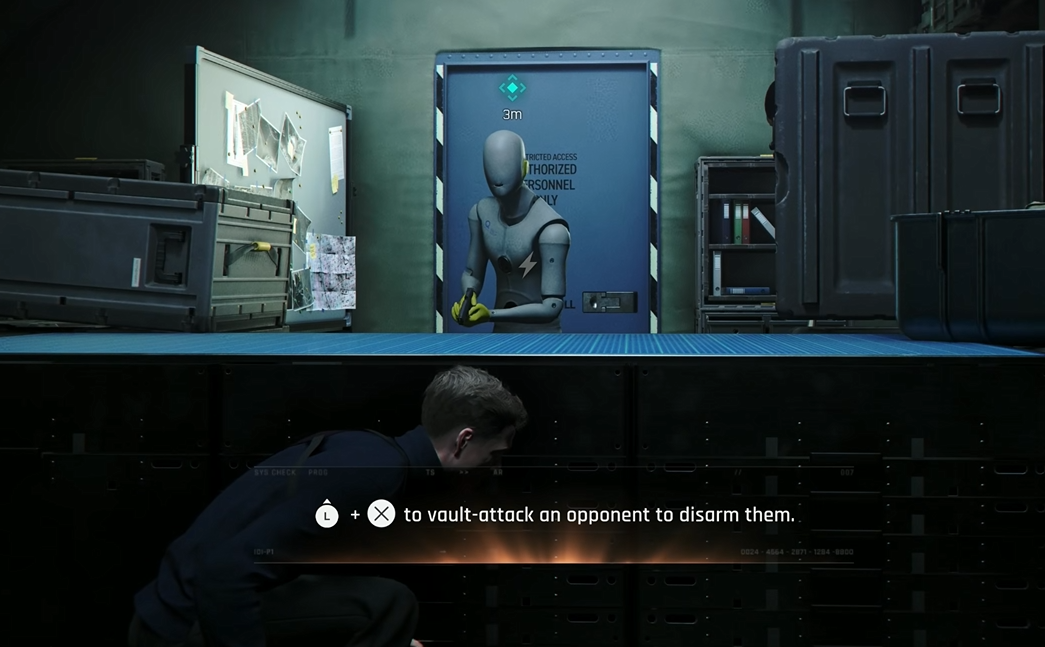
TacSim acts like a separate mode after it opens, even when it feels connected to the Story Mode moment in Q’s Department. That is why walking around the TacSim hub does not reveal an obvious door, prompt, elevator, or clean “return to Q’s Department” interaction. The practical answer is to back out through the main menu.
Use the pause menu, choose the option that sends the game back to the main menu, then continue Story Mode from there. After loading back in, the game should place Bond back in the Q lab area instead of keeping him inside the TacSim space.
It feels clunky because the game presents TacSim like part of the mission flow, then treats it like a menu separated activity. Very elegant spy tech, apparently built with the same energy as a printer from 2006.
Why Exit To MI6 Does Not Return To Q’s Department
Exit to MI6 sends Bond back to the small TacSim hub area, not directly back to Q’s Department.
This is the part that catches people. The wording makes it sound like Bond should return to the larger MI6 story area, but it only moves him out of the TacSim mission and into the TacSim lobby space. From there, there may not be a clear interaction that sends him back to Q’s Department.
The clean fix is still the main menu route. Exit to MI6 is useful for leaving the current TacSim activity, but it is not the same thing as returning to the main Story Mode path. Once TacSim has been entered, the game separates that activity flow from the story location more than the setup makes obvious.
From my experience, this is the kind of menu problem that makes players think they missed a button, when the real issue is just odd mode separation. The game lets the moment feel like a seamless story detour, then quietly expects the player to leave like it is a standalone challenge mode.
Does Leaving TacSim Save Shooting Range And Dialogue Progress?
Leaving TacSim through the main menu can reset some recent TacSim related interactions, including shooting booth records and NPC dialogue progress, depending on what the game has saved at that point.
The main Story Mode route should continue once the game is loaded again, but some TacSim side progress can behave differently. Reports from early players point to shooting booth leaderboard progress and certain conversations resetting after exiting to the main menu and returning to Story Mode.
That does not mean the main story is lost. The issue is more specific to recent interactions around the TacSim and Q lab transition. If a shooting booth score, side conversation, or small interaction seems important, it is safer to finish what can be finished before backing out.
That same replay side of the game is also where outfits become more relevant. The 007 First Light how to change outfits guide explains why wardrobe changes are mainly used in Tactical Simulations instead of Story Mode.
The annoying part is that the game does not make the save boundary clear. A normal player expects “Exit to MI6” to preserve the session and return to the lab cleanly. Instead, the safest known way out is the main menu, which can make some recent TacSim area actions feel like they were never locked in.
How TacSim And Story Mode Are Separated
TacSim is treated as its own mode in 007 First Light, even when it is accessed from a Story Mode sequence in Q’s Department.
That separation explains the weird exit behavior. Story Mode has its own flow, while TacSim has its own hub and mission structure. Once Bond enters the simulation side, the game no longer behaves like he is simply walking through another room in Q’s Department.
This is why returning through the main menu works. The main menu lets the player reselect Story Mode, and Story Mode then reloads the proper campaign path. It is not graceful, but it is currently the reliable route back.
In normal gameplay terms, think of TacSim as a challenge mode that is introduced inside the campaign rather than a room with a simple exit door. The presentation makes it feel connected to Q’s Department, but the menu logic treats it as separate.
What To Do Before Leaving TacSim
Before leaving TacSim, finish any current TacSim activity, check for any save prompt or checkpoint behavior, and avoid assuming small side interactions are already saved.
The main thing is to avoid quitting immediately after doing something that matters personally, like setting a shooting booth record or clearing dialogue that might not be saved yet. Since the exit path can reset some local activity progress, it is better to treat TacSim as a separate session until the game handles this more clearly.
| Before Leaving | Best Move |
|---|---|
| Finished a TacSim mission | Use the normal exit option, then return through the main menu if needed. |
| Set a shooting booth record | Be careful, since some records may not stay after leaving through the main menu. |
| Talked to NPCs in the Q lab area | Expect some recent dialogue states to possibly reset. |
| Need to continue Story Mode | Exit to the main menu, then continue Story Mode. |
If the goal is simply to continue the campaign, do not waste time circling the TacSim hub looking for a hidden exit prompt. The intended usable route right now is the main menu, even if it feels like a workaround.
Common TacSim Exit Problems
The most common TacSim problem is thinking Exit to MI6 should return Bond to Q’s Department. It does not. It returns him to the TacSim hub area, which is why the game can feel like it trapped him in a small section with no real exit.
Another common issue is assuming Story Mode progress is gone after backing out. In most cases, continuing Story Mode from the main menu should put Bond back where the campaign expects him to be. The confusing part is that some smaller interactions around TacSim may not carry over cleanly.
For players trying to work out what is main campaign progress and what is replay content, the 007 First Light full mission list separates the main missions from the shorter story sections.
The last problem is overthinking the hub. There is no need to keep hunting for a special door or console interaction if the goal is to leave TacSim completely. Use the main menu, reload Story Mode, and move on before the simulation wins by wasting more time than the actual mission.
| Problem | What It Means |
|---|---|
| Exit to MI6 only sends Bond to the TacSim hub | That option exits the activity, not the full TacSim mode. |
| No Q’s Department exit appears | Use the main menu and continue Story Mode. |
| Shooting booth progress seems gone | Some recent TacSim progress may not save before leaving. |
| NPC dialogue reset | Recent conversations may reload when returning to Story Mode. |
Final Blurb
TacSim in 007 First Light is left by backing out to the main menu and continuing Story Mode from there. Exit to MI6 only returns Bond to the TacSim hub, which is why the game can feel like it has no proper way back to Q’s Department.
The setup is confusing because TacSim starts from the story but behaves like a separate mode once entered. Until the exit flow is cleaned up, the safest answer is simple: finish anything important in TacSim first, leave to the main menu, then reload Story Mode. It is not the slickest MI6 procedure ever designed, but it works.