

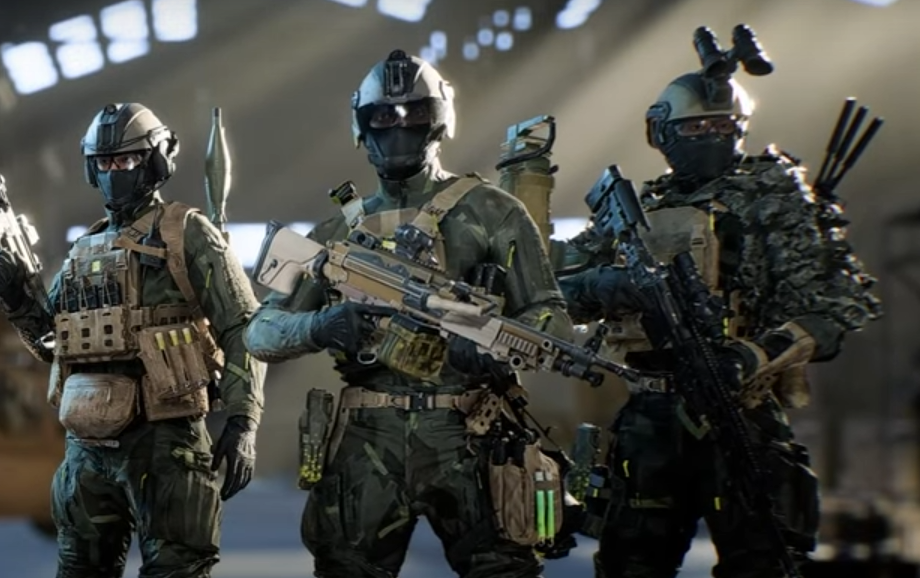
You can equip skins in Battlefield 6 through the Loadouts menu once the full game releases. Skins and customization are not available in the open beta, but they are confirmed for launch. You'll be able to change soldier outfits and weapon appearances directly from the loadout screen.
Skins are unlocked by completing challenges or progression tasks. Once unlocked, they can be applied manually to each soldier class or weapon.
How to Equip Soldier Skins
Go to the Loadouts screen
Select the class you want to customize
Look for a Change Skin button under your soldier
Choose from your unlocked outfits
Confirm and save
Each class may have unique outfits. Some skins are cosmetic only, others may reflect progression tiers or seasonal events.
How to Equip Weapon Skins
Open the Loadouts menu
Select the weapon you want to modify
Look for a Skin tab in the weapon customization panel
Choose your unlocked camo, skin, or wrap
Apply the skin and exit
Some weapons also allow stickers or decals. These can be placed in the same area as the skin selector.
How to Unlock Skins
Skins are tied to:
Launch-day challenges
Battle Pass rewards
Special promotions
In-game progression and mastery
Check the Challenges tab for unlockable cosmetics that become available after launch.
Skins in the Open Beta
There is no way to equip skins in the beta. The customization UI references them, but all options are locked or missing. Any footage showing skins refers to full launch plans, not current access.
Final Blurb
Battlefield 6 includes full skin customization for soldiers and weapons at launch. You can access these through the Loadouts screen once unlocked. Nothing is active in the beta, but all customization features are confirmed for the final version.
FAQ
Can I equip skins in the Battlefield 6 beta?
No. Skin options are not available in the open beta build.
Where do I equip skins in the full game?
From the Loadouts screen under each class or weapon, using the Change Skin or Skin tab.
How do I unlock skins?
By completing challenges, progressing through levels, or earning seasonal rewards.
Can I equip stickers on weapons?
Yes. Some weapons will have a separate tab for stickers in addition to skins.
Are skins tied to gameplay bonuses?
No. All skins are cosmetic only and do not affect performance.
More Battlefield 6 Articles


