Moving your base in Windrose feels simple at first until you try to pick up a Workbench and realize nothing happens. The game never clearly explains this, which leads a lot of players to think they’re missing a button or tool. Once you understand how the system actually works, relocating stations becomes straightforward instead of frustrating.
Windrose Workbench: Can You Pick It Up Or Move It
You cannot pick up a Workbench in Windrose, the only way to move it is to destroy it in Build Mode and then rebuild it in a new location using the refunded materials.
There is no move or pickup function for placed structures. If you place a Workbench in the wrong spot, the game expects you to remove it entirely and place it again where you want it.
The key thing you’ll notice is that nothing happens when you try to interact with it normally. That’s because repositioning is handled through the building system, not interaction.
How To Move A Workbench The Right Way
To relocate a Workbench, you need to go through the demolition system. This is the intended method, not a workaround.
Open Build Mode
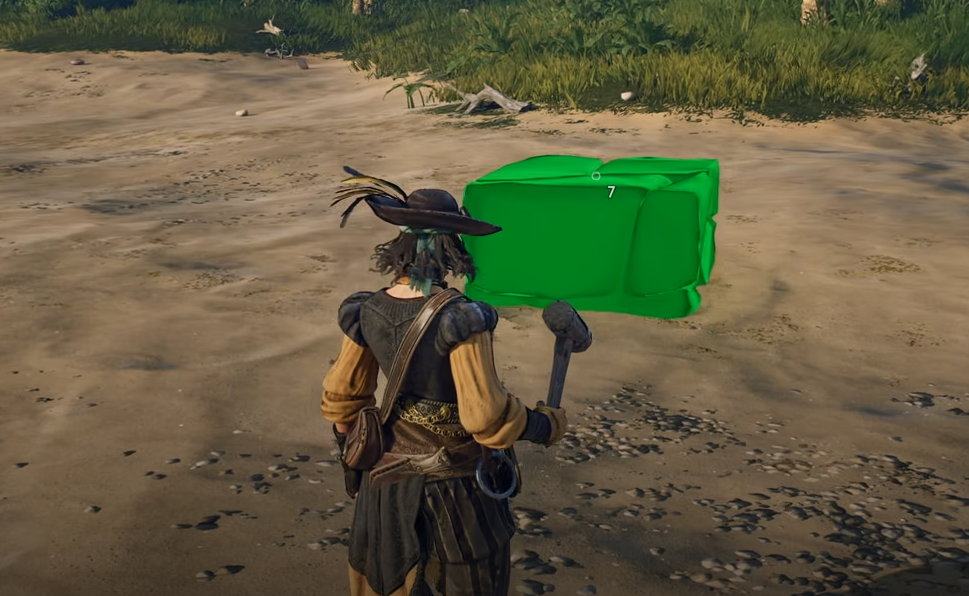
Switch to Destroy Mode
Target the Workbench
Break it to recover materials
Place it again in the new spot
Once you do this once, the system makes sense. You’re not losing anything, you’re just resetting the placement.
How To Avoid Rebuilding Your Workbench
Before placing your Workbench, take a second to think about spacing and layout.
Workbench upgrades rely on nearby add-ons and shared bonfire radius, so placing it too tightly or in an awkward corner usually forces you to rebuild later.
What you’ll notice is that early bases feel fine at first, but once you start unlocking add-ons like Sawhorse or Tool Shelf, space becomes a problem fast.
Give yourself:
Extra room around the Workbench
Clear paths for movement
Space within the same bonfire zone for upgrades
If you do this early, you avoid tearing everything down later just to fit new pieces.
What Happens To Your Materials
When you destroy a Workbench, you get back the full cost used to craft it.
This is what makes the system usable. If materials were lost, base building would feel punishing. Instead, the game lets you freely adjust your layout as long as you have inventory space.
One thing you’ll notice is that if your inventory is full, materials can spill onto the ground. That can slow you down if you’re moving multiple structures at once.
Why The Game Doesn’t Let You Pick It Up
Windrose treats placed objects as fixed structures instead of movable items. Once placed, they become part of your base rather than something you carry around.
This ties into how building, upgrades, and proximity systems work. Since stations interact with other objects like add-ons and bonfire radius, the game avoids a simple move function and keeps everything tied to placement.
In actual gameplay, this means you plan your layout a bit more instead of constantly shifting things around.
How To Move Storage Without Losing Items
Storage adds one extra step compared to Workbenches.
You can’t move a chest or basket with items inside it. You need to empty it first.
Build new storage in your desired location
Transfer all items over
Destroy the old storage
Reclaim materials and continue
If you skip this and destroy a full container, you’ll end up dealing with dropped items, which slows everything down.
Common Mistake Players Make
The biggest mistake is trying to interact with the Workbench directly to move it.
Players often:
Look for a pickup button
Try dragging it in Build Mode
Assume it’s locked behind progression
None of that applies. The system is simple once you know it, but the game doesn’t explain it clearly.
When It’s Worth Moving Your Workbench
Early on, it’s common to place everything quickly just to survive. Later, you’ll want to reorganize once you understand space, storage, and upgrades.
You’ll notice this especially when:
Expanding your base
Grouping crafting stations together
Making room for add-ons and upgrades
Since you get full materials back, there’s no downside to fixing your layout.
Why It Feels Like You Can’t Move It
A lot of players assume moving is locked or bugged because there’s no prompt, no tooltip, and no obvious option in the menu.
You can click on the Workbench, open build mode, and still not see anything that looks like a move function.
What’s actually happening is the game never treats structures as movable objects at all. Once placed, they’re considered permanent until destroyed.
That disconnect between expectation and system design is why it feels like something is missing when it’s actually working as intended.
Final Blurb
You can’t pick up a Workbench in Windrose, and that’s by design. The game expects you to destroy and rebuild instead of moving structures directly.
Once you accept that system, base building becomes much easier. You stop searching for a missing feature and start treating placement as something you can adjust anytime without losing progress.