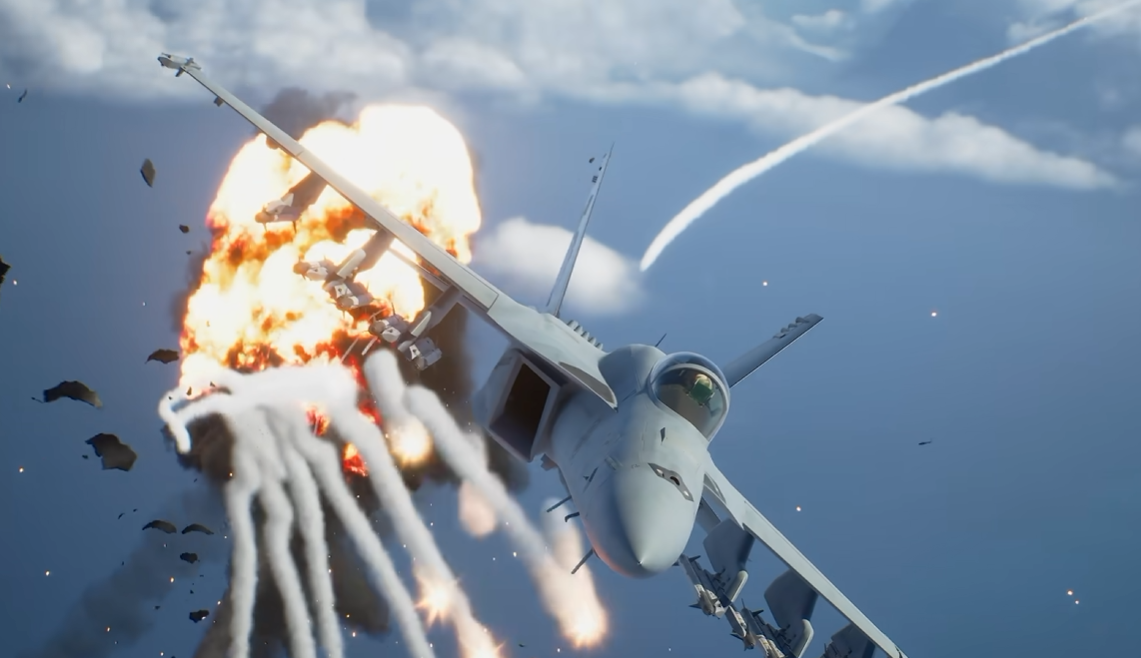
Ace Combat 8 gives you a choice between Standard and Expert flight controls, and the difference is much bigger than a simple sensitivity setting. Standard automatically turns the aircraft in the direction you push, while Expert gives you direct control over roll and pitch.
Jump To Section:
Standard or Expert Controls?
What Is the Difference?
When to Use Standard
When to Use Expert
Can You Switch Later?
How to Learn Expert Controls
Should You Use Standard or Expert Controls in Ace Combat 8?
Use Standard Controls if you're new to Ace Combat or mainly want the aircraft to go where you point the stick. Use Expert Controls if you want direct control over roll and pitch, more precise aircraft positioning, and access to the fuller range of flight maneuvers.
For most completely new players, I would start with Standard long enough to understand targeting, objectives, missile warnings, and mission flow. Once those systems stop demanding all of your attention, switch to Expert and learn how to roll into turns manually.
If you've played Ace Combat before and are already comfortable with arcade flight controls, I would start with Expert immediately.
My Recommendation
New to Ace Combat → Standard
Comfortable with flight-action games → Expert
Returning Ace Combat player → Expert
Struggling to track targets → Try Standard
Want full roll and pitch control → Expert
Neither option changes your difficulty setting. Ace Combat 8 treats control mode and difficulty as separate choices, so you can play on Pilot with Expert Controls or Veteran with Standard Controls if that's what feels better.
Standard vs Expert Controls: What Is the Difference?
The biggest difference is what happens when you move the left stick left or right.
With Standard Controls, pushing the stick left or right directly turns the aircraft in that direction. When you release the stick, the aircraft naturally levels itself again.
With Expert Controls, left and right input rolls the aircraft instead. To actually turn, you roll toward the direction you want to go and then use pitch to pull the nose through the turn.
Standard Controls
Left/right input → Aircraft turns directly
Release input → Wings level automatically
Less aircraft management
Easier target tracking for beginners
Expert Controls
Left/right input → Aircraft rolls
Pitch → Pulls the aircraft through the turn
More manual control
Wider range of maneuvers
That makes Standard easier to understand immediately, but it also removes some of the direct control Expert gives you over the aircraft's attitude.
If you're still learning the rest of the game at the same time, my Ace Combat 8 tips and tricks guide covers the other campaign and combat systems worth learning early.
When Standard Controls Are Better
Standard Controls are useful when the challenge is everything happening around the aircraft rather than flying the aircraft itself.
Early in the campaign, you're learning radar symbols, target priority, weapon switching, wingman commands, mission updates, missile warnings, terrain, and objective changes at the same time.
Standard removes one layer of aircraft management by letting you simply push toward the direction you want to turn.
That can make it easier to keep an enemy on-screen and understand what the mission is asking you to do instead of worrying about whether you've rolled too far.
I would also switch back to Standard temporarily if you're learning a particularly complicated mission and Expert Controls are causing you to lose track of objectives. There's no value in forcing yourself to learn two difficult systems simultaneously.
Why Expert Controls Are Better for Advanced Flying
Expert Controls give you much more deliberate control over aircraft orientation.
Instead of telling the game “turn left,” you're controlling the roll angle yourself and deciding how aggressively to pitch through the turn.
That matters once you start making tighter approaches, repositioning during dogfights, or performing maneuvers where the aircraft's exact orientation matters.
It's also the control scheme you want for maneuvers such as barrel rolls. My Ace Combat 8 barrel roll guide explains how roll and pitch work together to create the maneuver.
Expert Controls also make it easier to understand what your aircraft is physically doing during aggressive combat maneuvers. If you're getting into Post-Stall Maneuvers, my Ace Combat 8 PSM guide covers those separately.
Are Expert Controls Harder?
Expert Controls require more input from you, but that does not necessarily make the game harder once they become familiar.
The initial difficulty comes from changing how you think about turning.
With Standard, you push toward the target.
With Expert, you first roll the aircraft so its lift is oriented toward the direction you want to turn, then pitch through the turn.
Once that sequence becomes muscle memory, Expert can actually make aircraft positioning feel more predictable because you're directly controlling the plane instead of relying on the game to interpret your directional input.
The mistake I would avoid is immediately holding maximum roll through every turn. Roll only as far as you need, then use pitch. Constantly over-rolling is one of the easiest ways to lose sight of a target when first learning Expert Controls.
The Best Way to Learn Expert Controls
Do not learn Expert Controls for the first time during a difficult late-campaign mission.
Use an early mission or another familiar sortie where you already know the objective. That removes mission knowledge from the equation and lets you focus purely on flying.
Expert Controls Practice
1. Fly toward a predictable target
2. Roll only partway toward it
3. Pull through the turn with pitch
4. Level the wings after the pass
5. Reacquire the target
6. Repeat until roll → pitch → level becomes automatic
The important part is leveling the aircraft again after a pass. New Expert users often keep rolling and pulling until they lose track of where the horizon, target, and objective actually are.
Third-person view can also make this much easier while you're learning because you can physically see the aircraft's orientation. My Ace Combat 8 change view guide covers how to switch between third-person, cockpit, and HUD cameras.
Can You Change Standard and Expert Controls Later?
Yes. Ace Combat 8 allows the control mode to be changed, so the choice you make at the beginning does not permanently lock you into Standard or Expert.
That makes it worth experimenting rather than treating the first choice as permanent.
If Standard feels restrictive after a few missions, move to Expert. If Expert is making you fight the controls instead of the enemies, switch back to Standard and revisit it later.
I would change only the control mode when testing the difference. Don't simultaneously switch aircraft, raise the difficulty, change your parts, and learn Expert Controls, because then you won't know which change actually helped or hurt.
Controls and Difficulty Are Separate
Standard and Expert do not correspond to Rookie, Pilot, Veteran, or Elite difficulty.
You can use either flight-control scheme on whichever difficulty you're playing.
That means lowering difficulty is often a better choice than abandoning Expert Controls if you like the flight model but are overwhelmed by enemy pressure.
Likewise, there is nothing wrong with using Standard Controls on a harder difficulty if you simply prefer the way the aircraft responds.
If you're eventually working toward the game's highest difficulty, my Ace Combat 8 Ace difficulty guide covers the requirement for unlocking it.
So, Standard or Expert?
Standard is better for learning Ace Combat 8 itself. Expert is better for learning to fully control the aircraft.
That's the distinction I would use rather than treating one option as universally superior.
In Short
Standard → Easier direct turning and target tracking
Expert → Manual roll and pitch with greater aircraft control
New player → Start Standard if needed
Returning player → Start Expert
Learning advanced maneuvers → Use Expert
You can switch later → Your first choice is not permanent
Once you're comfortable with whichever control scheme you choose, aircraft choice starts to matter much more. My Ace Combat 8 best planes guide covers the strongest options for dogfighting, ground attack, carrier missions, support, and general campaign use.