Assassin’s Creed Black Flag Resynced: Balanced Mode Explained
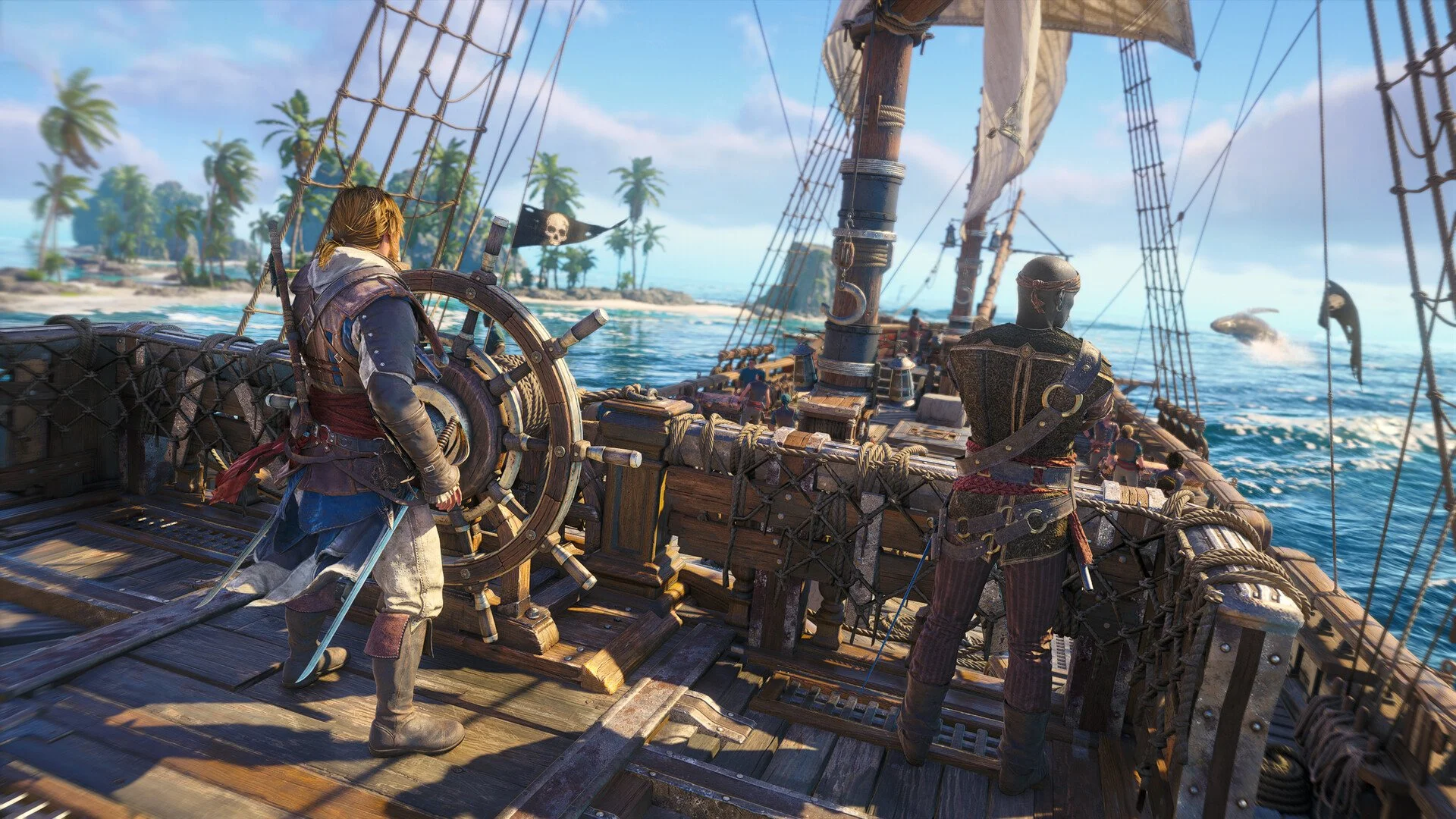
Balanced Mode in Assassin’s Creed Black Flag Resynced is a 40 FPS graphics option designed for 120Hz displays. It sits between Performance Mode’s smoother 60 FPS target and Fidelity Mode’s sharper 30 FPS presentation, giving you extended ray tracing without making the game feel as sluggish as a traditional quality mode.
I would use Balanced Mode on a regular PS5 if you have a 120Hz TV and care about the improved lighting and reflections. If you are playing on a standard 60Hz screen, use Performance Mode instead. Balanced Mode is not really a “middle preset” in the usual sense; it exists because 40 FPS works properly on a 120Hz display.
Jump To
What Balanced Mode Does
Balanced Mode targets 40 FPS and keeps more of the visual feature set than Performance Mode on a regular PS5. The main draw is that it supports extended ray tracing, including the reflection upgrade that is not part of the standard 60 FPS Performance setup.
That matters more in Black Flag Resynced than it would in some other games. This is a remake built around ocean travel, wet docks, tropical lighting, shiny surfaces, and long views across the Caribbean. Better reflections and lighting are not just tech-box features here; they directly affect the way the world presents itself while you sail, climb, and explore.
The tradeoff is that Balanced Mode does not feel as fluid as Performance Mode. Forty frames per second is much better than 30, especially on a 120Hz display, but it still does not have the same response as a 60 FPS target during sword fights, boarding actions, parkour, or naval combat.
Why Balanced Mode Needs 120Hz
Balanced Mode requires a 120Hz display because 40 FPS divides evenly into 120Hz. Each frame can be displayed for three refresh cycles, which gives the mode a steadier presentation than trying to force 40 FPS into a normal 60Hz output.
That is the reason Balanced Mode may not appear or may not be selectable on some setups. If your TV does not support 120Hz, if your PS5 is not configured for 120Hz output, or if your HDMI setup is not compatible, the game cannot use the mode the way it is designed.
This is also why 40 FPS has become a common compromise in modern console games. It is not halfway between 30 and 60 mathematically in how it feels, but it does reduce the heavy sluggishness of 30 FPS while giving developers more visual budget than a full 60 FPS target. It is the “I want the pretty version, but I still have hands” mode.
Balanced vs Performance Mode
Performance Mode is the better choice if responsiveness matters more than the extra visual features. It targets 60 FPS, which makes camera movement, combat timing, aiming, ship battles, and parkour feel cleaner.
| Mode | Frame Rate Target | Best For |
|---|---|---|
| Balanced Mode | 40 FPS | Players with 120Hz displays who want stronger visuals and extended ray tracing |
| Performance Mode | 60 FPS | Players who want smoother combat, sailing, camera movement, and general responsiveness |
I would choose Performance Mode if you are doing combat-heavy missions, fort assaults, boarding sequences, or anything where the camera is moving constantly. Assassin’s Creed Black Flag Resynced is not a slow game, and the smoother frame rate makes a real difference once Edward is fighting groups or the Jackdaw is trading cannon fire.
Balanced Mode is more appealing when you are exploring, sailing, clearing side content, or playing more casually. The presentation looks richer, and the 40 FPS target keeps it from feeling as heavy as Fidelity Mode. It is not the best “feel” mode, but it is probably the best visual compromise on a regular PS5 with the right TV.
Balanced vs Fidelity Mode
Balanced Mode is the better version of the visual-quality idea for most players. Fidelity Mode targets 30 FPS, while Balanced targets 40 FPS and still keeps extended ray tracing on supported displays.
| Mode | Frame Rate Target | Visual Focus | My Take |
|---|---|---|---|
| Balanced Mode | 40 FPS | Extended ray tracing with better responsiveness than Fidelity | The better visual-first mode for actual play |
| Fidelity Mode | 30 FPS | Highest visual target, extended ray tracing | Fine for screenshots, hard to recommend for a full playthrough |
Fidelity Mode can make sense if you care almost entirely about image quality, but I do not like it as the default way to play Black Flag Resynced. Thirty frames per second feels heavy in a game with this much movement, and the gain over Balanced Mode is not worth the drop for most players.
If you have a 120Hz display, Balanced Mode is the one I would test before Fidelity. It preserves the major visual appeal while making the game feel more playable. Fidelity is the mode for standing on a rooftop admiring the Caribbean. Balanced is the mode for admiring it and then actually doing pirate things without feeling like the controller is underwater.
Balanced Mode on PS5 Pro
Balanced Mode is less important on PS5 Pro because the Pro version changes the tradeoff. PS5 Pro supports the stronger ray tracing presentation across every graphics mode, so Performance Mode gets closer to the visual feature set that Balanced and Fidelity use on the base PS5.
That makes Performance Mode the better default on PS5 Pro. You get the 60 FPS target, stronger upscaling through PSSR, and the ray-traced reflection support that base PS5 reserves for the lower-frame-rate visual modes.
Balanced Mode may still be worth trying on PS5 Pro if you want to compare image stability or visual quality on your display, but I would not start there. On Pro, Performance Mode is the cleanest pick because it gives up less visually while still playing better.
Should You Use Balanced Mode?
Use Balanced Mode if you are on a regular PS5, have a 120Hz TV, and want the best compromise between visual quality and smoothness. It is especially good for players who care about the remake’s lighting, water, reflections, and overall presentation, but do not want to drop all the way to Fidelity’s 30 FPS target.
| Your Setup | Recommended Mode |
|---|---|
| Regular PS5 with a 120Hz TV | Balanced Mode |
| Regular PS5 with a 60Hz TV | Performance Mode |
| PS5 Pro | Performance Mode |
| You mainly care about screenshots | Fidelity Mode |
| You mainly care about combat feel | Performance Mode |
If Balanced Mode is missing, check whether 120Hz output is enabled in your PS5 settings and confirm that your display supports it. Some TVs also require the correct HDMI port or a specific enhanced input setting before 120Hz modes become available.
My recommendation is to use Balanced Mode for exploration-heavy play on a regular PS5 with a 120Hz display, then switch to Performance Mode if the lower frame rate starts bothering you during combat or naval fights. Since the mode can be changed from the settings menu, there is no reason to treat it like a permanent commitment. The Caribbean will not file a complaint.
For broader console recommendations, our Assassin’s Creed Black Flag Resynced best PS5 settings guide covers which graphics mode to use on PS5, PS5 Pro, and different display setups.