

How to Use the UV Light in Cash Cleaner Simulator
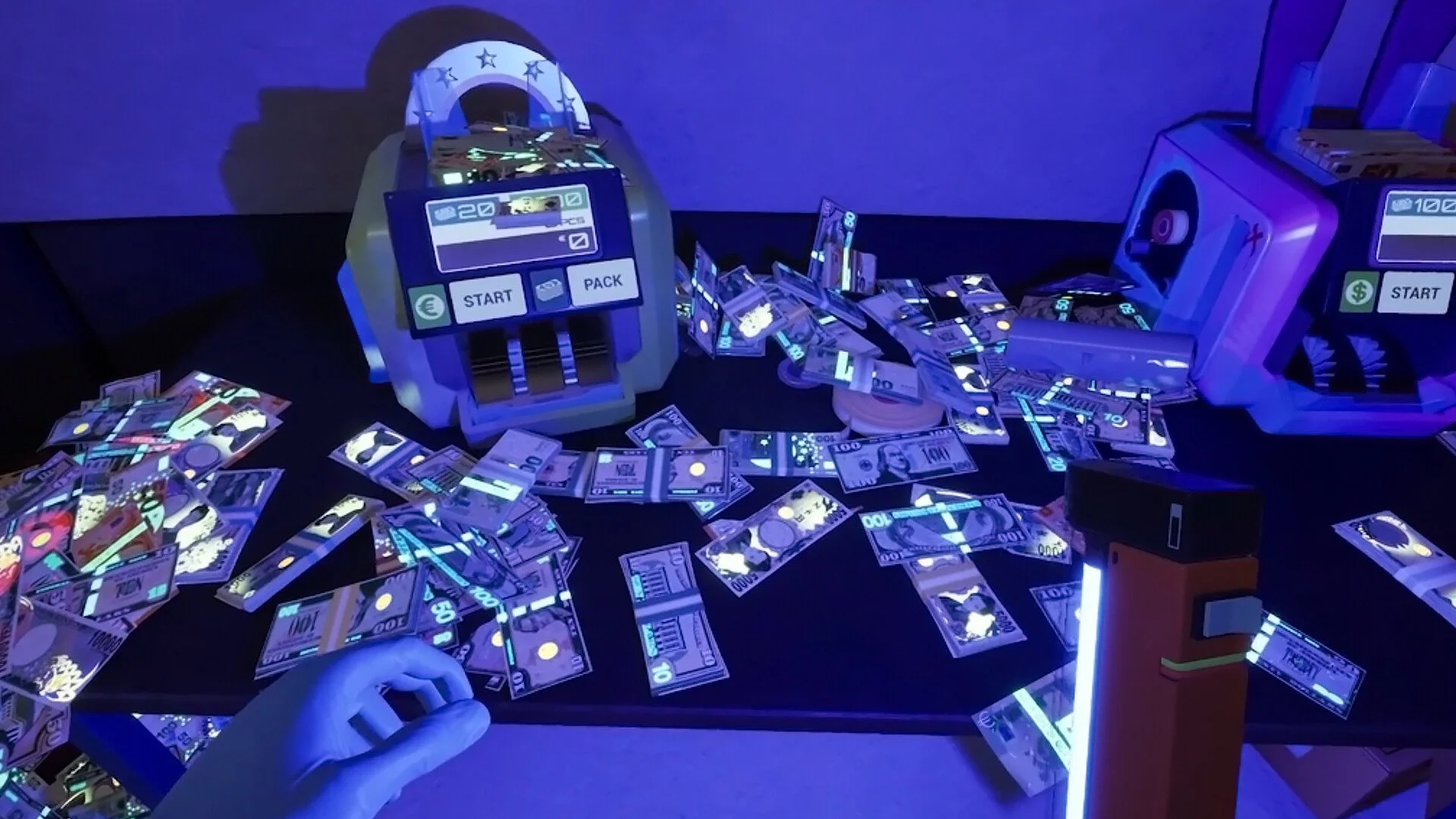
Image Credit(s): Mind Control Games, Cash Cleaner Simulator
The UV Lamp is one of the trickiest tools to use in Cash Cleaner Simulator, and it’s not because it’s complicated, but because the lighting sucks. If you're stuck trying to find marked or counterfeit bills, this guide breaks down how to use the UV lamp, what to look for, and where to use it.
Read More: All Achievements in Cash Cleaner Simulator
How to Use the UV Light
Place the UV Lamp on a table or next to your money piles.
Turn off other lights in the area if possible. The darker the room, the better the glow visibility.
Hold a stack of bills, not a huge pile. Press X while holding the stack to drop one bill at a time.
Fan the bills out under the UV light. Rotate or angle them to see the glowing patterns.
What You’re Looking For with the UV Lamp
Under the UV light, bills will show:
Blue lines or glowing security markings = Legitimate money
No glow or faded look = Counterfeit
Red symbols (like a red eye) = Marked bills (used in tracking/sting operations)
Some contracts may require only unmarked bills, only marked bills, or no counterfeits, so you’ll need to inspect them closely.
Tips for Better Visibility
Use dark corners: The area to the left of the furnace or under the overhang in the Piggy Bank room stays dark most of the day.
Avoid the day-night cycle: Natural light changes make the UV light nearly useless at certain times. Try using it when the room is naturally darker.
Turn off all overhead lights: Manually shut off any lights you can to make your UV lamp more effective.
What the Game Doesn’t Tell You
You can't clean marked or counterfeit bills. Washing and drying them won’t help.
MoneyCounter L only detects fake bills, not marked ones. You’ll still have to sort those by hand.
UV checks are manual. There’s no auto-sorter for marked bills—yet.
Some missions want marked or counterfeit bills. Don’t assume every flagged bill is bad.
Best Method for Manual Sorting
Stack your bills by type and place them next to the UV lamp.
Use X to drop bills one by one while holding a bundle.
Check glow on each bill:
Glowing = good
No glow = fake
Extra red symbol = marked
Move bad bills to a reject box or discard pile.
Final Blurb
The UV lamp takes patience since there’s no shortcut for now. You’re stuck playing money detective in dim lighting with nothing but a shaky flashlight and your eyeballs. But if you find a method that works for you, like fanning bills one at a time and working in a dark corner, you’ll breeze through those counterfeit detection missions. Just don’t mix up your marked bills... or forget to turn off the overhead lights.
Recommended | View all Cash Cleaner Simulator


