PEAK Game Guide: How to Use Rope
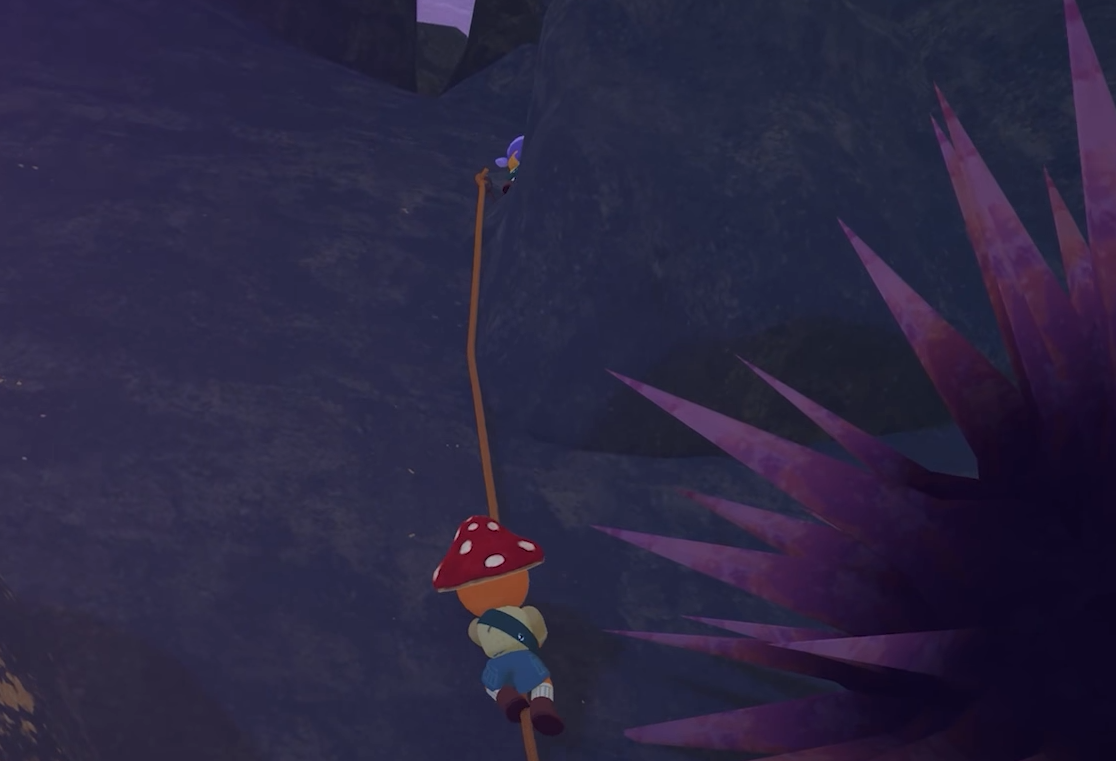
To use rope in the game PEAK, you need to equip it, hold to place an anchor, and scroll to set the rope length before confirming the placement. If you don’t adjust the length, the rope will come out nearly useless.
Here’s exactly how it works and what buttons to use.
How to Equip and Place Rope
Equip Rope from Inventory
You can find rope aids in luggage or around camps. Equip it like any regular tool.
Hold to Place Anchor
On PC, hold left click to start placing the rope
On controller, hold left trigger
This will show an anchor preview... but the rope is barely visible until you extend it
How to Set the Rope Length
Adjust Before Placement
On mouse and keyboard, use the scroll wheel to extend or shorten the rope
On controller, use left and right bumpers to change rope length
Make sure you adjust before placing... or you’ll end up with a rope that's basically a stub.
When and Where to Use It
Rope helps you climb or descend when there’s no safe path. You or your team can use the placed rope as a shortcut or emergency backup.
Save ropes for tricky ledges or dead ends. They’re limited and easy to waste.
Final Blurb
If your rope looks tiny when you place it in PEAK, you forgot to scroll. Always extend the length first or you’re just pinning a sad little string to the wall.
FAQ
Q: How do I use rope in PEAK?
Equip it, hold to place the anchor, and scroll or use bumpers to adjust the rope length before placing.
Q: Why is the rope so short when I place it?
You need to extend it using the scroll wheel or bumpers before confirming the anchor.
Q: Can I reuse placed ropes?
The game does not mention a way to recover or reuse rope aids after they’re placed.
More PEAK Guides


Latest Gaming Guides and Articles