Titanium Ingots in Subnautica 2 are made with the Processor, not the regular Fabricator. The main progression step is finding and scanning the Processor blueprint first, then building one at a powered base so 3 Titanium can be turned into 1 Titanium Ingot.
For more crafting routes, material locations, and early survival help, use the main Subnautica 2 guide list.
Jump To
How To Make Titanium Ingots In Subnautica 2
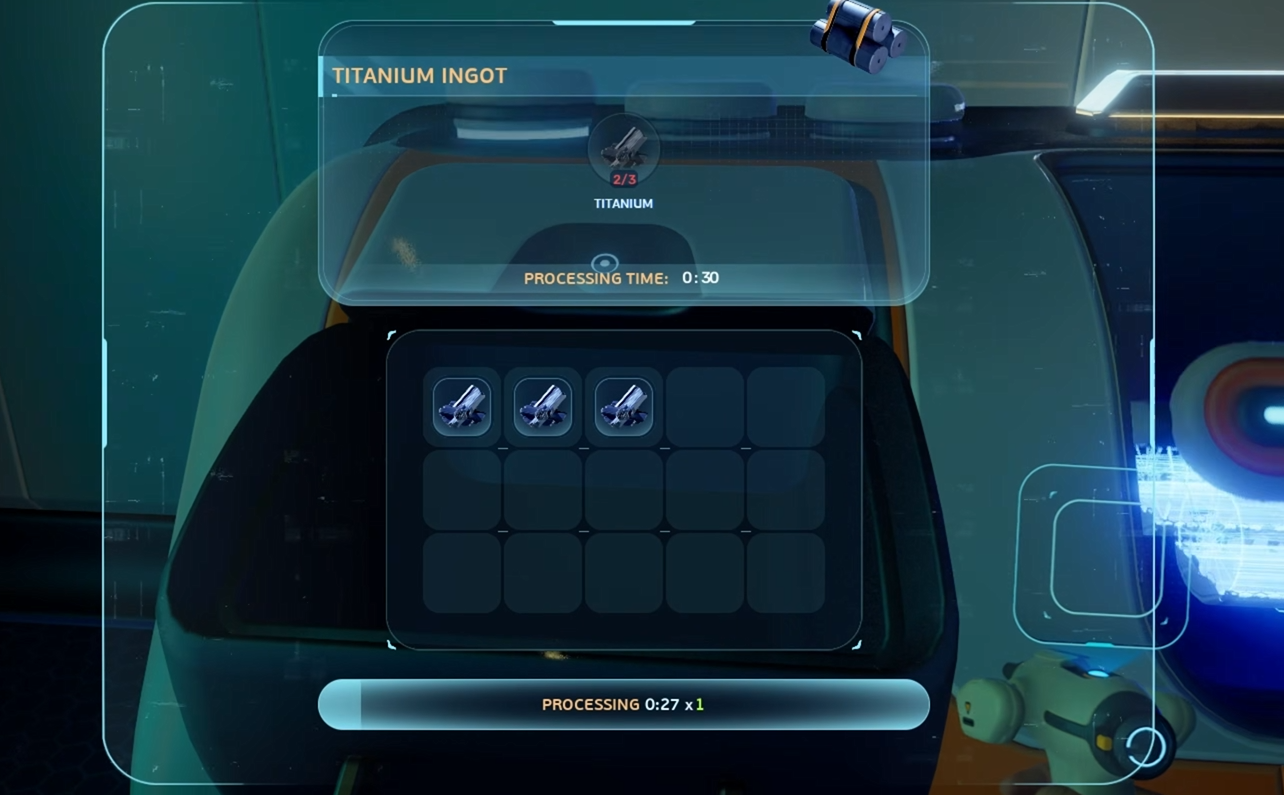
To make Titanium Ingots in Subnautica 2, scan the Processor blueprint, build a Processor at a powered base, then use 3 Titanium to craft 1 Titanium Ingot.
Titanium Ingots are not made in the standard Fabricator. The game expects the Processor for this step, which makes the blueprint scan the real unlock. Once the Processor is built and has power, Titanium Ingots become a simple processed material.
| Craft | Machine | Materials | Craft Time |
|---|---|---|---|
| Titanium Ingot | Processor | 3 Titanium | About 30 seconds |
After starting the recipe, wait for the Processor to finish, then collect the Titanium Ingot from the output side. The Processor works more like a production station than a quick menu craft, so the finished item does not appear instantly.
This is one of the first Subnautica 2 crafting steps where the answer is not only more raw material. The full chain is blueprint, base, power, Processor, then Titanium. Very ocean survival. Very “go scan a random machine in a wreck before doing the obvious thing.”
Where To Find The Processor Blueprint
The easiest Processor blueprint is inside Cicada wreckage near Wander’s Blackbox, close to the abandoned base southwest of the Lifepod.
Before heading out, turn on landmark signals from the character menu. This makes the route much easier because Wander’s Blackbox and nearby landmarks are easier to track. The wreck itself can still be missed if the player swims past the drop off too quickly.
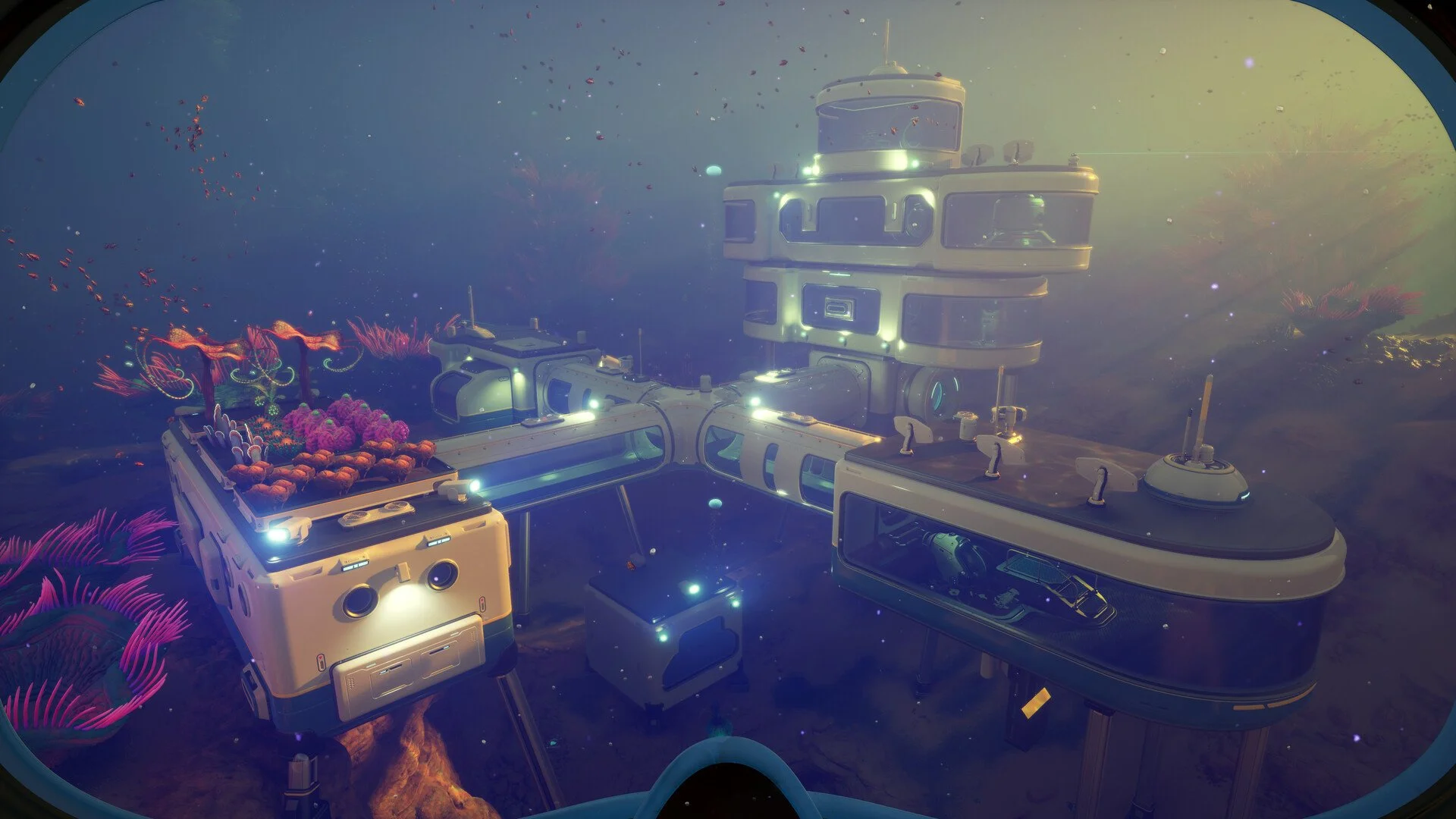
Start from the coral dome above Wander’s Blackbox, then travel east. The seafloor will drop away, and an abandoned base should be visible nearby. The Cicada wreckage is across from that base, inside a large broken section of the shipwreck.
Head inside and scan the Processor near the back of the room. The same wreck also has other useful scans, including a high capacity air tank blueprint, so it is worth checking the full room before leaving.
| Processor Blueprint Route | What To Do |
|---|---|
| Turn on landmark signals | Use the character menu so Wander’s Blackbox and nearby locations are easier to follow. |
| Go near Wander’s Blackbox | Use the coral dome above the Blackbox as the route anchor. |
| Travel east | Watch for the seafloor drop off and the abandoned base nearby. |
| Enter the Cicada wreckage | Scan the Processor inside the wreck to unlock the blueprint. |
There is another Processor scan much farther east near the Alien Ruins inside an abandoned habitat. That route is much less practical early because it sends the player past the Tadpole Pens and into deeper, more dangerous water. It works, but the Wander’s Blackbox route is the cleaner first option.
How To Build The Processor
The Processor is built with 1 Copper Wire, 1 Mild Acid, and 2 Titanium.
| Processor Requirement | Amount |
|---|---|
| Copper Wire | 1 |
| Mild Acid | 1 |
| Titanium | 2 |
The Processor also needs steady base power. It uses 10 energy per second while running, so a weak base setup can drain fast once ingot crafting starts. Add enough Solar Panels before relying on it for repeated crafts.
If base building is still new, the Subnautica 2 Habitat Builder guide covers the tool needed to start placing base pieces and important stations.
The Processor recipe uses Mild Acid, so players already hunting acid based materials may also want the Subnautica 2 Strong Acid guide for another important crafting chain that shows up as progression opens up.
This is where the guide path usually splits. Finding the Processor scan unlocks the machine, but the craft still needs a small base setup. If the base is low on power, the Processor can feel broken even when the blueprint and materials are correct.
How The Processor Works
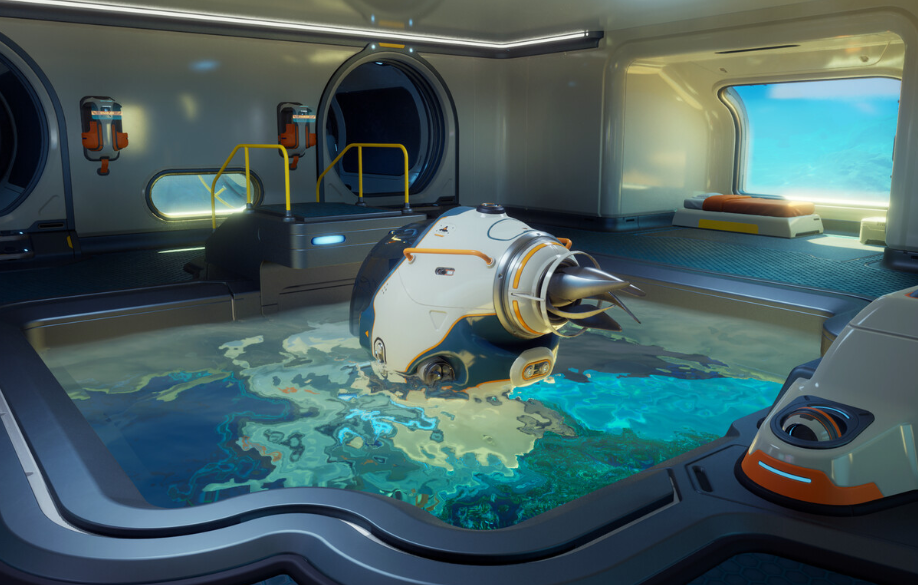
The Processor takes raw materials from one side, processes them over time, then gives the finished item from the output side.
For Titanium Ingots, interact with the Processor panel, choose the Titanium Ingot recipe, and feed it 3 Titanium. The machine takes about 30 seconds to finish. After it is done, collect the ingot from the output side of the Processor.
The Processor is slower than the normal Fabricator, but that is the tradeoff for making heavier materials. It acts more like a base production machine than an instant crafting station.
| Step | Action |
|---|---|
| 1 | Build and power the Processor. |
| 2 | Interact with the Processor input panel. |
| 3 | Select Titanium Ingot. |
| 4 | Use 3 Titanium. |
| 5 | Wait about 30 seconds. |
| 6 | Collect the Titanium Ingot from the output side. |
The best setup is a Processor with storage nearby. Titanium drains quickly once base building, tool crafting, and ingots all start competing for the same resource pile. A storage locker next to the Processor saves a lot of annoying swimming back and forth.
What Titanium Ingots Are Used For
Titanium Ingots are used for important Subnautica 2 crafting upgrades, including the Sonic Resonator, better air tanks, and later base power progression.
The Sonic Resonator is one of the main reasons Titanium Ingots matter. It helps mine larger material chunks, which makes later resource gathering much smoother. In practice, the first Titanium Ingot chain often turns into a better material farming chain right after.
Once the Sonic Resonator is crafted, gathering heavier materials becomes easier, and the Subnautica 2 Lead guide is a useful next step for another metal resource that can slow down crafting progress.
Titanium Ingots are also connected to upgraded air tanks and recipes that push exploration farther from the Lifepod. With Copper Ingots as well, they can help move into stronger base power options like the Bioreactor.
| Use | Why It Matters |
|---|---|
| Sonic Resonator | Helps mine larger material blocks and speeds up resource gathering. |
| Better air tanks | Supports deeper and longer exploration routes. |
| Bioreactor progression | Helps move toward stronger base power when paired with other materials. |
| Base crafting | Used as a stronger processed form of Titanium for advanced builds. |
Because Titanium Ingots use multiple pieces of Titanium, it is smart to keep extra Titanium around instead of converting every piece into ingots immediately. Base building still needs raw Titanium too, and the ocean does not refund bad inventory planning.
Best Tips For Making Titanium Ingots Faster
The best way to make Titanium Ingots faster is to unlock the Processor early, build it at a well powered base, and keep a dedicated Titanium storage locker nearby.
| Tip | Why It Helps |
|---|---|
| Turn on landmark signals before searching | The Processor blueprint route is much easier when major locations are visible. |
| Use the Wander’s Blackbox route first | It is the cleaner early Processor scan compared to the Alien Ruins route. |
| Build extra Solar Panels | The Processor uses 10 energy per second while running. |
| Store raw Titanium near the Processor | Each ingot needs 3 Titanium, and repeated crafting drains supplies fast. |
| Do not convert every Titanium piece into ingots | Raw Titanium is still needed for base building and other crafts. |
If Silver is holding up nearby crafting progress, the Subnautica 2 Silver guide covers where to find it and why it becomes important early.
It also helps to make Ingots in small batches. Craft what the next blueprint needs, then keep the rest of the Titanium raw until another recipe asks for ingots. That keeps the base flexible instead of filling storage with the wrong version of the same resource.
Why Titanium Ingots Are Not Showing Up
If Titanium Ingots are not showing up, the Processor blueprint is probably not unlocked, the Processor is not built, or the base does not have enough power.
| Problem | Likely Cause | Fix |
|---|---|---|
| Titanium Ingot recipe is missing | The Processor blueprint has not been scanned. | Scan the Processor inside the Cicada wreck near Wander’s Blackbox. |
| Processor cannot be built | Materials are missing. | Get 1 Copper Wire, 1 Mild Acid, and 2 Titanium. |
| Processor stops or will not run | The base lacks power. | Add more Solar Panels or improve base power. |
| Craft starts but no ingot appears | The ingot may be waiting on the output side. | Check the output side of the Processor after the craft finishes. |
| Not enough Titanium | Each ingot costs 3 Titanium. | Farm extra Titanium before starting a big crafting chain. |
This is a progression check more than a material mystery. Once the Processor is scanned, built, and powered, Titanium Ingots become a normal recipe. Until then, the game lets the player stare at missing blueprints like the ocean owes them a hint. It does not.
Final Blurb
Titanium Ingots in Subnautica 2 are made in the Processor with 3 Titanium each. The Processor blueprint is found by scanning a Processor in the Cicada wreck near Wander’s Blackbox, with another possible scan much farther away near the Alien Ruins.
The main thing is to solve the full chain. Find the Processor scan, build the machine with Copper Wire, Mild Acid, and Titanium, power the base properly, then process Titanium into ingots. Once that setup is running, Titanium Ingots become a steady crafting material for better tools, stronger exploration gear, and base progression. Very important. Very metallic. Very good at making the regular Fabricator look underemployed.