Outbound: How To Make Planks
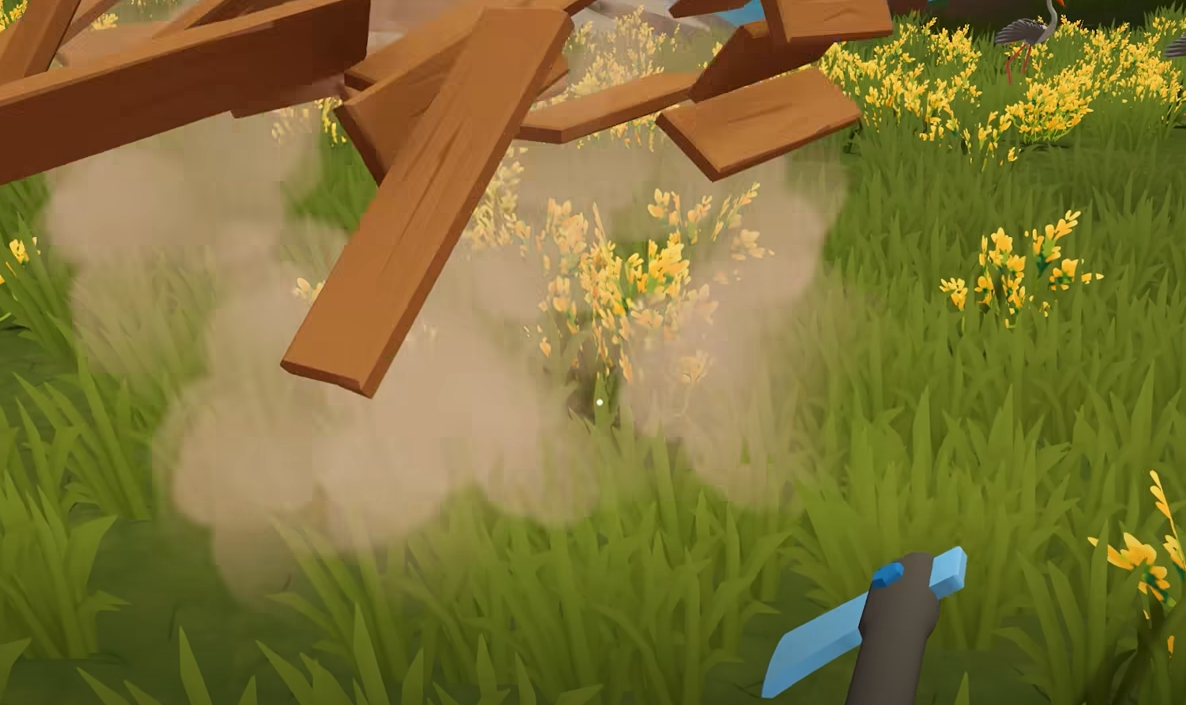
Planks in Outbound are made by processing Everwood through a Sawmill, which means the real first step is unlocking and building the Sawmill blueprint. Once the Sawmill is placed on a counter in the camper, 2 Everwood can be turned into 1 Everwood Plank through the machine’s Input and Output tabs.
The GamerBlurb Outbound hub has more help for early tools, crafting materials, vehicle setup, companions, and camper progression.
Jump To
How To Make Planks In Outbound
To make planks in Outbound, build a Sawmill, place Everwood into the Sawmill’s Input tab, turn the machine on, then collect Everwood Planks from the Output tab.
The Sawmill is the required workstation for planks. Everwood by itself does not turn into planks from the basic crafting menu, and the recipe does not become useful until the Sawmill is unlocked, built, placed, and powered on through its machine interface.
The conversion is direct: 2 Everwood becomes 1 Everwood Plank. That makes Everwood Planks easy to produce once the Sawmill is set up, but expensive enough that cutting down or gathering only a few Everwood at a time will slow construction fast.
The clean workflow is simple. Gather Everwood, bring it back to the camper, open the Sawmill, place Everwood into Input, switch the machine on, wait for the processing to finish, then remove the finished planks from Output. It is not complicated once the Sawmill exists. Getting the Sawmill is the real gate.
How To Get The Sawmill In Outbound
The Sawmill is unlocked by downloading its blueprint from a forecast tower southeast of the Fire Lookout Tower, then building it inside the camper through Build Mode.
This is where most players get stuck. The plank recipe is not the problem. The missing workstation is. Outbound uses blueprint discovery for key crafting stations, so the Sawmill has to be downloaded before the camper can build one.
The Sawmill blueprint uses a Download Voucher. Once the blueprint is downloaded, it appears in Build Mode under the Workstations and Material Processing section. From there, the Sawmill can be placed on a counter inside the camper.
Do not keep searching the basic crafting menu for Everwood Planks before unlocking the Sawmill. The game expects the workstation first, then the material processing recipe. Very calm van life. Also somehow paperwork.
Sawmill Blueprint Location In Outbound
The Sawmill blueprint is found at the forecast tower southeast of the Fire Lookout Tower.
Head southeast from the Fire Lookout Tower and look for the forecast tower. Once there, use a Download Voucher to download the Sawmill blueprint. After the blueprint is unlocked, return to the camper and open Build Mode to place the workstation.
The exact tower route matters because players can find Everwood long before they can process it. That makes it feel like the plank recipe is hidden, but the real issue is that the Material Processing station has not been unlocked yet.
If the Sawmill does not show up after visiting the area, check whether the blueprint was actually downloaded. Finding the tower is not enough. The recipe needs to be claimed with the voucher before it appears in the camper’s build options.
How To Build The Sawmill
To build a Sawmill in Outbound, unlock the blueprint, set up camp, place a counter, then build the Sawmill on top of the counter using 10 Everwood and 2 Scrap Metal.
The Sawmill is a workstation, so it needs the right setup in the camper. It does not just sit on the ground like a loose storage box. Place a counter first, then place the Sawmill on that counter through Build Mode.
Everwood gathering becomes much easier once the right tool path is handled. The Outbound how to use Axe guide covers how to get the Axe, craft it, and use it on valid logs or dead trees.
| Sawmill Requirement | Amount |
|---|---|
| Everwood | 10 |
| Scrap Metal | 2 |
| Placement | On a counter |
| Build Menu | Workstations, Material Processing |
The best habit is to gather more than the exact cost before returning to build it. The Sawmill itself costs Everwood, and the planks also need Everwood, so arriving with only the workstation cost leaves the camper with a brand new machine and nothing meaningful to feed it. Classic crafting game comedy.
Everwood Plank Ratio
The Everwood Plank ratio in Outbound is 2 Everwood for 1 Everwood Plank.
This ratio is the main number to remember when planning builds. If a recipe needs 4 Everwood Planks, it effectively needs 8 Everwood before processing. If several camper upgrades or furniture pieces need planks, the Everwood cost climbs quickly.
| Everwood Input | Everwood Planks Output |
|---|---|
| 2 Everwood | 1 Everwood Plank |
| 4 Everwood | 2 Everwood Planks |
| 10 Everwood | 5 Everwood Planks |
| 20 Everwood | 10 Everwood Planks |
The Sawmill does not magically stretch resources. It compresses raw Everwood into the processed plank material used by later recipes. When a build plan needs a lot of planks, farm Everwood in bulk before starting the processing queue.
Extra carrying space helps a lot during these material runs. The Outbound how to get a dog guide explains how to unlock the dog’s backpack and use it for extra storage while gathering.
Why Everwood Planks Matter
Everwood Planks matter because they are a processed crafting material used in camper building, recipe progression, and blueprint construction.
Outbound’s crafting flow is built around turning raw materials into processed parts. Everwood is the raw material. Everwood Planks are the processed building material. Once recipes start asking for planks, the Sawmill becomes part of the normal camper workflow.
This also makes the Sawmill one of the most important early workstations to unlock. Without it, Everwood piles up as raw material while recipes that need planks stay blocked. With it, the camper can start converting gathered wood into the parts needed for more serious building.
Plank production also changes how gathering should be planned. A single upgrade that asks for planks usually needs twice that number in Everwood. The right move is to collect Everwood ahead of time, then process it in batches instead of making one plank, checking a recipe, leaving camp, and repeating the world’s least exciting road trip.
Planks cover the wood processing side of crafting, while Fiber handles early fabric, Sewing Table, and backpack progression. The Outbound how to get Fiber guide explains where to find Fiber and which upgrades should get it first.
Common Plank Making Mistakes
The biggest mistake when making planks in Outbound is looking for a plank recipe before unlocking and building the Sawmill.
The second mistake is building the Sawmill without saving extra Everwood for the actual plank conversion. Since the workstation itself costs 10 Everwood, it is easy to spend the whole supply on the machine and then have no raw material left to process.
Another common mistake is forgetting to turn the Sawmill on. Adding Everwood to the Input tab does not finish the process by itself. The machine needs to be switched from Off to On before it starts making planks.
Camper layout and vehicle choice also affect how comfortable bigger crafting setups feel. The Outbound best vehicle guide breaks down the best starting vehicle for building space, carrying weight, and handling.
| Mistake | Why It Stops Progress | Correct Play |
|---|---|---|
| Searching for planks in the basic crafting menu | Planks require the Sawmill workstation. | Unlock and build the Sawmill first. |
| Finding the tower but not downloading the blueprint | The Sawmill will not appear in Build Mode until claimed. | Use a Download Voucher at the forecast tower. |
| Building the Sawmill with all available Everwood | No Everwood is left to process into planks. | Gather extra Everwood before building it. |
| Not placing the Sawmill on a counter | The workstation needs the correct camper placement. | Set up camp, place a counter, then place the Sawmill. |
| Leaving the machine off | Input materials will not process. | Switch the Sawmill on after adding Everwood. |
Final Blurb
Making planks in Outbound starts with the Sawmill. Download the Sawmill blueprint from the forecast tower southeast of the Fire Lookout Tower, build it with 10 Everwood and 2 Scrap Metal, place it on a counter, then process Everwood through the machine.
The plank recipe is 2 Everwood for 1 Everwood Plank. Once the Sawmill is working, planks become a normal part of camper building and blueprint progression. Gather extra Everwood, process it in batches, and keep the Sawmill running whenever upcoming builds need planks.