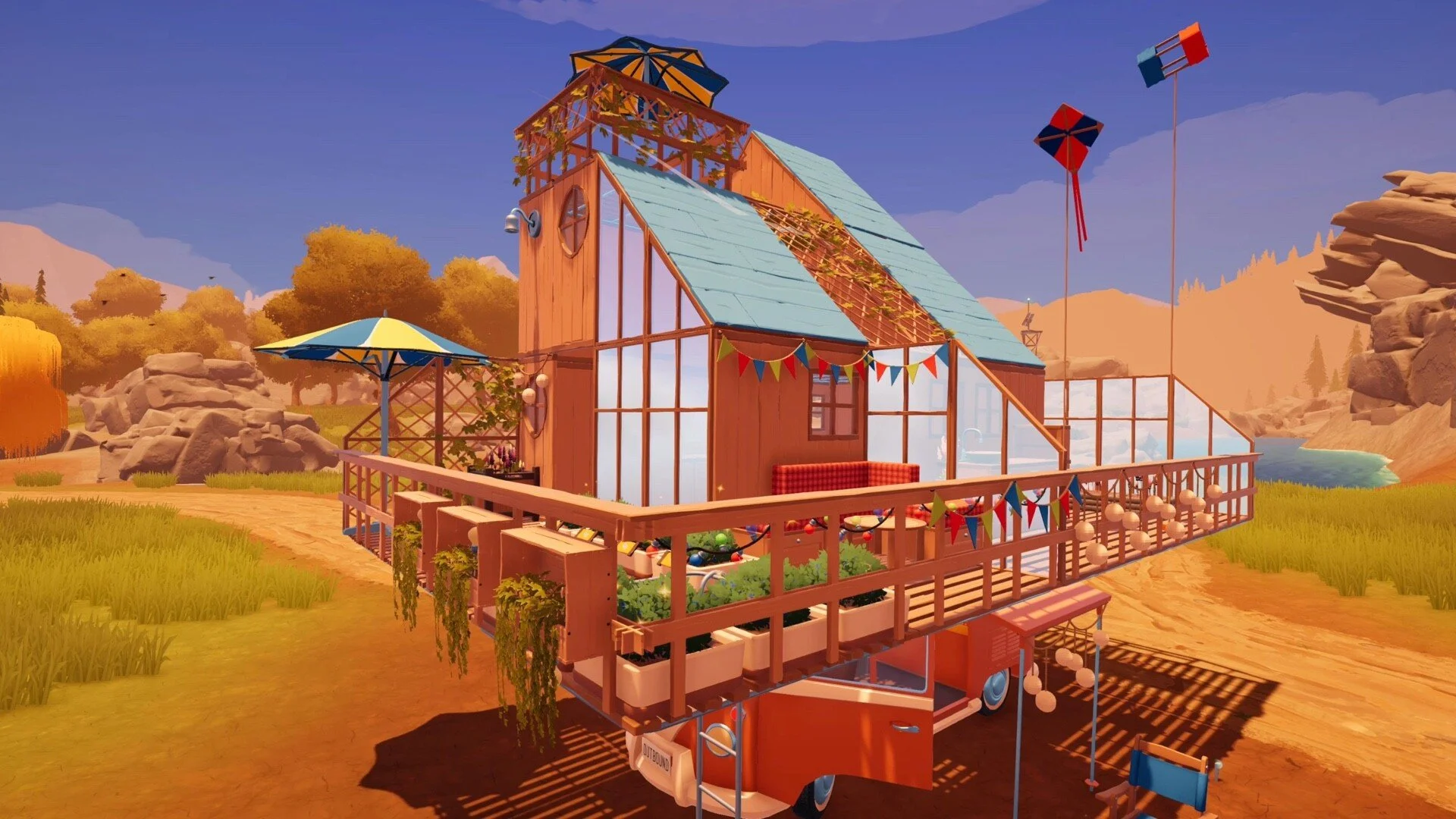
Outbound: How To Use Axe Guide
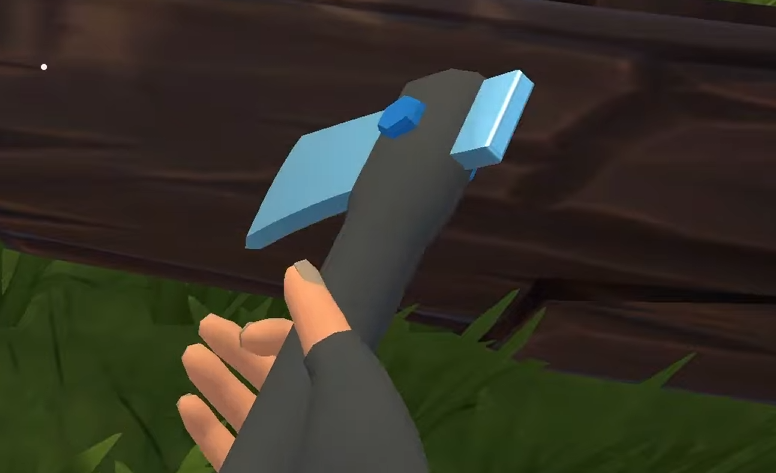
The Axe in Outbound is used to cut logs and dead trees into wood, but it has to be unlocked before it can be crafted. Players need a Download Voucher, the Axe recipe from a blueprint tower, and a workbench in the truck before the tool can be used on valid wood objects.
For more Outbound guides, crafting help, material routes, tools, and camper upgrades, visit the GamerBlurb Outbound guide hub.
Jump To
How To Use Axe In Outbound
To use the Axe in Outbound, craft the Axe, walk up to a valid log or dead tree, then press E to cut it apart.
The Axe is not used from a normal crafting menu after it is made. It is a tool for breaking down wood objects in the world. Once the Axe is crafted, approach a log, dead tree, or valid wood target and use the interaction prompt to chop it.
The main use is gathering wood from larger objects instead of only relying on loose materials found on the ground. This matters early because wood is needed for several crafting routes, and later tools and stations start pushing the game toward processed materials and bigger builds.
Chopping can add enough material to make the character overencumbered, so the best habit is to clear inventory space before cutting multiple logs. The Axe solves the wood problem, but it can also create the classic survival game problem of suddenly carrying half a forest in a backpack.
How To Get The Axe In Outbound
To get the Axe in Outbound, make a Download Voucher, find a blueprint tower, download the Axe recipe, then craft the Axe at the workbench in the truck.
The Axe is a blueprint tool, so it does not appear as a free starting item. The player has to unlock the recipe first. That means the real first step is getting a Download Voucher, then using that voucher at a blueprint tower that offers the Axe recipe.
After the recipe is downloaded, return to the truck and use the workbench. The Axe recipe appears there once unlocked, and it can be crafted like other tools.
| Step | What To Do |
|---|---|
| 1 | Recycle trash or litter items to make a Download Voucher. |
| 2 | Find a blueprint tower. |
| 3 | Use Check Downloads at the tower. |
| 4 | Download the Axe recipe with the voucher. |
| 5 | Return to the truck workbench. |
| 6 | Craft the Axe with 2 Wood and 1 Scrap Metal. |
How To Get A Download Voucher
Download Vouchers in Outbound are made by recycling trash or litter items.
Before the Axe recipe can be downloaded, the player needs a voucher. Add trash or litter into the recycler and wait for the Download Voucher to be produced. Once it is ready, pick it up and take it to a blueprint tower.
This step is easy to overlook because the Axe itself sounds like a basic early tool, but Outbound gates it behind the blueprint download system. If the Axe recipe is visible at the tower but cannot be downloaded, the missing piece is usually the voucher.
Keep at least 1 Download Voucher ready when exploring near towers. It saves a return trip and makes early tool unlocks much smoother.
Where To Find The Axe Recipe
The Axe recipe is downloaded from a blueprint tower by using Check Downloads and spending a Download Voucher.
Blueprint towers are where tool and workstation recipes become available. Once a tower is found, interact with it and choose Check Downloads. If the Axe recipe is listed, download it with the voucher. After that, the recipe becomes available at the workbench inside the truck.
The important part is checking the download list at the tower. Simply reaching the tower does not unlock the tool by itself. The Axe recipe has to be selected and downloaded before it appears as a craftable item.
If the Axe recipe is not showing at one tower, keep progressing and checking other blueprint towers. Outbound uses these download points for recipe unlocks, so the tower system is the path to early tools.
How To Craft The Axe
The Axe is crafted at the truck workbench with 2 Wood and 1 Scrap Metal after the Axe recipe has been downloaded.
Return to the truck after downloading the recipe, open the workbench, and look for the Axe recipe. Once the required materials are available, craft it the same way as other items.
| Axe Crafting Requirement | Amount |
|---|---|
| Wood | 2 |
| Scrap Metal | 1 |
| Crafting Station | Truck Workbench |
| Recipe Unlock | Download from a blueprint tower |
The cost is cheap, so the real barrier is not the materials. It is getting the recipe through the download system. Once unlocked, the Axe should be made quickly because it opens up better wood gathering.
What The Axe Cuts In Outbound
The Axe cuts valid logs and dead trees in Outbound, turning larger wood objects into usable wood materials.
The Axe is mainly for wood objects that need a tool interaction. It is not needed for every loose material found on the ground. If a piece of wood can already be picked up normally, the Axe is not the important part. The tool matters when a log or dead tree has to be cut apart.
After crafting the Axe, walk up to a valid wood object and press E when the prompt appears. If the object can be chopped, the Axe will cut it apart and produce material to collect.
| Object Type | Axe Use |
|---|---|
| Loose ground wood | Pick it up normally if available. |
| Logs | Use the Axe interaction to cut them apart. |
| Dead trees | Use the Axe interaction to chop them down or break them apart. |
| Higher tier wood | May require a stronger Axe tier if the basic Axe cannot cut it. |
The Axe should be treated as a gathering tool, not a universal material button. Use it on valid chop targets, then manage inventory before grabbing too much wood.
Why The Axe Is Not Working
If the Axe is not working in Outbound, the target is probably not a valid log or dead tree, the recipe has not been crafted yet, or the wood requires a stronger axe tier.
The most common issue is trying to use the Axe on the wrong object. Loose wood that can be picked up normally does not need chopping. Some objects in the world may look like wood but are not valid Axe targets. The interaction prompt is the key check.
Another issue is recipe confusion. Downloading the Axe recipe does not automatically give the tool. The Axe still has to be crafted at the workbench with 2 Wood and 1 Scrap Metal.
Higher tier wood can also block progress if the current Axe is too weak. Axe I handles early chopping, but tougher logs and later materials may require stronger Axe upgrades.
| Problem | Likely Cause | Fix |
|---|---|---|
| No chop prompt appears | The object may not be a valid Axe target. | Try a log or dead tree with an interaction prompt. |
| Axe recipe is unlocked but no Axe exists | The tool was downloaded but not crafted. | Craft the Axe at the truck workbench. |
| Cannot download the Axe recipe | No Download Voucher is available. | Recycle trash or litter to make a voucher. |
| Some wood cannot be chopped | The wood may need a higher axe tier. | Upgrade to a stronger Axe when available. |
| Inventory fills too fast | Chopping produces more material than expected. | Deposit items before cutting more wood. |
How The Axe Connects To Plank Crafting
The Axe helps gather wood, but planks are made separately by processing wood materials through the right workstation.
This is an important split. The Axe is for gathering. It cuts logs and dead trees into usable materials. It does not automatically turn wood into planks. For processed wood like planks, the game uses workstation crafting.
That means the best early wood flow is to unlock the Axe, gather more wood from logs, then use processing stations when recipes start asking for refined materials. The Axe helps supply the raw materials needed for bigger crafting chains.
For the full plank process, including the Sawmill unlock and how Everwood Planks are made, read the Outbound how to make planks guide.
Best Axe Tips In Outbound
The best way to use the Axe in Outbound is to keep inventory space open, chop only valid logs and dead trees, and treat the tool as the start of the wood crafting chain.
Getting the Axe early makes wood gathering easier, but it also creates more inventory pressure. Chopped materials can add up fast, and overencumbering slows the whole route down. Deposit extra items in the truck before cutting multiple logs.
Do not waste time swinging at every wooden looking object. Look for valid interaction prompts on logs and dead trees. If the Axe does not work, the target is either not chop friendly or needs a higher tool tier.
| Tip | Why It Helps |
|---|---|
| Make a Download Voucher before tower hunting. | The Axe recipe needs a voucher to download. |
| Craft the Axe right after downloading it. | The recipe alone does not give the tool. |
| Clear inventory before chopping. | Wood materials can quickly make the player overencumbered. |
| Use the Axe on logs and dead trees. | Those are the confirmed early Axe targets. |
| Watch for stronger wood requirements later. | Higher tier wood may require upgraded Axe versions. |
| Pair Axe gathering with plank processing. | The Axe feeds raw wood into later crafting chains. |
The Axe is one of the first tools that makes exploration feel more productive. Unlock it, craft it, chop valid wood targets, and keep the truck stocked so later building projects do not stall on basic materials.
Final Blurb
To use the Axe in Outbound, first make a Download Voucher by recycling trash or litter, download the Axe recipe from a blueprint tower, craft it at the truck workbench with 2 Wood and 1 Scrap Metal, then press E near valid logs or dead trees to chop them apart.
The Axe is a gathering tool, not a plank maker by itself. It helps collect wood from larger objects, while processed materials like planks come from workstation crafting. Keep inventory space open before chopping, watch for higher tier wood that may need stronger axes later, and use the Axe early to keep the camper’s crafting chain moving.