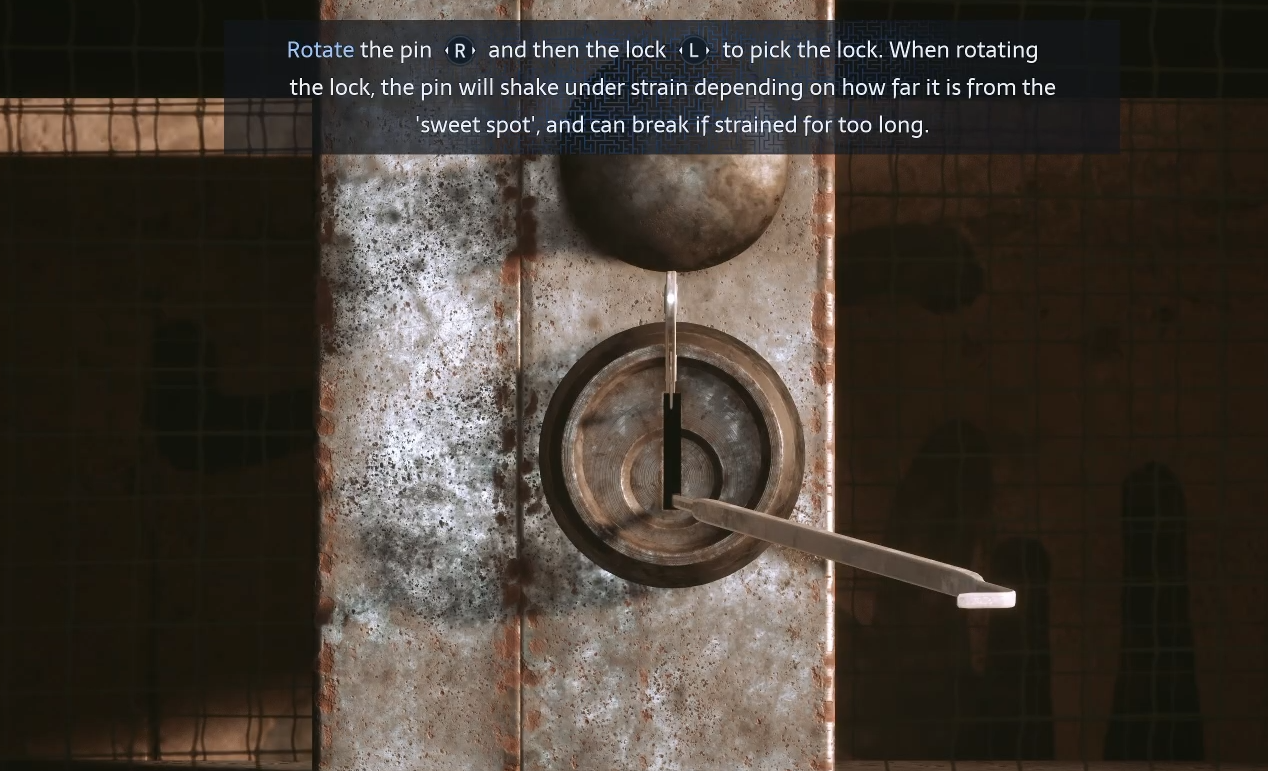
Lockpicking in Hellraiser: Revival gives you access to cabinets containing extra supplies, ammunition, and other valuables. The minigame requires finding the right angle for your lockpick, and applying too much pressure in the wrong position can destroy it. There is a reliable way to narrow down the correct angle without wasting your tools, so read on for our whole lockpicking guide!
Jump To Section:
How to Lockpick
How to Find the Correct Angle
Why Your Lockpick Keeps Breaking
How to Lockpick in Hellraiser Revival
To open a lock, adjust the lockpick's angle until the lock rotates without resistance. On PC, move your mouse to position the lockpick and press W to turn the mechanism. Console players can use the corresponding controls displayed on screen.
The easiest approach is to test a few different angles and compare how far the lock turns at each position.
1. Start with the lockpick near the center and briefly attempt to turn the lock.
2. If the lock shakes or refuses to turn, immediately release the pressure.
3. Move the lockpick toward the left and test again.
4. If the lock turns farther, keep adjusting left. If it turns less, try moving right instead.
5. Make smaller adjustments as the lock begins rotating farther.
6. Once the lock rotates freely without shaking, hold the turning control until it opens.
Think of each attempt as a way to measure how close you are rather than trying to force the lock open. The correct angle can vary between containers, so you need to use the lock's movement as your guide.
If you're running low on Lockpicks, you can find two early in the campaign and eventually craft your own replacements. Our Hellraiser Revival Lockpick Locations guide covers where to find them, merchant prices, and the materials needed to craft more.
How to Tell When You Have the Correct Angle
The amount of rotation is the most useful indicator during lockpicking. A lock that barely moves means your angle is far from the correct position, while one that turns most of the way before stopping means you are getting close.
Lock barely moves: Your angle is far from the correct position.
Lock turns partially: You are getting closer. Make smaller adjustments.
Lock turns completely: You found the correct angle. Hold the turning control to open it.
If the lock starts turning but gets stuck halfway, don't immediately change to the opposite side. You're likely already near the right position, so try moving the lockpick just a little in either direction and compare the results.
This is usually more effective than swinging the lockpick from one extreme to the other. Once you've found an angle with little resistance, small movements give you much better control.
Why Your Lockpick Keeps Breaking
Lockpicks take damage when you maintain pressure while the mechanism is resisting. The shaking is your warning to stop turning, not an indication that you should keep holding the control until something happens.
You can test an incorrect position briefly without immediately destroying the lockpick. Release the turning control whenever the mechanism starts vibrating, reposition the pin, and try again.
Successful lockpicking also doesn't automatically consume your tool. The same lockpick can open multiple containers as long as you avoid breaking it through repeated failed attempts.
If you run out, replacement lockpicks can be purchased or crafted after obtaining their recipe from the merchant. Crafting a lockpick also contributes toward the Artificer achievement, which is covered in our Hellraiser Revival achievements guide.