Zombie Gardening can turn the garden into one of the most useful automated areas in Graveyard Keeper 2, but the Gardener Stand alone isn't enough to make it work. The zombie needs the right tool and Farming Mastery, the beds need crop instructions, seeds need to be available, and harvested produce needs somewhere to go.
Jump To Section:
How to Set Up Zombie Gardening
How to Unlock Zombie Gardening
How to Assign Crops With Tablets
Zombie Farming Mastery and Shovels
How Fertilizer Works With Zombies
Chests and the Lifting Crane
Why Your Zombie Isn't Gardening
Zombie Gardening Needs a Stand, Shovel, Crop Tablet, Beds, and Seeds
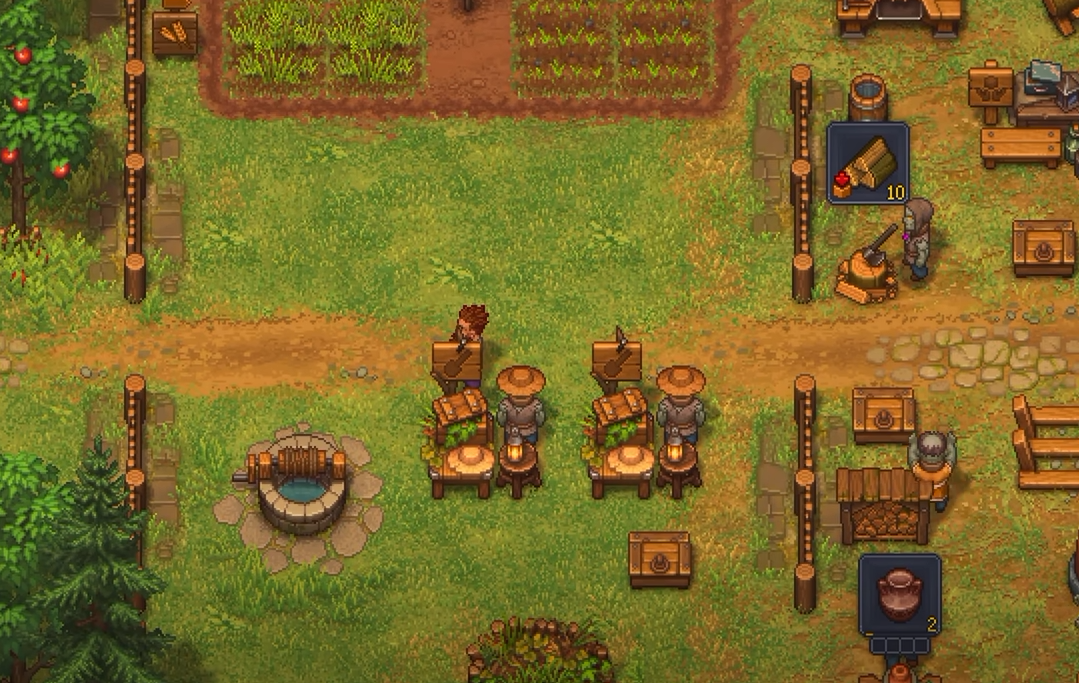
To automate the garden, build a Gardener Stand, assign a zombie to it, equip that zombie with a shovel, and use crop tablets to tell it what should be planted in your Garden Beds.
A normal Garden Bed does not accept a zombie directly. The Gardener Stand controls the worker, while the tablets control which crops that worker should maintain.
Zombie Gardening Checklist
• Unlock Zombie Gardening technology
• Build the Gardener Stand
• Assign a zombie to the stand
• Give the zombie a shovel
• Build Garden Beds
• Place crop tablets for the beds you want automated
• Keep the required seeds available
• Have storage ready for harvested crops
If your zombie is standing around doing absolutely nothing, work through that list before rebuilding anything. In most cases, the worker itself isn't the problem; one part of the farming chain simply hasn't been assigned yet.
If you haven't created enough workers yet, the Graveyard Keeper 2 Zombies guide covers resurrection, collars, worker assignments, and the rest of the zombie system.
Unlock Zombie Gardening After Garden Improvement I
Zombie Gardening comes after Garden Improvement I in the Farming technology tree.
It costs 60 Green and 20 Blue Tech Points and unlocks two separate garden constructions: the Gardener Stand and the Lifting Crane.
Zombie Gardening Technology
• Requires Garden Improvement I
• Costs 60 Green Tech Points
• Costs 20 Blue Tech Points
• Unlocks Gardener Stand
• Unlocks Lifting Crane
The Gardener Stand is the important part for crop automation. Build it from the Garden Blueprint Desk using 4 Wooden Planks, 2 Bronze Details, and 6 Bronze Nails.
Gardener Stand Materials
• 4 Wooden Planks
• 2 Bronze Details
• 6 Bronze Nails
The Lifting Crane is separate. You do not need to build it just to make a zombie plant and harvest crops.
Crop Tablets Tell the Zombie What Each Row Should Grow
Assigning a zombie to the Gardener Stand doesn't automatically tell it what to plant.
Open the Garden Blueprint menu and switch to the crop-assignment tab. From there, you can place tablets that designate which crop should be grown in a row of Garden Beds.
This is the part I'd check first if the zombie has a shovel but continues to idle.
To Assign a Crop
• Open the Garden Blueprint Desk
• Switch to the crop/tablet section
• Select the crop you want automated
• Place its tablet for the corresponding row of beds
• Make sure the required seeds are available
You can use this to separate the garden into dedicated rows instead of letting the zombie decide what to grow. One section can handle Wheat while another handles a different crop once your worker has enough Farming Mastery.
Ordinary planting also consumes seeds, so zombie automation does not eliminate the seed economy. The worker still needs enough seeds to keep replanting after harvests.
Give the Zombie a Shovel to Raise Its Farming Mastery
A newly assigned zombie can still refuse to work if its Farming Mastery is below the requirement of the crop you've selected.
The simplest way to raise that number is to equip the zombie with a shovel.
Inspect the zombie, select its empty hand slot, and choose the shovel from your inventory. Better tools provide better mastery bonuses, letting the same worker handle crops with higher requirements.
If the Zombie Has a Crop Assigned but Won't Work
• Inspect the zombie
• Check its hand/tool slot
• Equip a shovel
• Compare its Farming Mastery against the crop requirement
• Upgrade the shovel or worker if the requirement is still too high
A Bronze Shovel is enough to add 2 Farming Mastery, making it a useful early tool for getting a fresh worker started on basic crops.
I would assign gardening workers based on mastery rather than simply dropping whichever zombie is closest into the stand. Save your better farming workers and better shovels for crops that actually require them.
You Apply Fertilizer Yourself, but the Effect Stays on the Bed
Zombie gardeners handle the planting and harvesting loop, but they do not automatically apply fertilizer for you.
The important advantage is that fertilizer works as a persistent Garden Bed improvement rather than something the zombie needs to consume every time it replants.
If your zombie is already cycling crops, pause or remove the worker first. Clear the bed, apply the fertilizer while the plot is empty, and then reactivate the zombie.
Fertilizing an Automated Garden
• Pause the zombie gardener
• Let or make the target beds become empty
• Apply the fertilizer yourself
• Restore the crop assignment if needed
• Reactivate the zombie
This is worth doing before you fully automate a large garden. Otherwise, the zombie can replant an empty bed almost immediately and leave you with no convenient window to install the fertilizer.
For the higher farming upgrades, Rich Growth Elixir is one of the ingredients used for Headstart Fertilizer II and Farming Fertilizer II.
Use Garden Storage First, Then Add the Lifting Crane When You Want Transport Automation
Planting and moving the harvest are two different jobs.
A Gardener Stand automates crop work. The Lifting Crane, which unlocks from the same technology, handles transportation and uses a completely separate material cost.
Lifting Crane Materials
• 8 Wooden Beams
• 3 Bronze Gears
• 4 Iron Details
I would get the gardening loop working with nearby storage before adding the Crane. That makes it much easier to tell whether a problem is coming from farming or from transport.
Once the Crane is active, crops can be routed away from the garden rather than remaining in the local storage area. If harvested produce seems to disappear after you build the Crane, check the connected underground route before assuming the zombie failed to harvest it.
In particular, the Crane can send produce into the underground transport area. If you haven't cleared the basement route yet, the crops may technically be delivered while remaining inaccessible to you.
If Your Zombie Is Idle, Check the Entire Farming Chain
Zombie gardening has enough separate requirements that fixing one missing piece can make the whole system suddenly start moving.
I would troubleshoot it in this order:
Zombie Gardening Not Working
• Is the zombie actually assigned to the Gardener Stand?
• Does it have a shovel equipped?
• Does it have enough Farming Mastery for the selected crop?
• Have you placed the correct crop tablet?
• Are Garden Beds built in the assigned area?
• Are enough seeds available?
• Is there somewhere for harvested produce to go?
• Is the Lifting Crane sending crops somewhere else?
There are also a few current edge cases worth knowing about. Some players have reported a crop tablet not appearing until they manually planted that crop in the row once, while others have seen newly harvested crop types route strangely through garden storage or the Crane.
If one particular crop refuses to automate despite meeting the requirements, manually plant and harvest it once before rebuilding your entire garden. That has been enough to kick the automation into place in some cases.
The most useful way to build the system is in stages. Get one zombie growing one basic crop first. Once planting, harvesting, and storage all work, add more rows, better crops, fertilizer, and finally automated transport.
That approach also makes it much easier to diagnose problems than building the Gardener Stand, Crane, several crop rows, fertilizer setup, and storage network all at once.
If you still need more workers for the garden, the Reanimation Liquid guide covers one of the main ingredients needed to create additional zombies.
For more farming, crafting, and automation help, the Graveyard Keeper 2 guides cover the other systems you'll need as your base expands.